The Jenkins Crowd SSO Connector allows users to enable SAML Authentication from any SAML compliant Identity Provider(IDP), where SAML SSO requests and responses to and from the IDP will pass via the Crowd server. The IDP will perform user authentication, while user permissions can still be controlled using Crowd.
 Setup the Crowd Application
- Login to the crowd admin console.
- Navigate to Applications → Add Application.
- Select application type as Generic application and provide all the details.
- Make sure you copy the application name and password.
- Assign users and groups.
Setup the Jenkins SSO Plugin
- Download the plugin.
- Enable the SAML Login toggle, and save the changes.
- Login in the admin dashboard.
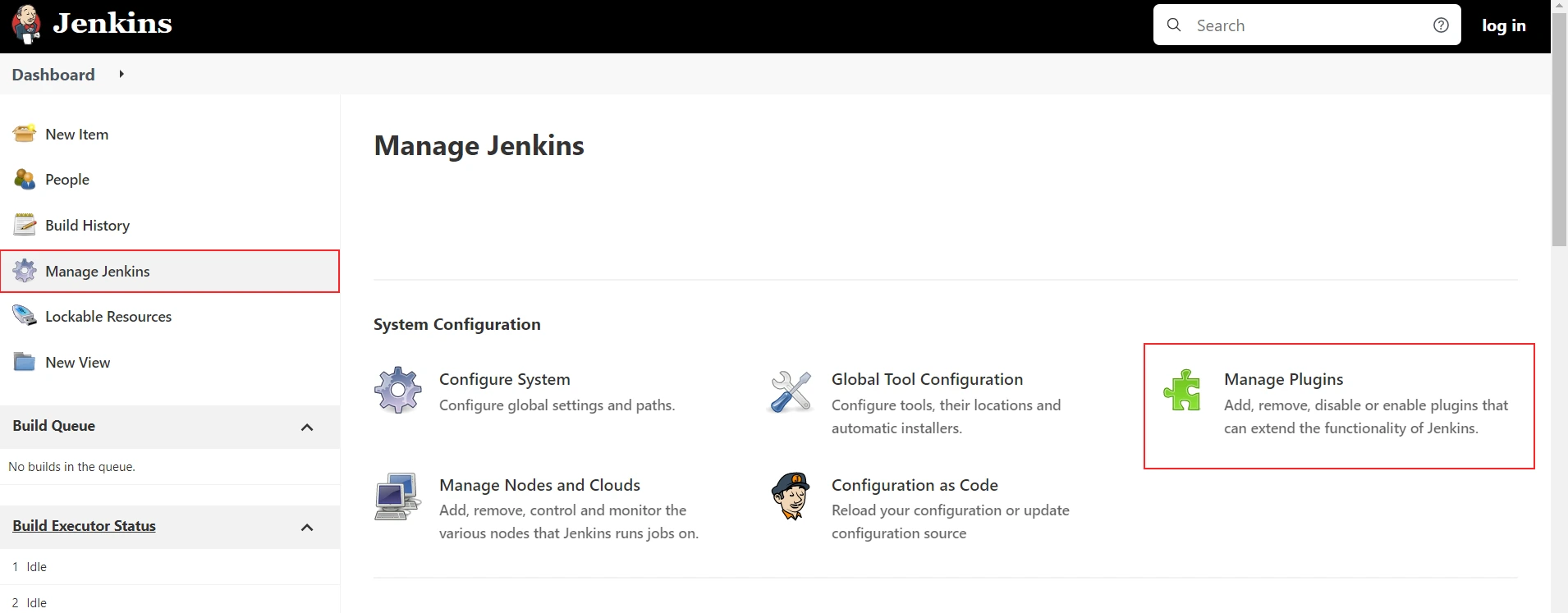
- Select the Manage Jenkins→ Manage Plugins → Advanced tab.
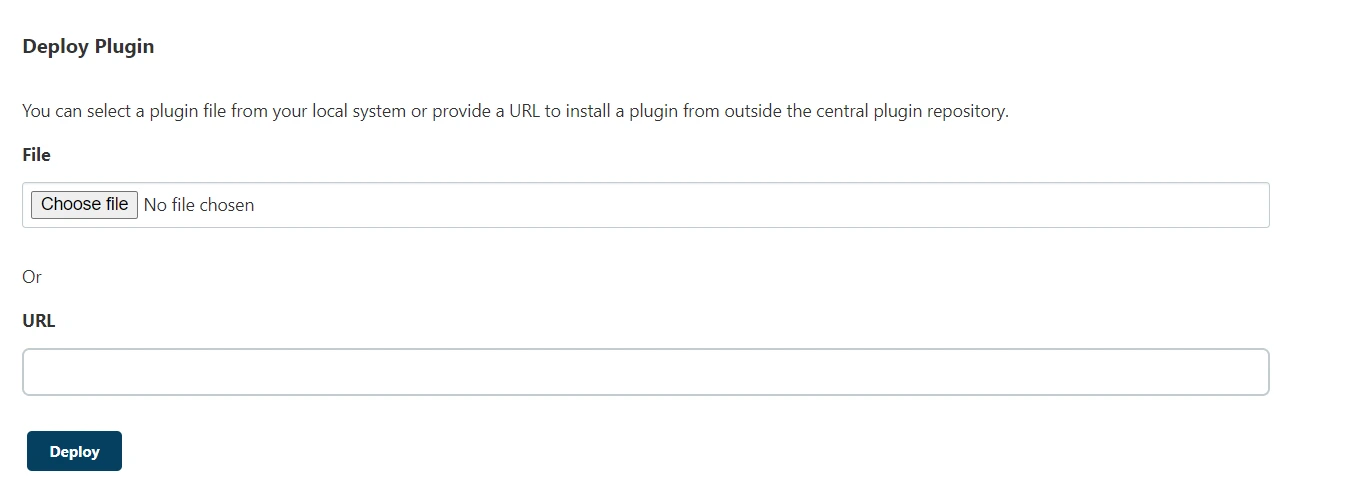
- Scroll down and upload the plugin.
- Make sure you restart the Jenkins.
- Again login to the admin panel → Manages Jenkins → Configure Global Security.
- Under Authorization enable miniOrange Crowd Integration.
Crowd Integration Configurations
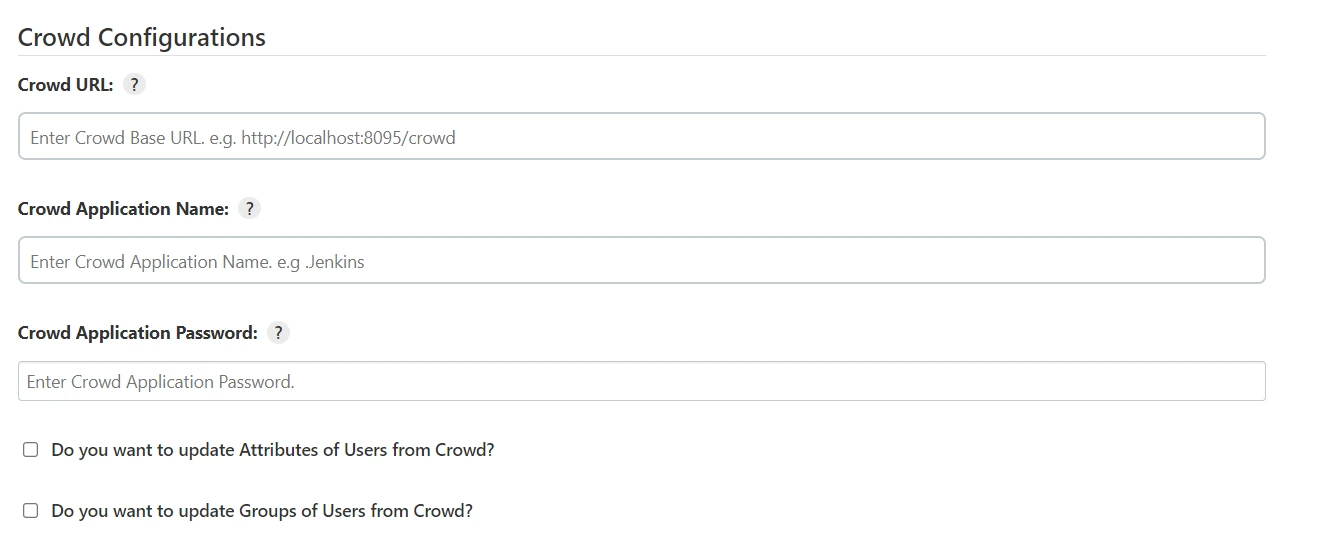
- Enter Crowd URL in the Crowd Configurations.
- Similarly, paste the crowd application name and password as well.
- Enable Use SSO and Do you want to disable the Default login check box.
- Enter cookie domain as the same one you have configured in Crowd.
- Keep cookie.token key as the default crowd.token_key.
- Keep the rest configurations as default.
Crowd Troubleshooting
If you encounter any difficulties while setting up miniOrange Crowd add-ons, please refer to this Crowd troubleshooting page for assistance.
Recommended Add-Ons
Jira Crowd Connector
Crowd SAML & Connectors is the only SSO solution for Crowd SSO-enabled Atlassian apps.
Know MoreConfluence Crowd Connector
Crowd SAML & Connectors is the only SSO solution for Crowd SSO-enabled Atlassian apps.
Know MoreBitbucket Crowd Connector
Crowd SAML & Connectors is the only SSO solution for Crowd SSO-enabled Atlassian apps.
Know More
Our Other Apps:
SAML SSO Apps
|
OAuth Apps
|
Crowd Apps
|
2FA Apps
|
REST API Apps
|
User Sync Apps
|
Bulk User Management
|
Secure Share
|
Bitbucket Git Authentication App | Kerberos/NTLM Apps | Word/PDF Exporter | WebAuthn | SonarQube SSO | Jenkins SSO
Bitbucket Git Authentication App | Kerberos/NTLM Apps | Word/PDF Exporter | WebAuthn | SonarQube SSO | Jenkins SSO
If you don't find what you are looking for, please contact us at support-atlassian@miniorange.atlassian.net or raise a support ticket here.