
OpenAM as IdP – SAML
Step 1: Set Up OpenAM as Identity Provider
- Login to the OpenAM admin console.
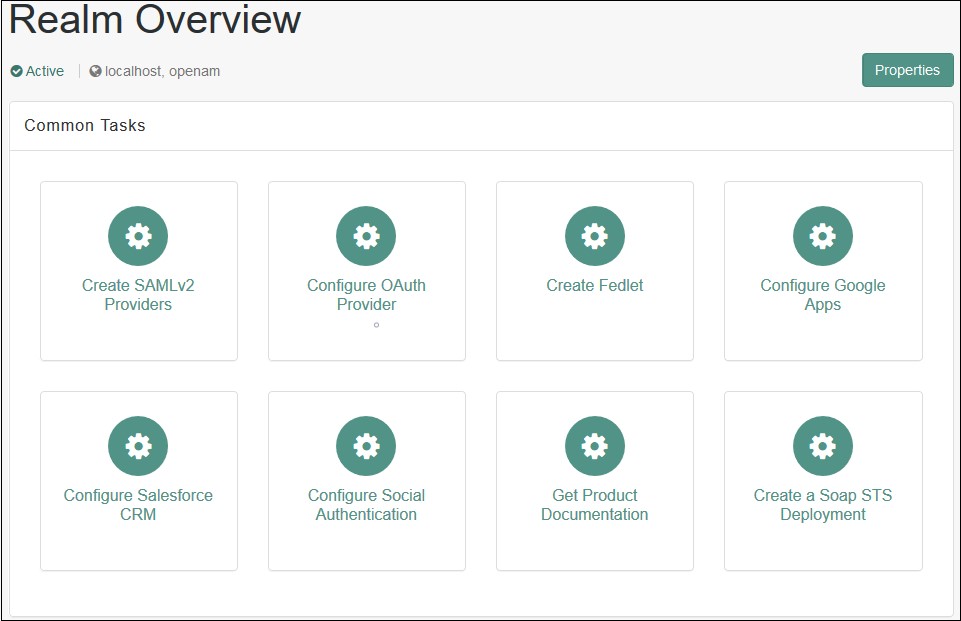
- From the REALMS, select realms, under which you want to create hosted IDP. You will be redirected to the Realm overview page.
- Click on Create SAMLv2 Providers in the Realm Overview page.
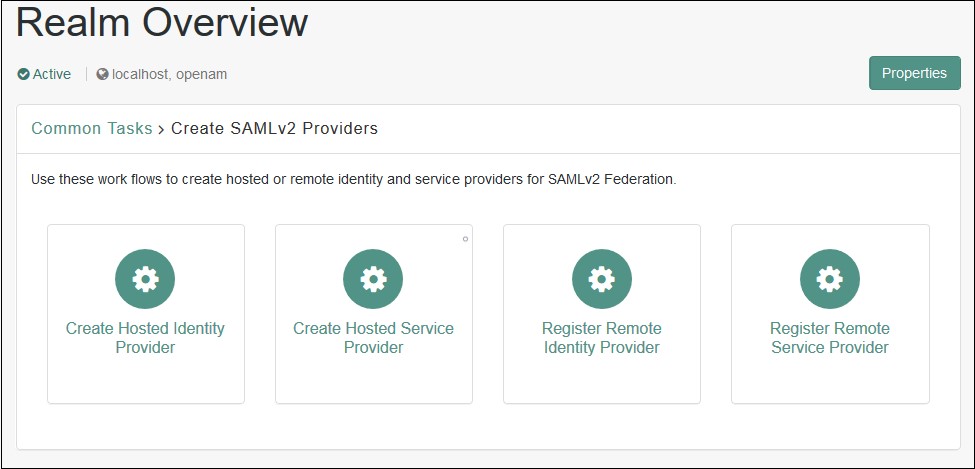
- Click on Create Hosted Identity Provider. You will be redirected to the configuration page.
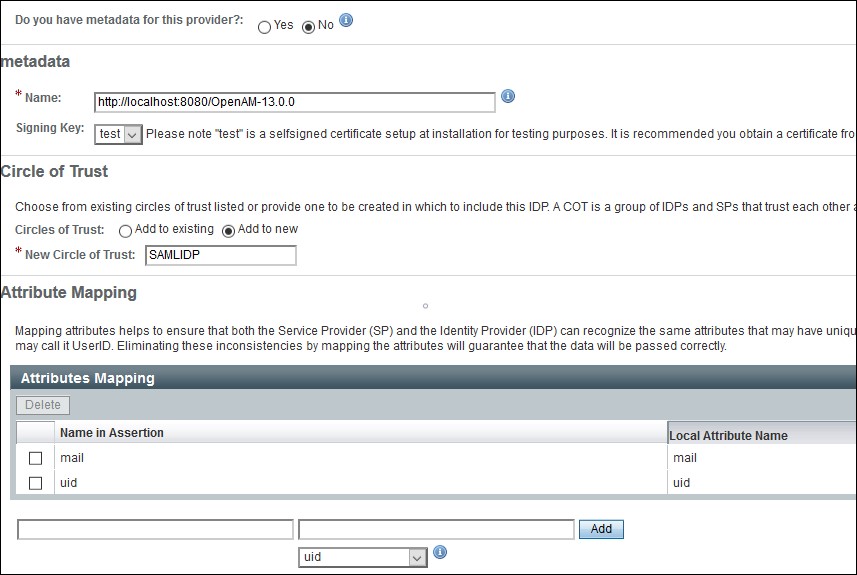
- Configure IDP as given below.
- Name: Name of the IDP
- Signing Key: Select the signing key from the dropdown.
- New Circle of Trust: Provide a name of the groups of IDP and SP that trust each other.
- Attribute Mapping: Configure user profile attributes to be sent to the Service Provider application.
- Click on the Configure button on the top right corner.
- Verify the configuration from the Federation tab of OpenAM.
- Login to the OpenAM admin console.
- From the REALMS, select realms, under which you want to configure your application. You will be redirected to the Realm overview page.
- Click on Create SAMLv2 Providers.
- Click on Register Remote Service Provider. You will be redirected to the configuration page.
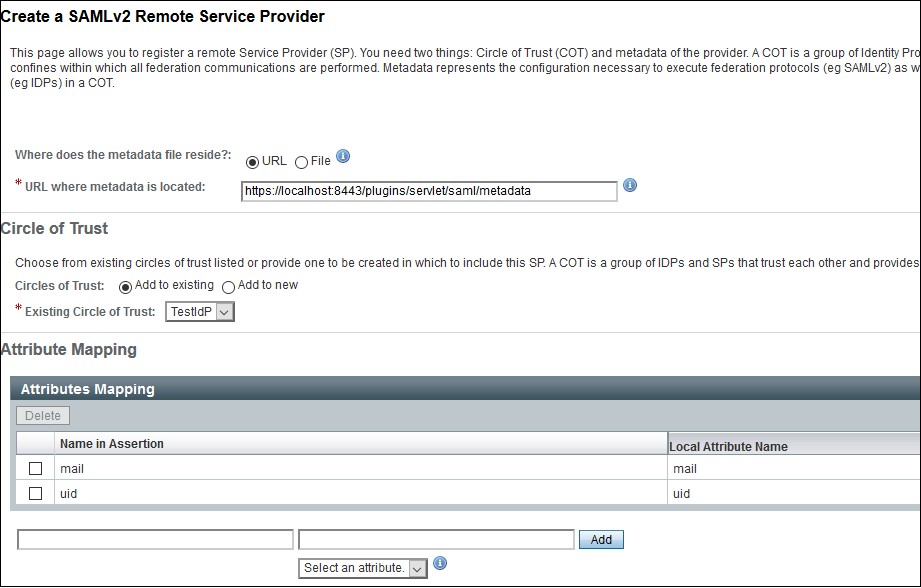
- Configure the Service Provider as given below.
- Where does the metadata file reside: URL.
- URL of metadata: Configure miniOrange plugin's metadata here.
- Circle of Trust: Add to existing.
- Existing Circle of Trust: Select the Circle of Trust (group) in which your hosted IDP is located.
- Attribute Mapping: Configure user profile attributes for mapping.
- Click on the Configure button on the top right corner.
- Verify the configuration from the Federation tab of OpenAM.
- Provide OpenAM SAML metadata to Service Provider application(miniOrange SAML plugin).
- You can download the OpenAM metadata using the URL given below. [OpenAM ServerURL]/saml2/jsp/exportmetadata.jsp
- In case if you have multiple realms and hosted identity Provider configured then use the URL given below. [OpenAM ServerURL]/saml2/jsp/exportmetadata.jsp?entityid=[IdPentityID]&realm=/realmname
All the information required to configure in the OpenAM i.e. plugin’s metadata is given in the Service Provider Info tab of the miniOrange plugin.
 Create OpenAM as a Hosted Identity Provider
Note: – You can skip this step and navigate to Configure Remote Service Provider if you have already configured OpenAM hosted IDP.
Configure Remote Service Provider.
×
![ADFS_sso]()