
A refund is an authentication event, so are a POS login, a loyalty-account change, and a technician connecting to a store remotely.
Retailers have traditionally treated these moments as separate access problems, but they share the same underlying question: how much confidence should the business require before allowing an action to proceed? That question becomes particularly important as fraud moves beyond the checkout into e-commerce accounts, customer-service interactions, privileged systems, and remote access.
MFA for retail provides one part of the answer by introducing additional identity factors at points where passwords alone provide insufficient assurance. When combined with risk, role, device, and transaction context, MFA can become part of the decision-making process around sensitive retail activity rather than simply another step at login.
Why Does Retail Need Multi-Factor Authentication?
Retail environments connect frontline operations, business systems, customer accounts, and third-party access. MFA for retail helps organizations strengthen authentication across these environments while accounting for different users, devices, and access requirements.
Protect Point-of-Sale and Business-Critical Systems
Point-of-sale terminals, back-office applications, inventory systems, payment-related systems, and administrative accounts all represent important access points. MFA for POS systems adds another verification requirement before users can reach these resources, helping reduce the impact of compromised credentials.
Secure Employees, Contractors and Third-Party Vendors
Retail access extends beyond store associates to IT administrators, remote employees, contractors, vendors, and service providers. MFA for retail employees helps verify frontline and corporate users, while stronger controls can protect vendor access, third-party access, and remote access to retail infrastructure.
Protect Customer and Payment Data
Retailers handle customer PII, payment information, e-commerce accounts, and sensitive business data. MFA for eCommerce can strengthen authentication around customer and administrative accounts, helping protect information from unauthorized access.
Reduce Credential-Based Attacks
Credential theft, phishing, password reuse, and account takeover remain common routes to unauthorized access. Retail authentication that requires more than a password can reduce the likelihood that compromised credentials alone will provide access to protected systems and accounts.
7 Benefits of MFA for Retail
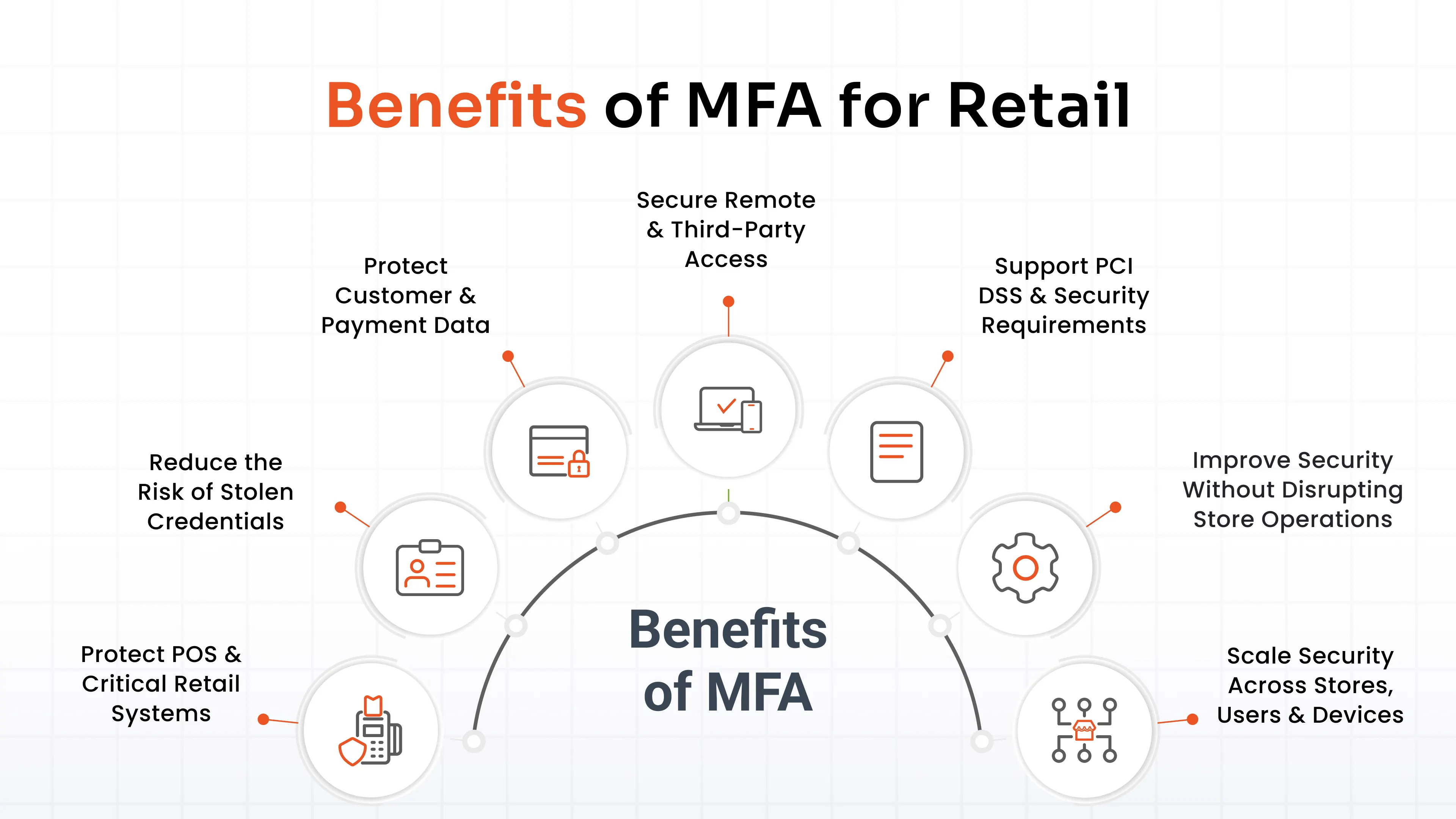
1. Protect POS and Critical Retail Systems
Multi-factor authentication for retail adds another verification layer before users access POS systems, administrative accounts, and sensitive applications. This helps retailers strengthen access control around systems that support daily store operations.
2. Reduce the Risk of Stolen Credentials
A compromised password should not automatically provide access to a protected retail resource. Retail MFA requires an additional authentication factor, helping reduce the impact of credential theft, phishing, and password-based attacks.
3. Protect Customer and Payment Data
Retailers can use multi-factor authentication controls to strengthen access to e-commerce accounts, customer information, and environments handling payment-card data. This adds protection where unauthorized access could expose sensitive information or enable fraud.
4. Secure Remote and Third-Party Access
Retail infrastructure may be accessed remotely by employees, IT teams, contractors, and service providers. MFA for retail businesses can strengthen remote access and third-party access while helping organizations apply appropriate authentication requirements to external users.
5. Support PCI DSS and Security Requirements
Retail multi-factor authentication can support applicable PCI DSS authentication and access-control requirements, particularly around sensitive environments. However, implementing MFA alone does not make an organization PCI DSS compliant.
6. Improve Security Without Disrupting Store Operations
Retailers can use an adaptive MFA solution that combines adaptive policies with push authentication, biometric authentication, and passwordless authentication solutions to reduce unnecessary authentication friction. Flexible methods can also help accommodate shared workstations and fast-moving frontline workflows.
7. Scale Security Across Stores, Users and Devices
MFA for retail can extend across multiple locations, user roles, BYOD, cloud applications, and on-premises systems. With conditional access and role-based authentication, retailers can apply appropriate controls as their workforce and infrastructure expand.
Where Can Retail Businesses Use MFA?
MFA for retail can protect access across the systems and connections that support store operations, customer experiences, and corporate infrastructure.
| Retail Access Point | MFA Use |
|---|---|
| POS & Store Workstations | Secure employee and store access |
| E-commerce Platforms | Protect administrative and customer-facing access |
| Corporate Applications | Secure CRM, ERP, and productivity applications |
| VPN & Remote Access | Protect remote employee and vendor access |
| Cloud Applications | Secure SaaS and business applications |
| Servers & IT Infrastructure | Protect administrative and privileged access |
| Network Devices | Secure infrastructure administration |
| Third-Party/Vendor Access | Control external access |
This makes retail cybersecurity an organization-wide consideration rather than a control limited to one application.
Which MFA Methods Are Best for Retail?
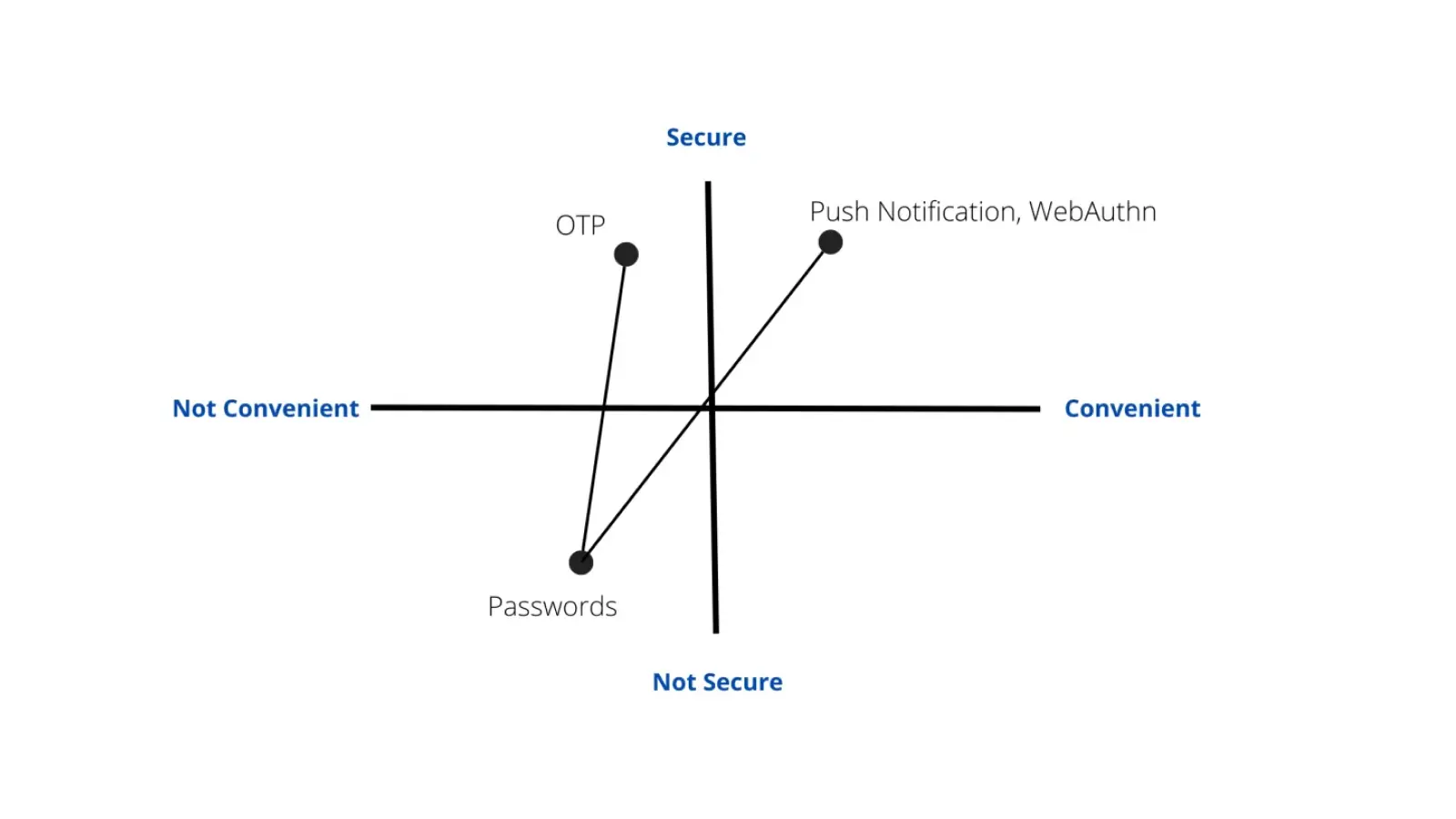
There is no universal best method for MFA for retail. The appropriate choice depends on the user's role, available device, risk level, and workflow.
Authenticator Apps and TOTP
Authenticator apps and Time-Based One-Time Passcodes (TOTP) provide a practical option for employees with smartphones, generating time-based verification codes alongside passwords.
Push Authentication
Push authentication lets users approve sign-in requests from an enrolled device, providing a quick option for employees accessing retail applications.
Biometrics and Passwordless Authentication
Biometric authentication can provide fast identity verification, while passwordless MFA reduces reliance on passwords. These approaches can be useful for frontline workflows where speed and ease of use matter.
FIDO2, Passkeys and Security Keys
FIDO2, passkeys, and security keys provide a phishing-resistant MFA solution for higher-assurance access. They can be particularly valuable for administrators, privileged users, and sensitive applications.
Backup Authentication Methods
Backup methods help users recover access when their primary factor is unavailable. Retailers should consider recovery options for:
- Lost or replaced devices
- Unavailable primary factors
- Employee recovery
- Authentication failures
Where connectivity is limited, offline authentication can also be an important consideration for frontline environments.
How to Choose an MFA Solution for Retail?
Choosing MFA for retail requires evaluating how authentication will work across existing users, systems, devices, and workflows.
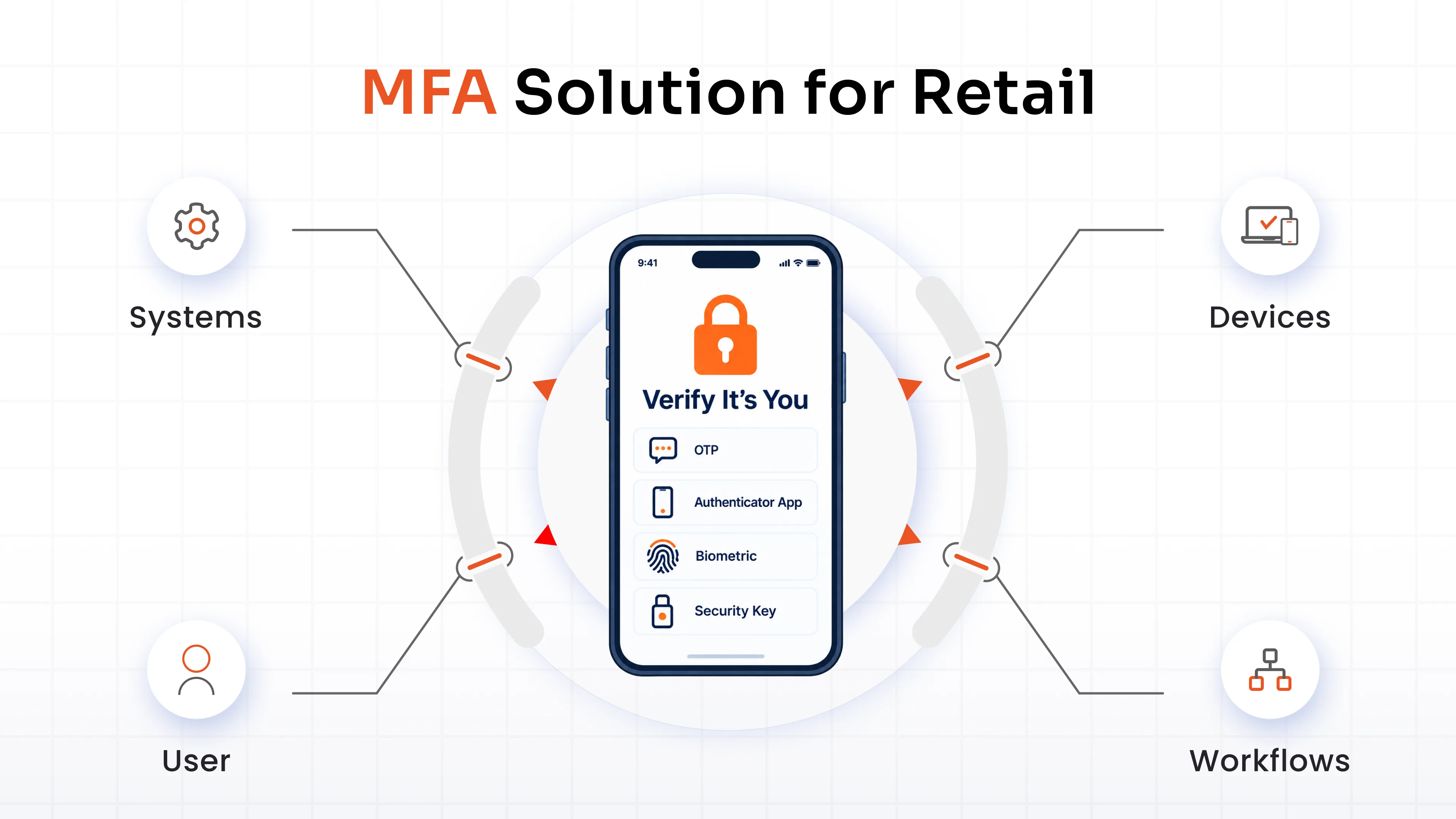
Support for POS and Shared Workstations
Retail environments often rely on shared workstations and POS terminals. Look for access control capabilities that preserve individual authentication and accountability without creating unnecessary friction.
Multiple Authentication Methods
A solution should support different authentication requirements through options such as:
- Push
- TOTP
- Biometrics
- WebAuthn/FIDO2
- Security keys
- Backup methods
Adaptive and Risk-Based Policies
Adaptive MFA can use contextual signals such as:
- IP address
- Device
- Location
- Time
- Risk
This allows retailers to increase authentication requirements when access conditions indicate greater risk.
Role-Based Access Controls
Role-based authentication allows policies to reflect the responsibilities of different users. Store associates, managers, administrators, and third-party users can receive controls appropriate to their access privileges.
Cloud and On-Premise Deployment
Retailers may operate a combination of cloud services and on-premises infrastructure. Flexible deployment allows retail authentication to work across both environments.
Integration With Existing Applications and Infrastructure
The solution should integrate with existing VPNs, web applications, legacy applications, servers, network devices, and enterprise systems. This is particularly important for retailers operating a mix of modern and legacy infrastructure.
Reporting and Audit Logs
Centralized administration provides visibility into authentication activity. Look for:
- Authentication reports
- Audit logs
- Policy visibility
- Centralized administration
These capabilities help security teams monitor access and investigate suspicious activity.
User Enrollment and Recovery
Enrollment and recovery should work for a distributed retail workforce. Self-enrollment, fallback methods, and controlled recovery can simplify deployment while maintaining appropriate security controls.
How Does miniOrange MFA Secure Retail Organizations?
Retail environments rarely run on one type of application or one type of user. miniOrange MFA solution provides centralized authentication across applications, infrastructure, and access points, allowing retail teams to apply different authentication methods and policies without managing each access point separately.
Secure Multiple Retail Access Points
miniOrange can extend MFA across the systems that support retail operations, including:
- VPN and remote access
- Windows, Linux, and Mac systems
- RDP
- Web applications
- Legacy applications
- Network devices
This allows retailers to strengthen authentication across both modern and existing infrastructure instead of limiting MFA to newer cloud applications.
Give Retail Teams Flexible Authentication Options
Different retail users and environments may require different authentication experiences. miniOrange supports multiple authentication methods, including:
- Push authentication
- TOTP
- Biometrics
- WebAuthn/FIDO2
- Security keys
- Backup codes
This flexibility allows organizations to select authentication methods according to user requirements, security needs, and available devices.
Apply Adaptive and Role-Based MFA
Retail organizations can use contextual signals to determine when and how MFA should be applied. miniOrange supports policies based on factors such as:
- User role
- Device
- Location
- IP address
- Time
- Risk
This enables organizations to apply stronger authentication requirements to higher-risk access while maintaining appropriate policies for different user groups.
Simplify Administration and User Management
Managing authentication across a distributed retail workforce requires visibility and administrative control. miniOrange provides capabilities such as:
- Self-enrollment
- Smart fallback
- Centralized reporting
- Audit logs
- Endpoint and deployment visibility
These capabilities can help security teams manage authentication centrally while giving users appropriate enrollment and recovery options.
Deploy in Your Retail Environment
Retailers can deploy miniOrange MFA in the environment that aligns with their infrastructure requirements, including cloud and on-premises deployments. This flexibility can be particularly relevant for organizations operating a combination of cloud applications and existing on-premises systems.
MFA Implementation Best Practices for Retail
Implementing MFA effectively requires more than enabling a second authentication factor. Retailers should align authentication controls with their systems, users, and operational risk.
1. Identify Critical Retail Access Points
Map the systems where unauthorized access could have the greatest operational or security impact:
- POS and store systems
- Administrative applications
- VPN and remote access
- Cloud applications
- Servers and infrastructure
2. Prioritize High-Risk Users
Start with identities that have broader or more sensitive access, including:
- Administrators
- Privileged users
- Vendors
- Remote users
3. Choose Authentication Methods by Workflow
Consider the user's environment before selecting a factor. A method that works well for an administrator may not be appropriate for a frontline employee using shared equipment.
4. Apply Adaptive and Role-Based Policies
Use user roles and contextual signals to determine when stronger authentication is appropriate. Higher-risk access can receive stronger controls without applying identical requirements everywhere.
5. Monitor Authentication Activity
Use authentication logs and reports to identify unusual access patterns, investigate failed authentication attempts, evaluate policy effectiveness, and troubleshoot deployment issues.
Protecting Retail With Stronger Identity Controls
Retail security depends on protecting more than just passwords. From POS systems and e-commerce platforms to employee accounts, remote access, and third-party connections, every access point can introduce risk. MFA for retail helps organizations verify users with additional authentication factors while adapting security controls to different roles, devices, locations, and risk levels.
Retailers can combine methods such as authenticator apps, biometrics, push authentication, and phishing-resistant options with adaptive and role-based policies. The result is stronger access control that supports secure operations without unnecessarily slowing down employees or customers.
FAQs
Why is MFA important for retail businesses?
Retail businesses manage POS systems, customer accounts, payment environments, and distributed users. MFA reduces reliance on passwords and helps protect these environments against credential theft, phishing, password reuse, account takeover, and unauthorized access.
How does MFA protect POS systems?
MFA verifies the identity of employees before they access POS systems and other sensitive retail applications. Retailers can also apply role-based or step-up authentication to strengthen verification for administrative actions, refunds, overrides, and other sensitive activities.
Is MFA required for PCI DSS compliance?
MFA may be required for certain access scenarios under applicable PCI DSS requirements. However, MFA alone does not make an organization PCI DSS compliant. Retailers should implement MFA alongside broader authentication, access-control, security, and compliance measures.
How can retailers implement MFA without slowing down store employees?
Retailers can reduce authentication friction with adaptive policies, push authentication, biometrics, passwordless methods, and step-up authentication. These approaches allow stronger verification when risk increases without unnecessarily interrupting routine activities for frontline employees.
How can retailers secure shared POS devices with MFA?
Retailers can use authentication methods designed for shared workstations to verify individual employees rather than relying solely on the device. Role-based policies, quick authentication, session controls, and appropriate recovery methods can help maintain security without disrupting store workflows.
About the Author

Content Writer
Minal is an experienced B2B content writer. She has written over 250 articles across industries like UI/UX, real estate, automotive, digital marketing, SaaS, AI & ML, and cybersecurity. She brings her interest in cybersecurity to life by creating clear, engaging content tailored for technical, non-technical, and creative pieces. Her aim is to simplify complex topics, highlight product value, and connect with both technical and non-technical audiences.
Leave a Comment