Managing Inactive Read-Only Active Directory (AD) Users in Confluence
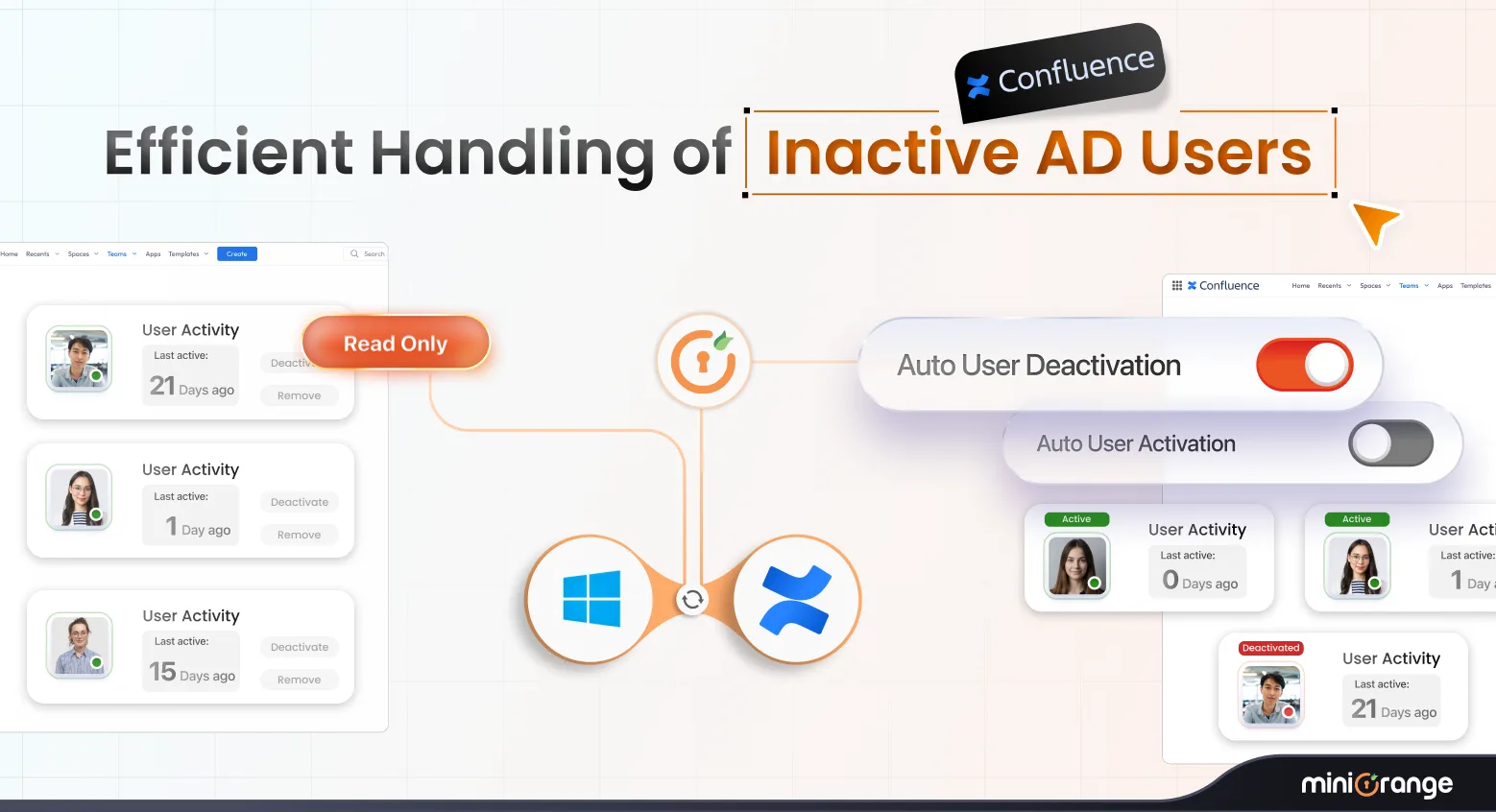
When Confluence is connected to a Read-Only Active Directory (AD), admins cannot directly manage user accounts within Confluence. These users do not exist locally in Confluence; they are only synced. However, because the directory is read-only, admins cannot deactivate users, remove them from access groups, or edit their attributes. The miniOrange User Management for Confluence app provides enhanced automation that allows admins to efficiently manage such users without manually updating Active Directory.
Business Challenge
When Confluence is connected to a Read-Only AD directory, admins are presented with the following limitations:
- You cannot deactivate users in Confluence.
- You cannot update groups in Confluence (because the source AD is read-only).
- If a user becomes inactive or has not used Confluence for many days, they still consume a Confluence license.
- Manually updating AD for each user (deactivation or group change) is time-consuming and error-prone.
- Deactivating users in AD may impact their access to other applications (not only Confluence).
In such cases, organizations need a controlled way to:
- Identify users who are not using Confluence.
- Remove their Confluence access without affecting their other applications.
- Automate user management tasks.
Solution Overview
The miniOrange User Management app introduces specialized features to manage AD Read-Only users.
Key Capabilities
1. Enable Management of LDAP Read-Only (R/O) Users
- The app can deactivate users directly in AD through scheduled tasks.
- It can update groups in AD (e.g., remove Confluence-access groups).
- The entire process becomes automated by scheduling cleanup rules.
Once the admin enables the feature:
2. License Optimization Without Deactivation
- The app provides a safer alternative by allowing admins to:
- Only update/remove Confluence-specific groups in AD.
- By updating groups, revoke user access only for Confluence.
- Ensure that users remain active in AD and other systems.
- Reduce and optimize the Confluence license count automatically.
If deactivating users at the AD level would affect their access to other apps:
3. Auto-Access Recovery
- When users need Confluence again, the app can automatically re-grant access (group assignment) based on the rules set by the admin or when they log in.
If the admin enables the feature:
How It Works
Step 1: Users Are Synced from AD (Read-Only Directory)
- Users exist in AD.
- They are synced into Confluence periodically.
- No local modification is possible.
Step 2: Admin Identifies Inactive Users
- Admin selects criteria such as:
- “Users who have not logged into Confluence for X days”
- The scheduler identifies inactive users based on their last login in the application.
Using miniOrange’s User Management app:
Step 3: Admin Chooses How to Handle Inactive Users
- The app will update the user status directly in AD (if allowed by the admin in the app).
- The user loses access to all connected systems.
- Best for organizations where AD deactivation should result in full offboarding.
- The app removes the Confluence-specific AD groups from the user.
- Remove user from confluence-users
- Remove user from confluence-administrators
- Users in ADremain active , thereby there is no impact on other apps’ access.
- Users no longer consume a Confluence license.
Option 1: Deactivate User in AD
Option 2: Remove Confluence Access Only (Recommended)
Example:
Why is Option 2 safer?
The user’s AD account remains active; only Confluence access is revoked. This avoids accidental loss of access to other systems.
Step 4: Scheduled Automation
- Run daily/weekly/monthly.
- Identify inactive users automatically.
- Perform actions (deactivate or group update) without manual effort.
The admin can configure schedulers to:
Step 5: Auto-Access if Needed
- The app can auto-assign required groups (if enabled).
- This restores access without manual intervention.
If a user tries to access Confluence again:
Key Benefits
The solution provides the following key benefits:
License Optimization
Remove Confluence access from non-active AD users and reduce unnecessary licensing costs.
AD-Level Automation
Automatically deactivate or update groups of AD R/O users.
No Manual AD Work
Schedulers perform AD updates on behalf of admins.
No Impact on Other Apps
Safe mode updates only groups related to Confluence, not the whole AD account.
Auto-Provisioning
Users can regain access automatically if needed.
Supports Enterprise Use Cases
Ideal for organizations with shared AD for multiple applications.
Example Scenario
Situation
- Your organization syncs 5,000 users from AD.
- Only 1,200 actively use Confluence.
Without miniOrange’s User Management App
- All 5,000 consume Confluence license seats.
- You cannot remove or deactivate them because AD is read-only.
With miniOrange
- Scheduler detects 3,800 inactive users (not used for X days).
- The app removes those users from Confluence access groups in AD.
- Your Confluence license count drops to 1,200.
- Users still retain access to other enterprise apps.
Notes & Best Practices
- Since users are synced (not stored directly in Confluence), all status and group updates must be done in AD.
- If you disable a user in AD completely, ensure it will not break access to other systems.
- For most organizations, removing only Confluence access groups is the safest approach.
- Combine with the “Auto User Access” feature for seamless onboarding/offboarding.
Conclusion
The miniOrange User Management app provides a smooth, automated solution for organizations that rely on Read-Only AD. By identifying inactive users, safely adjusting their Confluence access, and optimizing licensing without manual directory changes, the app streamlines administration and reduces risk. Its automation rules, flexible access controls, and seamless re-provisioning ensure that Confluence remains secure, cost-efficient, and aligned with real-world enterprise workflows.