

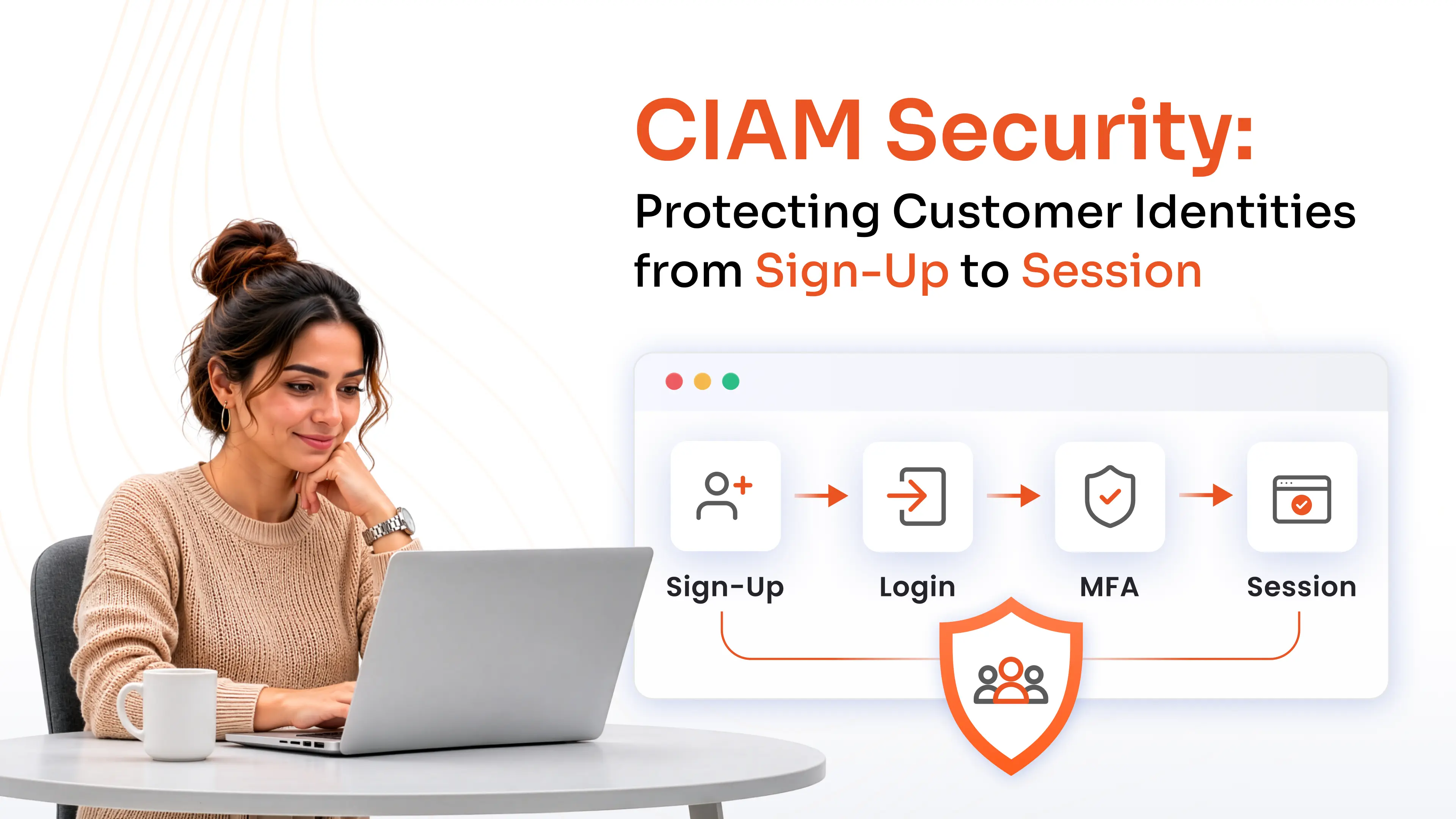
CIAM security is the set of controls that protect customer identities across sign-up, login, MFA, password reset, account recovery, sessions, and APIs. It stops account takeover, credential abuse, and automated login attacks while keeping sign-in simple for genuine customers.
Done well, customers sign in quickly, and attackers hit a wall at every step.
This article goes in depth on CIAM security and how you can successfully protect customer identities from sign-up to session, using a CIAM platform.
Why Customer Identity Security Needs Its Own Controls
Identity and Access Management (IAM) covers who a person is, which systems they can reach, and what they can do there. Most IAM programs are built for employees, where you pick the device and train people. Customer Identity and Access Management (CIAM) applies the same discipline to customers, where four things need controls of their own:
- The front door is public: Sign-up and login pages must be reachable by anyone, scripts included. In Verizon’s 2026 DBIR, credentials were among the data compromised in 26% of retail breaches, and stolen pairs get replayed at scale (see how credential stuffing works)
- You can’t train or mandate customers: They sign in from any device, and you can’t issue hardware keys to all those devices. In Verizon’s phishing simulations, voice and text lures had a median click rate of 40% higher than email.
- Third parties sit in the sign-in path: Social login, SMS delivery, and fraud tools all touch it. Verizon found third-party involvement in 48% of breaches, a 60% jump over the prior year’s dataset.
- Takeovers hit real customers: Each one costs support time and fraud losses, and it chips away at trust.
The next section maps each stage of the journey to its threats.
Where Attacks Hit the Customer Identity Journey
Attackers probe every step a customer takes, from the sign-up form to the API behind the mobile app. Mapping each stage to a control, and to the layer that owns it, is the basis of customer account protection. It also shows where a CIAM platform covers the ground and where another tool has to.
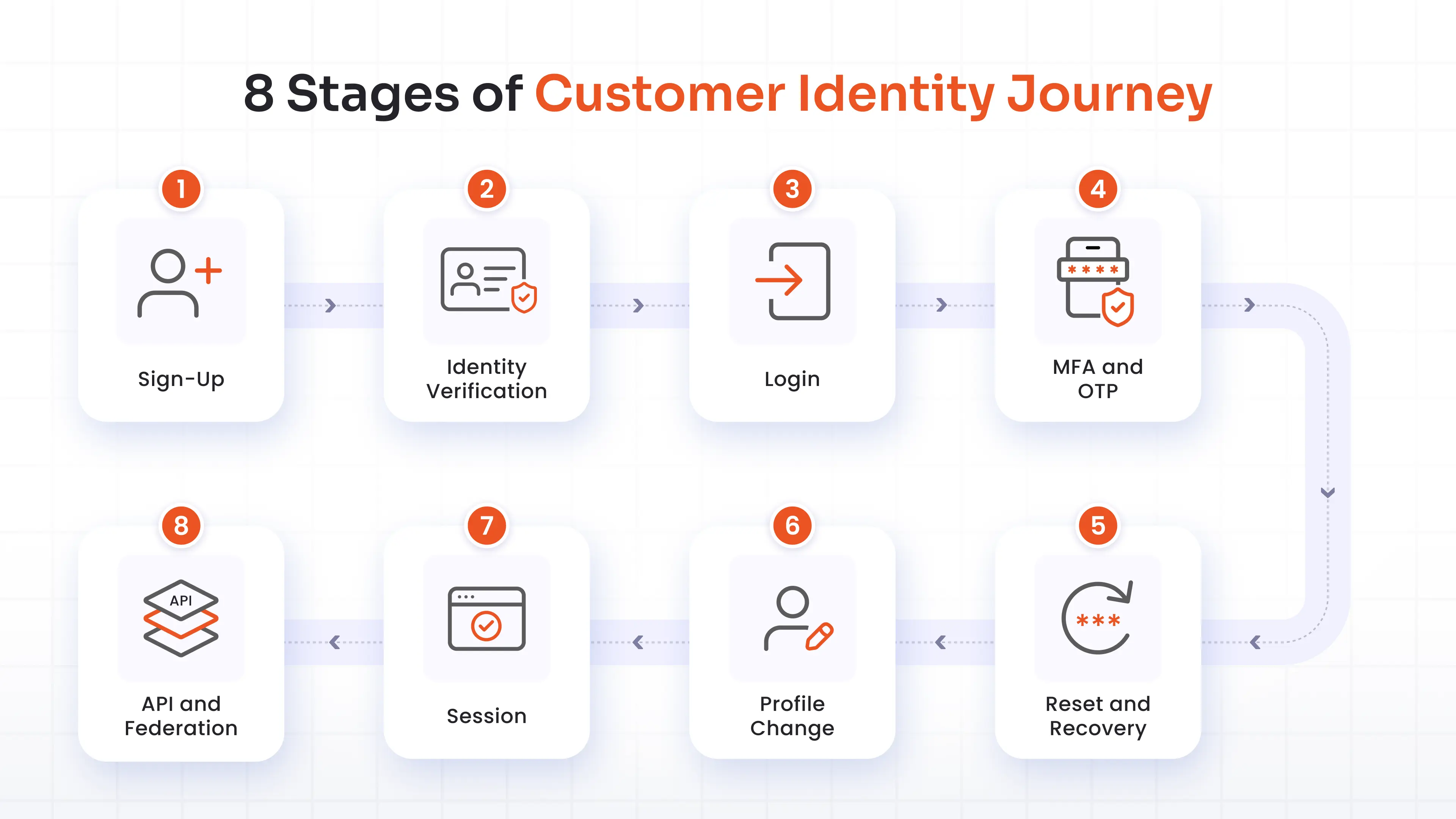
| Stage | Common Security Threats | Impact | Mitigation Strategies | Layer |
|---|---|---|---|---|
| Sign-Up | Bot registrations, fake accounts (OAT-019) | Polluted user base, promo abuse | CAPTCHA, rate limits, fraud scoring | CIAM, plus fraud tools |
| Identity Verification | Email and SMS verification floods, SMS pumping | Telecom cost, fake identities | Throttling, phone and email intelligence | CIAM tier, plus other tools |
| Login | Credential stuffing (OAT-008), brute force and password spraying (OAT-007), bots | Account takeover | Attempt limits, IP throttling, MFA, CAPTCHA | CIAM, plus bot management at high volume |
| MFA and OTP | OTP guessing, MFA fatigue, SMS pumping, CAPTCHA defeat (OAT-009) | MFA bypass | OTP attempt limits, phishing-resistant MFA | CIAM |
| Reset and Recovery | Reset floods, account enumeration, recovery hijack | Account takeover, account lockout | Generic responses, throttling, single-use links, step-up | CIAM |
| Profile Change | Email or phone swap after takeover | Persistent account takeover | Re-authentication, new-device checks | CIAM |
| Session | Session hijacking, token theft | Data exposure | Expiry, revocation, force logout, secure cookies | CIAM |
| API and Federation | Token misuse, scraping, abuse of federated logins | Data exposure | PKCE, scoped tokens, audience restriction, rate limits | CIAM, plus app and API gateway |
Account takeover is the most common result of automated login attacks in these rows. And each of these needs a different way to mitigate it.
Brute-force attacks hammer one account with many guesses, so per-account limits catch them. Password spraying tries a few common passwords across many accounts and stays under per-account lockouts, so it needs per-IP and global limits. Stuffing replays pairs from compromised credentials, and each pair is tried only once, which makes it hard to spot. The spraying vs. stuffing comparison covers the signals that separate them.
What Must a CIAM Platform Provide
A secure CIAM platform controls how customers prove who they are, how many attempts they get, how long sessions last, and what gets logged. These ten areas are the baseline security teams use to compare CIAM platform security features. Availability varies by vendor and subscription tier.
1. Authentication and MFA: Strong, phishing-resistant, and passwordless options, so one stolen password isn’t enough.
2. Attempt limits: Caps on repeated failures per account, including OTP and reset.
3. IP throttling and rate limits: Suspicious sources slowed before they reach volume.
4. Session security management: Lifetimes, revocation, and forced logout.
5. Token security: Short-lived, audience-restricted, rotated tokens.
6. API and identity federation security: OAuth 2.0, OpenID Connect, and SAML 2.0 implemented to current best practices.
7. Recovery security: Protected reset and recovery flows that don’t reveal which accounts exist.
8. Device and risk signals: New-device, IP, location, and time signals that trigger step-up; the input adaptive MFA policies run on.
9. Logging and audit: Identity events with retention and SIEM export.
10. Privacy, consent and deployment: Consent records, data residency and a choice of deployment model.
Session, Token and API Security in CIAM
A login ends in a session and a set of tokens, and those need the same care as the password check, because session hijacking skips the password entirely. RFC 9700, the OAuth 2.0 security best current practice published in January 2025, requires public clients to use PKCE. It also requires refresh tokens for public clients to be sender-constrained or rotated, and recommends restricting access tokens to the resource server they’re meant for.
Session Lifecycle: Expiry, Revocation and Force Logout
Set idle and absolute timeouts by risk. End sessions on password change, MFA change, and account recovery. Give support and security staff a force-logout control for suspected takeovers and session hijacking, so a customer reporting a stolen phone doesn’t wait for a cookie to expire.
Token Handling: Short-Lived, Rotated, and Audience-Restricted
Keep access tokens short-lived, measured in minutes. Rotate refresh tokens on every use and treat a replayed one as theft by revoking the chain. Audience restriction means a token minted for your orders API gets refused by your profile API.
OAuth 2.0 and OpenID Connect Best Practices
Use the authorization code flow with PKCE for browser and mobile apps. Skip the implicit grant, match redirect URIs exactly, and remember that an OIDC ID token proves authentication to the client while authorization decisions still belong to the API.
Federation and Identity Brokering
Social login and enterprise identity providers hand off part of your sign-in to someone else. Brokering lets one CIAM layer apply your attempt limits, step-up rules, and logging to every upstream source, so a weak link doesn’t set your policy.
API Authorization and Least Privilege
Attackers call APIs directly and skip every UI-level control. Scope tokens to the minimum, enforce authorization at the gateway or service, and rate-limit by token and client. Identity threat protection covers how to spot abuse once tokens are in play.
CIAM Security Architecture: How the Layers Work Together
Customer identity fraud prevention works in layers, because every layer has blind spots and each one covers for another.
- Edge services and a WAF filter malicious traffic.
- Bot management judges whether a request is automated.
- The CIAM layer decides who gets in and when to ask for more proof.
- Applications enforce what each signed-in customer can do, and monitoring ties every signal together.
Let’s understand the layered security architecture in detail using the table below.
| CIAM | WAF | Bot management | Fraud or risk platform | |
|---|---|---|---|---|
| Purpose | Authenticate customers; enforce sign-in, session, and consent policy | Filter malicious HTTP requests | Detect and manage automated traffic | Score business-transaction risk |
| Typical capabilities | MFA, SSO, attempt limits, throttling, sessions, tokens, consent, audit | Rule sets, OWASP Top 10 protection, rate rules | Behavioral and device signals, challenges, bot classification | Device, behavioral and transaction signals; case management |
| Limitations | Bot detection is often basic; little view of pre-login traffic | Doesn’t know who the user is | Doesn’t authenticate or authorize | Doesn’t own login or session |
| When it’s needed | Always, for customer login | Any public web app or API | Sustained or sophisticated automation | Payments, promotions, new-account and high-value fraud |
| How it works with CIAM | Baseline layer | Sits in front of CIAM endpoints | Sends verdicts to CIAM challenges | Feeds risk into step-up decisions |
CIAM Security Best Practices
Treat these eight as CIAM implementation best practices: work through them in order for a new rollout, or start with the one that matches your weakest journey stage.
1. Assess risk per journey stage: Rank sign-up, login, recovery, and profile change by impact and attack likelihood.
2. Step up MFA where risk justifies it: Require stronger factors for new devices, sensitive changes, and risky signals. 23andMe left MFA optional, and the ICO named the lack of mandatory MFA among its findings. Our guide to risk-based authentication shows how to trigger it without nagging every customer.
3. Cap and throttle repeated attempts: Apply per-account and per-IP limits, including OTP and reset. NIST SP 800-63B sets 100 consecutive failures per authenticator as the ceiling, and its fourth revision was finalized in July 2025. Most teams set far lower limits and add growing delays so attackers can’t lock real customers out.
4. Keep sessions and tokens short-lived and revocable: Use PKCE, rotation, and audience restriction, per RFC 9700.
5. Secure reset and recovery: Return generic responses, issue single-use links, and require re-authentication security controls before credential changes.
6. Log and review identity events: Track failed logins, MFA changes, and resets; set alerts and retention.
7. Apply least privilege to apps, APIs, and admins: Use scoped tokens and role-based admin access.
8. Minimize customer data and test: Collect only what you need, and run recovery and incident workflows on a schedule.
CIAM Security Evaluation Checklist: Questions to Ask Every Vendor
Security claims count only when you can verify them. For each area, ask how the control works, which plan includes it, and what evidence backs the answer: documentation, audit reports, or a proof-of-concept result. Treat the list as a CIAM vendor security assessment you can hand to procurement.
- Threat coverage: which journey stages and attacks do the controls cover?
- Authentication: which MFA and passwordless methods exist, and which resist phishing?
- Sessions and tokens: how are lifetimes, rotation, and revocation handled?
- APIs and federation: which protocols are supported, and how are scopes enforced?
- Privacy and consent: how is consent captured, enforced, and audited?
- Deployment and residency: which models and regions are available?
- Integrations: which WAF, bot, fraud, and SIEM integrations are documented?
- Implementation support: what support, SLA, and proof-of-concept support is included?
For head-to-head vendor comparisons, use our guide to comparing CIAM vendors.
How miniOrange CIAM Supports These Security Requirements
miniOrange CIAM covers much of the CIAM layer described above. Its CIAM platform security features include brute-force attack protection, suspicious-IP throttling, CAPTCHA, new-device recognition, long-lived sessions with force logout, identity brokering, MFA, and passwordless login.
Fraud scoring, advanced bot management, and a WAF usually come from other tools, as the architecture section shows, so plan those integrations early. Teams comparing options for customer identity security can check miniOrange CIAM against the evaluation questions above.
Conclusion
Customer Identity fraud prevention and security means protecting every step a customer takes, from the first sign-up to the last API call. Attackers test each stage, so controls have to cover each one: limits and throttling at login, step-up where risk rises, protected recovery, and short-lived sessions and tokens.
CIAM does that work at the identity layer, while your WAF, bot, and fraud tools handle what sits around it. Start by ranking your journey stages by risk, then use the evaluation questions above to check that your platform covers the top ones.
FAQs
What is CIAM security?
It’s the set of controls that strengthens credential abuse, automated attacks, and CIAM account takeover protection during customer sign-up, login, MFA, recovery, sessions, and APIs. All the while keeping sign-in simple for genuine customers.
What are the main CIAM security requirements?
Strong MFA, attempt limits, IP throttling, session and token controls, API and federation security, protected recovery, device and risk signals, audit logging, and privacy and consent management.
What are CIAM security best practices?
Rank journey stages by risk, step up MFA on risky signals, cap and throttle attempts, keep sessions and tokens short-lived, secure recovery, log identity events, apply least privilege, and minimize collected data.
How does CIAM help prevent account takeover?
It stacks controls. Attempt limits and IP throttling strengthen credential stuffing protection, MFA covers the stolen password, new-device checks catch risky logins, and session revocation ends access after a takeover. No single control carries the load.
How is CIAM security different from IAM security?
Workforce IAM protects employees on managed devices and known directories. CIAM protects customers who bring their own devices and passwords, sign up publicly, arrive in far greater numbers, and expect fast sign-in. Bots, fake accounts, and credential stuffing dominate the threat model.
Does CIAM replace a WAF or bot-management tool?
No. A WAF filters malicious HTTP traffic and bot management judges whether requests are automated, while CIAM authentication security covers customers and enforces session policy. Sustained automation or fraud pressure calls for those tools alongside it.
How can organizations secure customer authentication without unnecessary friction?
Ask for more proof only when risk changes, such as a new device or a sensitive profile change. Offer passkeys and passwordless options, and keep error messages generic so they don’t reveal which accounts exist.
What should buyers check when evaluating CIAM security?
Check which journey stages the controls cover, which MFA methods resist phishing, how sessions and tokens are handled, what’s logged and for how long, and which controls need a higher plan. Ask for evidence on each point.
Leave a Comment