

Microsoft is making a major change to the authentication experience in Microsoft Entra. The company has announced the retirement of Microsoft-provided SMS and Voice MFA, with passkeys set to become the default sign-in method.
This shift reflects Microsoft's broader push toward phishing-resistant authentication as organizations face increasingly sophisticated phishing, social engineering, and AI-driven attacks.
The transition will take place in phases, with Microsoft-provided SMS and Voice MFA scheduled for retirement by February 2027. In this guide, we'll break down what is changing, why Microsoft is making the move, which organizations will be affected, and the steps administrators can take to prepare for the transition.
Microsoft's Announcement at a Glance
Microsoft has officially announced that Microsoft-provided SMS and Voice authentication methods in Microsoft Entra will be retired by February 2027, marking a significant shift toward passwordless and phishing-resistant authentication. As part of this transition, passkeys will become the default authentication experience for users signing in to Microsoft Entra.
Key announcement
- Microsoft-provided SMS and Voice MFA will retire by February 2027.
- Passkeys will become the default authentication experience in Microsoft Entra.
- Microsoft Authenticator, FIDO2 security keys, and Windows Hello for Business will continue to be supported.
- Organizations will have a transition period to migrate users.
- Temporary opt-out and customer-managed alternatives may be available for specific use cases.
The change is designed to reduce organizations' reliance on authentication methods that are increasingly vulnerable to phishing attack, SIM-swapping, and social engineering attacks. Microsoft is encouraging administrators to assess their current MFA deployments, identify users who still depend on SMS or voice authentication, and begin planning their migration strategy well before the retirement deadline.
Why Microsoft Is Replacing SMS & Voice MFA with Passkeys
For years, SMS and voice-based authentication have served as a second layer of security, but attackers have evolved their tactics. Techniques such as SIM swapping, MFA fatigue, and AI-powered phishing campaigns have made traditional authentication methods easier to bypass.
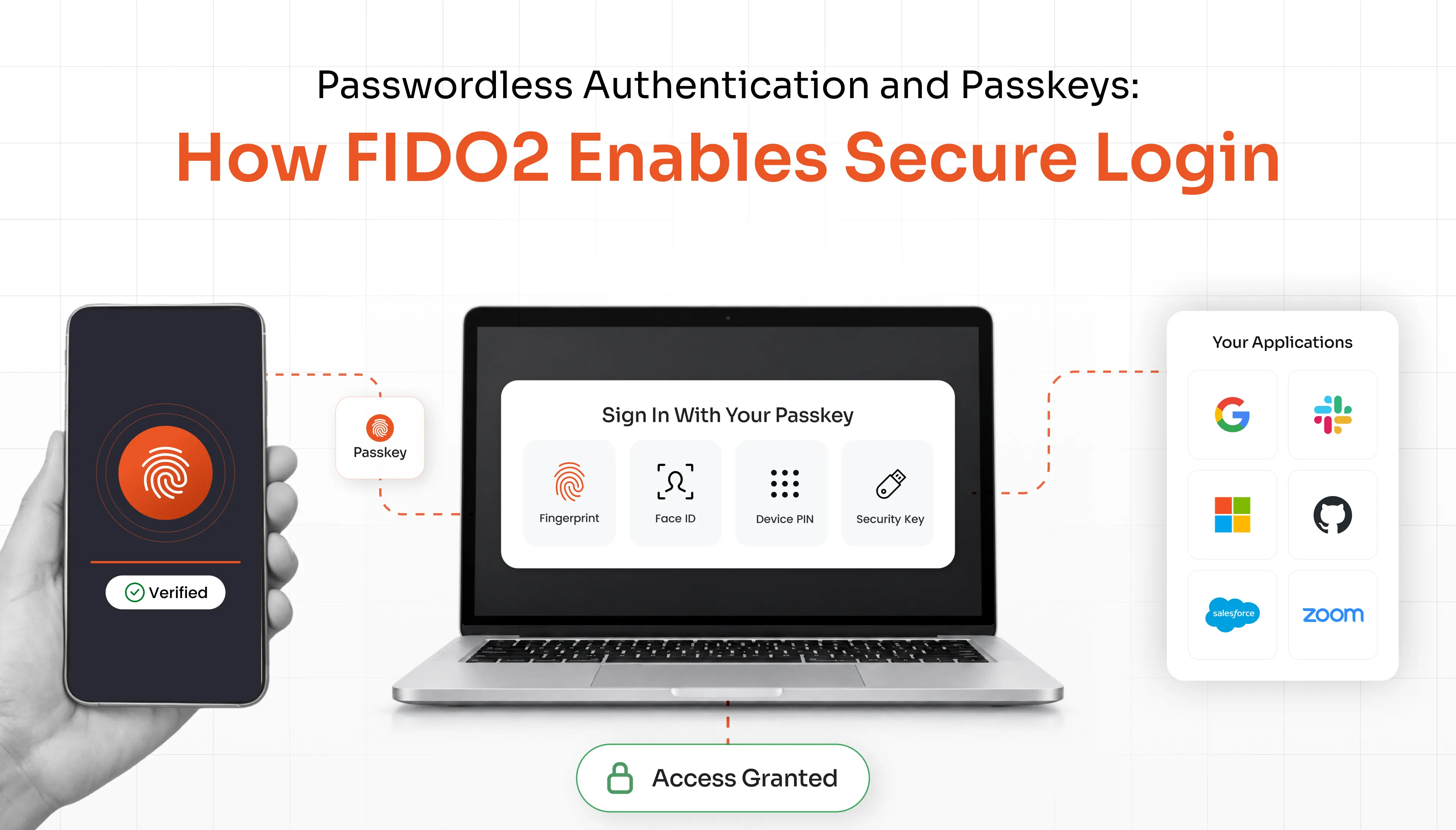
Passkeys offer a more secure alternative because they rely on cryptographic credentials stored on a trusted device rather than one-time passwords sent over telecom networks. Since there is no code to intercept, steal, or trick users into sharing, passkeys function as a genuine phishing-resistant MFA solution, unlike SMS or voice-based codes.
| Feature | SMS & Voice MFA | Passkeys |
|---|---|---|
| Authentication method | Uses one-time passwords sent via SMS or voice calls. | Uses cryptographic credentials stored on trusted devices. |
| Security | Vulnerable to phishing and social engineering attacks. | Phishing-resistant and more secure by design. |
| Network dependency | Relies on telecom networks and mobile carriers. | Does not depend on telecom providers. |
| Attack resistance | Susceptible to SIM-swapping and SMS interception. | Resistant to credential theft and SIM-swapping attacks. |
| User experience | Requires users to manually enter verification codes. | Supports passwordless sign-ins using biometrics, PINs, or security keys. |
| Sign-in experience | Can create login friction and OTP delivery issues. | Offers a faster and more seamless authentication experience. |
| Best fit | Better suited for legacy authentication workflows. | Designed for modern, passwordless environments. |
Beyond security, passkeys also improve the user experience. Users can authenticate with biometrics, a PIN, or a hardware security key instead of manually entering verification codes. This not only simplifies sign-ins but also reduces help desk requests and password-related issues.
As organizations adopt passwordless authentication, passkeys are emerging as a foundational passwordless authentication solution within modern identity security strategies, which is why Microsoft is positioning them as the default experience in Microsoft Entra.
Microsoft Entra SMS & Voice MFA Retirement Timeline
Microsoft is introducing the transition to passkeys in multiple phases, giving organizations time to evaluate their current authentication methods, prepare users, and update their identity strategies before the retirement deadline in February 2027.
2025: The announcement
Microsoft officially announced that Microsoft-provided SMS and Voice MFA will be retired and that passkeys will become the default authentication experience in Microsoft Entra. This marks the beginning of Microsoft's broader move toward passwordless and phishing-resistant authentication.
2025–2026: Assessment and migration
During this period, organizations should identify users who rely on SMS and voice authentication, review existing authentication policies, and begin enabling passkeys. Administrators can also launch registration campaigns and educate users about the upcoming changes.
Transition period: Alternative options
Microsoft will provide temporary opt-out options and support customer-managed telecom providers for organizations that still depend on SMS-based authentication for specific use cases.
February 2027: Retirement deadline
By February 2027, Microsoft-provided SMS and Voice MFA will officially retire. Organizations that have not completed their migration will need to rely on alternative authentication methods, such as passkeys, Microsoft Authenticator, Windows Hello for Business, or FIDO2 security keys.
What This Means for Organizations?
The retirement of Microsoft-provided SMS and Voice MFA does not mean that every SMS-based authentication workflow will disappear overnight. However, organizations that rely on Microsoft's telecom infrastructure for authentication and account recovery will need to assess their dependencies and prepare for the transition.
Who is affected?
- Organizations using Microsoft-provided SMS and Voice MFA.
- Enterprises that rely on SMS or voice calls for account recovery.
- IT teams managing large user populations.
- Organizations with legacy authentication workflows.
What is actually changing?
Microsoft is retiring only the SMS and Voice authentication methods delivered through its own infrastructure. Authentication methods such as passkeys, Microsoft Authenticator, Windows Hello for Business, FIDO2 security keys, and certificate-based authentication will continue to be supported.
Organizations that still require SMS authentication for operational, compliance, or business reasons may be able to explore customer-managed telecom providers or temporary opt-out options during the transition period.
Areas organizations should review
- Existing sign-in and authentication policies.
- Self-Service Password Reset (SSPR) configurations.
- User onboarding and registration processes.
- Legacy applications that depend on SMS or voice authentication.
- Internal communication and user training plans.
For many organizations, the biggest challenge will not be the technology itself but ensuring that users understand and adopt new authentication methods. Starting the transition early gives teams more time to test, train, and refine their rollout strategy before the February 2027 deadline. Beyond Entra sign-in, organizations should also evaluate MFA coverage across other access points such as Windows MFA for on-premise logins and RDP sessions, and VPN MFA for remote network access to build a consistent, organization-wide authentication strategy.
How to Prepare for the Transition to Passkeys?
With the retirement of Microsoft-provided SMS and Voice MFA scheduled for February 2027, organizations should start preparing early to avoid disruptions and ensure a smooth migration. Rather than waiting until the deadline approaches, administrators should use the transition period to assess dependencies, test alternative authentication methods, and familiarize users with the new sign-in experience.
Migration checklist
- Identify users who rely on SMS and Voice MFA
Start by auditing your environment to determine which users, applications, and workflows still depend on SMS or voice-based authentication. This will help you estimate the scope of the migration and prioritize high-risk accounts.
- Run Microsoft's assessment tools
Microsoft provides PowerShell scripts and reporting capabilities that can help administrators identify affected users and understand how authentication methods are currently being used across the organization.
- Enable passkeys and passwordless authentication
Configure passkeys in Microsoft Entra and begin rolling them out to employees. Organizations can also evaluate other phishing-resistant methods, such as Windows Hello for Business, FIDO2 security keys, and an adaptive MFA solution for risk-based access control.
- Launch registration campaigns
Use Microsoft Entra's registration campaigns to encourage users to enroll in passkeys and complete the setup process before the retirement deadline.
- Decide whether to migrate or use a telecom provider
Organizations with business or regulatory requirements that still depend on SMS should evaluate customer-managed telecom providers and Microsoft's temporary opt-out options.
- Train users and test the rollout
Start with a pilot group, gather feedback, and educate employees about the benefits of passwordless authentication before expanding the rollout across the organization.
“Tip: Prioritize administrators, privileged users, and high-risk accounts during the initial rollout phase.”
Looking Ahead
Microsoft's decision to retire Microsoft-provided SMS and Voice MFA marks another step toward a passwordless and phishing-resistant future. While the transition to passkeys may require planning, user training, and policy updates, it also allows organizations to modernize their MFA solution and reduce their reliance on vulnerable sign-in methods.
With the February 2027 deadline approaching, administrators should begin assessing their environments, identifying users who still depend on SMS and voice authentication, and testing alternative methods. Starting early will help ensure a smoother transition and minimize disruption for end users.
FAQs
Is Microsoft removing SMS authentication completely?
No. Microsoft is retiring Microsoft-provided SMS and Voice MFA in Microsoft Entra, but organizations may still be able to use customer-managed telecom providers in specific scenarios. Administrators should review Microsoft's guidance to understand which authentication options will remain available after February 2027.
Can organizations continue using SMS after February 2027?
Organizations that rely on Microsoft's SMS and Voice MFA services will need to migrate before the retirement date. Depending on their requirements, some organizations may choose alternative authentication methods or explore customer-managed telecom solutions supported by Microsoft.
What happens if users don't register a passkey?
Users who do not register a passkey may be unable to use passkey-based authentication once it becomes the default experience. Organizations should identify affected users early, run registration campaigns, and ensure employees are enrolled in supported authentication methods before the transition deadline.
Will Microsoft Authenticator still work?
Yes. Microsoft Authenticator will continue to be supported alongside other authentication methods such as passkeys, Windows Hello for Business, FIDO2 security keys, and certificate-based authentication. Organizations can use these options to strengthen security and reduce phishing risks.
Does this affect Azure AD?
Yes. Since Azure Active Directory is now known as Microsoft Entra ID, the retirement applies to organizations using Microsoft Entra authentication services. Administrators should review their existing MFA configurations and update authentication policies as needed.
Does this affect Self-Service Password Reset (SSPR)?
The retirement may impact organizations that rely on SMS or voice calls for Self-Service Password Reset. Administrators should assess their current SSPR settings and ensure users have alternative authentication methods configured before the retirement date.
Leave a Comment