Hello there!
Need Help? We are right here!

Need Help? We are right here!
Search Results:
×
Most DLP policies rely on keywords, regex, or file names to flag sensitive content. Rename the file,
paste a section elsewhere, or export it as a PDF, and that policy goes blind instantly.

A single confidential contract can spawn dozens of derivative files, excerpts, renamed drafts, converted formats, and each one slips past keyword-based rules undetected.

Pattern matching alone struggles to catch sensitive data an employee shares outside approved channels once the original formatting or file name changes.

Without proof that regulated documents stay contained, auditors are left with activity logs that can't confirm what content actually moved.
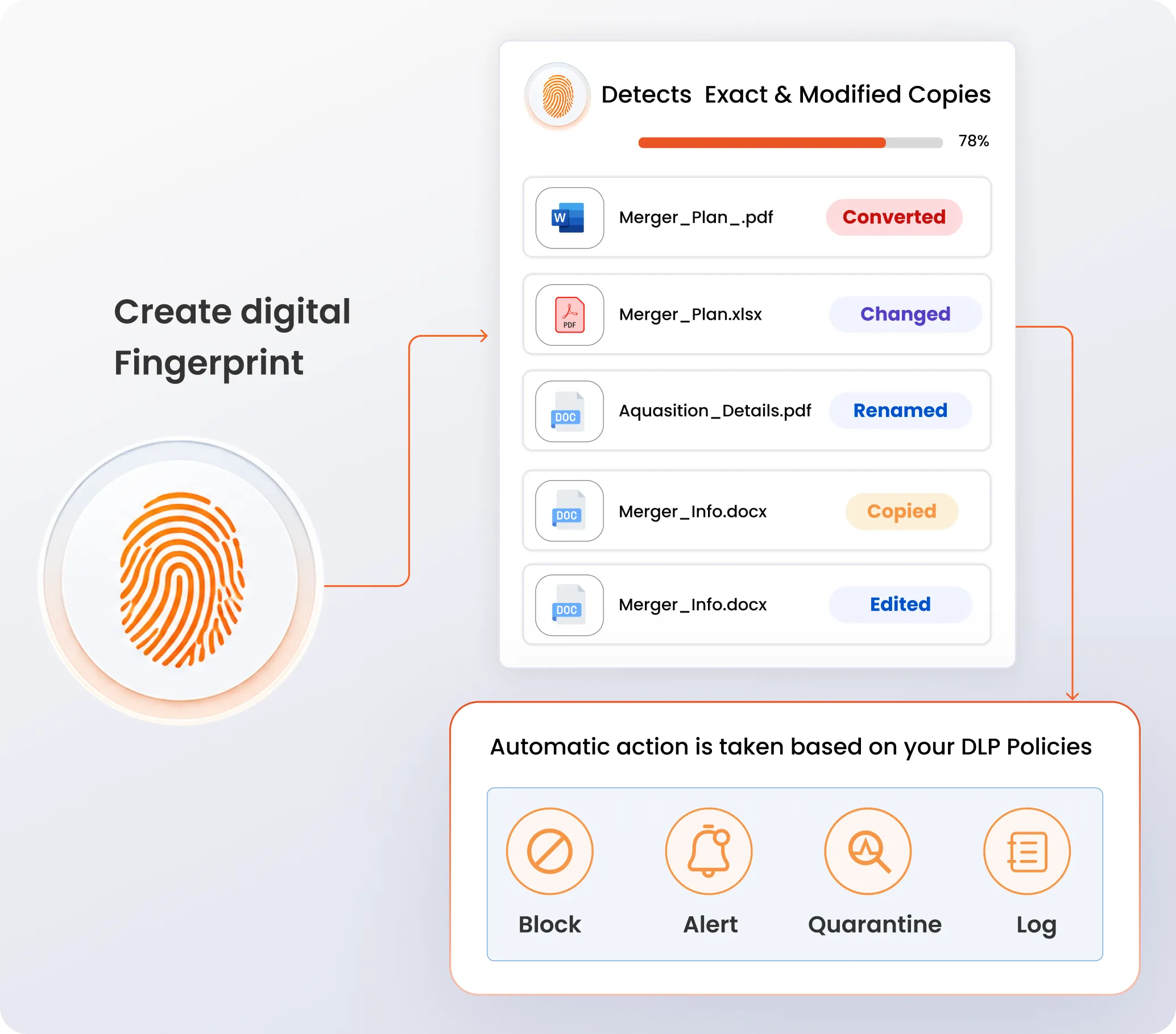
File fingerprinting converts a sensitive document's content into a unique digital signature, not the file itself. The DLP engine then matches this signature across files in motion, at rest, or in use, even if the file gets renamed, reformatted, or edited.
This content-based approach catches common evasion tactics: copying a section elsewhere, converting formats, or editing a template. That makes it precise enough to protect contracts, source code, and customer data, without relying on keywords alone.
Know the moment a sensitive file moves, gets copied, or shows up somewhere it shouldn't.
miniOrange DLP fingerprints your most sensitive documents once, then enforces protection everywhere those documents
travel, across endpoints, email, and cloud apps, without adding friction for your teams.

Fingerprints are generated from a document's actual content, not its file name or metadata, so renaming a file or changing its extension never bypasses a policy.

Catch byte-for-byte duplicates with exact matching, and flag lightly edited or excerpted versions with partial matching, so a few changed paragraphs don't slip through undetected.

Detect derivative documents built from a fingerprinted template, filled-out forms, edited contracts, or reformatted reports, even after the original structure has changed.

Fingerprint and match across common enterprise formats, including PDF, DOCX, XLSX, PPTX, TXT, and CSV, so protection isn't limited to a single file type.

Scan files in motion across email, web, and those at rest across endpoints and cloud storage to catch policy violations as they happen.

Apply different actions, such as block, alert, or quarantine, based on document sensitivity, user role, or destination, so protection matches business risk instead of a one-size-fits-all rule.

Log every match, policy trigger, and user action tied to a fingerprinted document, giving compliance and security teams evidence they can bring to an audit.

Manage fingerprint libraries and enforcement policies from a single console across endpoints, email, websites, and cloud environments, instead of juggling separate rule sets per channel.
Upload a document once, and miniOrange DLP keeps watching for it and its derivatives across your entire organization.
Select files to fingerprint, either a single upload, an entire drive folder, or Git repositories. miniOrange supports PDF, DOCX, XLSX, PPTX, TXT, and CSV files (max 5 MB).
Define how closely a file must match the original to trigger a policy. The threshold range is 1 to 100.
The system extracts the document's content and converts it into a unique digital signature. The original file never leaves your fingerprint library for matching.
miniOrange DLP continuously compares files in motion and at rest, across endpoints, email, and cloud storage, against your fingerprint.
Add limits such as block, log, alert, or quarantine to a file. DLP automatically takes actions based on it.
File fingerprinting doesn't require you to rip out what
already works. miniOrange DLP fingerprinting layers
directly on top of your existing endpoint agents.
It also covers email gateways (including Gmail and
Microsoft 365) and cloud storage connections, so
sensitive-document protection extends across every
channel from day one.










Some documents are too sensitive to protect with keyword rules alone. These are the use cases where fingerprinting earns its place under a DLP solution.

Fingerprint proprietary code repositories to detect and block attempts to paste, upload, or email source code outside approved channels, including into AI tools like ChatGPT or Gemini.

Protect deal-critical files shared during due diligence, term sheets, financial models, and disclosure schedules, from leaking to unauthorized parties before a deal closes.

Fingerprint contract templates and executed agreements so that redlined drafts, excerpts, or converted copies are caught even after formatting changes.

Detect unreleased earnings reports, audit files, and financial statements the moment they're copied, forwarded, or uploaded outside sanctioned systems.

Flag exports or partial copies of customer records, PII, PCI, or account data, so bulk exfiltration attempts get caught before they leave your network.

