Hello there!

Need Help? We are right here!

miniorange Support~
miniOrange Email Support
success

Thanks for your Enquiry.

If you don't hear from us within 24 hours, please feel free to send a follow-up email to info@xecurify.com

Search Results:

Ă—

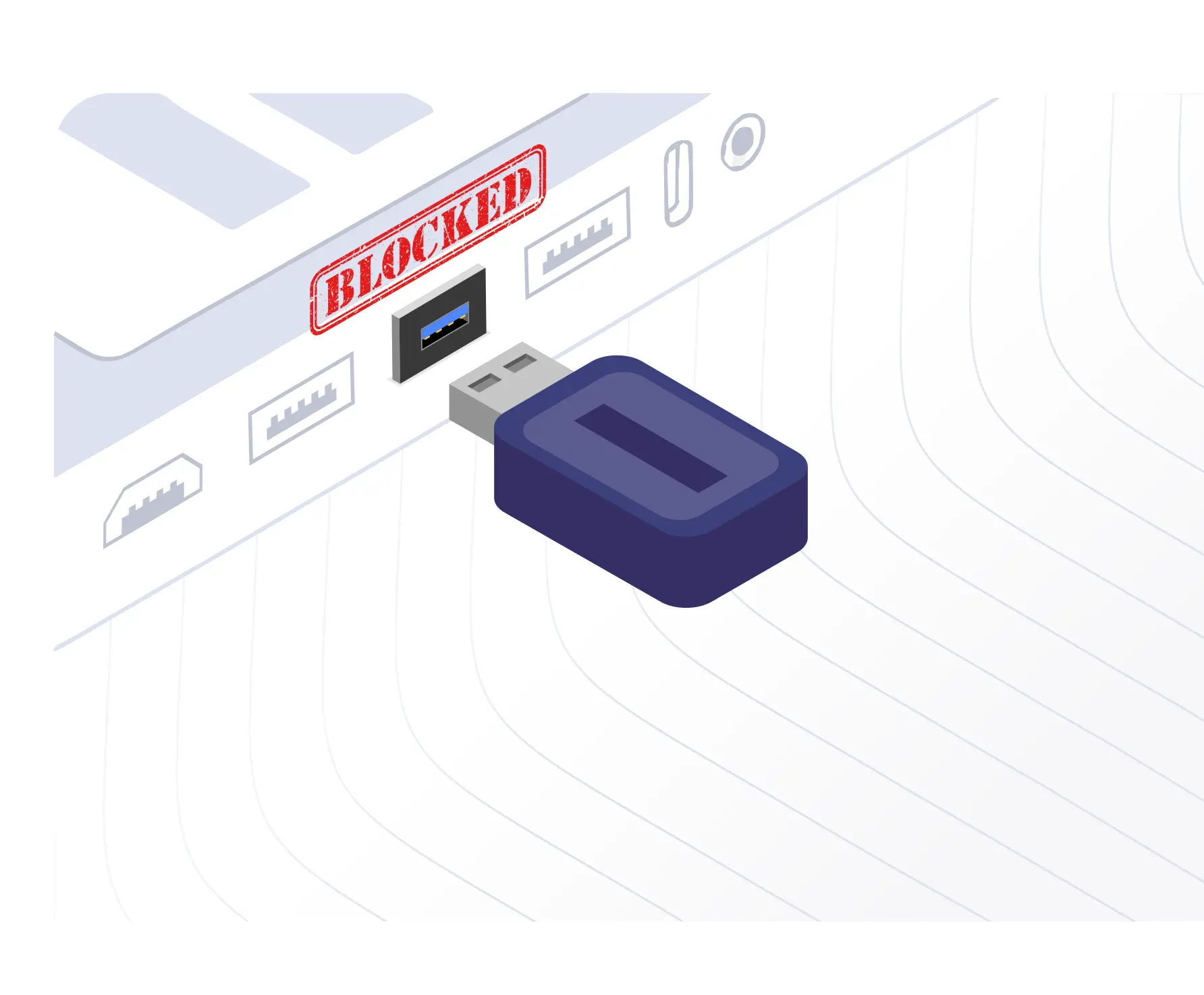
USB Blocking Software for Full Device Control

USB blocking tool in miniOrange DLP offers robust protection against unauthorized USB devices. With complete control over endpoint USB ports, you can prevent data theft and unauthorized access, ensuring your devices remain secure and your sensitive data is fully protected from potential insider threats. You can now enable Read-Only mode for reading files on the USB device.

Schedule a demo Pricing

Endpoint DLP Solution - Protect business data across USB drives, printers, Wi-Fi and all endpoint devices

Key Features of USB Blocking Software

USB blocking software offers powerful features to protect your data and endpoints.


Group-based USB Policies - Enforce customized USB blocking policies by user groups, roles, or departments

Group-based Policies

Enforce customized USB blocking policies based on user groups, roles, or departments.


Whitelist USB Devices - Allow only trusted and authorized USB devices for secure data storage and transfer

Whitelist USBs

Ensure only trusted and whitelisted USB devices are allowed for data storage and transfer.


USB Monitoring and Reporting - Detailed reports of USB device activity for monitoring and auditing compliance

Monitoring

Get detailed reports of USB device activity for monitoring and auditing reports.



Application Control DLP - Block unauthorized software and restrict file transfer tools

Centralized USB policy management

Manage USB device policies across all endpoints from a centralized dashboard.

Location-Based DLP Rules - Enforce stricter access controls when devices leave office premises

Remote Access Control

Control and manage USB access remotely, ensuring security across all devices, even in remote environments.


USB Read-Only Mode - Enable read-only USB access to prevent file transfers and ensure data protection

USB Read-Only Mode

Enable read-only access to USB devices, allowing file viewing only and blocking modification or transfers to the USB.


How USB Blocking Software Works?

USB device control made easy in 4 simple steps:

Step 1

USB Inventory

Register company-issued USB devices to allow only trusted storage for data transfer.

Step 2

Define Access Policies

Block all unknown USB devices and permit only approved drives based on security rules.

Step 3

Deploy to Endpoints

Apply USB control policies instantly across all managed devices and user groups.

Step 4

Monitor & Audit

Track USB activity, detect violations, and generate compliance-ready reports.


Download Datasheet

Secure Your Business with Data Loss Prevention Solution


Download the Datasheet Schedule a Demo


USB Lockdown Software for Organization-Wide Protection

USB lockdown software enables comprehensive control over USB access across your organization.



Organization-wide USB Lockdown - Enforce consistent USB access policies across all endpoints and user groups

Organization-wide USB Lockdown Policies

Enforce consistent USB access policies across the organization for uniform protection on all endpoints and user groups.

Device Group-Specific USB Access - Control USB transfers for designated device groups to prevent unauthorized access

Device Group-Specific USB Access

Allow only designated device groups to transfer data to USB drives, preventing unauthorized access to sensitive information.

Emergency USB Policy Disablement - Instantly enable USB ports with policy relaxation for temporary access

Emergency USB POLICY Disablement

Instantly enable USB ports on endpoints using Policy Relaxation for temporary USB access.


Use Cases for USB Blocking & Device Control

Data Loss Prevention
Regulatory Compliance
Insider Threat Protection
Remote Work Security
IT Productivity
Read-Only Mode

Data Loss Prevention

Prevent sensitive files from being copied to external USB drives, ensuring that your organization's most valuable data stays secure.

  • Safeguard critical data from unauthorized access.
  • Block data transfer to external USB devices.
  • Protect against potential data breaches.

Regulatory Compliance

Enforce strict USB lock software policies for compliance with data protection regulations like GDPR, HIPAA, SAMA, DORA, ITAR, and many more, ensuring consistent compliance.

  • Ensure adherence to industry regulations.
  • Simplify compliance audits.
  • Maintain consistent data protection standards.

Insider Threat Protection

Prevent unauthorized employees from accessing or exfiltrating confidential data through USB devices, reducing the risk of internal security breaches.

  • Block unauthorized data transfers.
  • Monitor USB device usage for suspicious activity.
  • Safeguard sensitive internal data.

Remote Work Security

Extend USB lock software control and protection to hybrid and off-site endpoints, ensuring remote work setups are just as secure as office-based ones.

  • Protect data across remote work environments.
  • Enforce consistent security policies on all devices.
  • Maintain centralized control over USB access.

IT Productivity

Centrally manage, monitor, and enforce USB access restrictions, eliminating the need for manual checks and streamlining your IT security efforts.

  • Simplify USB access management.
  • Reduce manual security tasks.
  • Improve overall IT security efficiency.

Read-Only Mode

Enable USB DLP read-only mode to prevent unauthorized data modification, ensuring secure and safe file access on devices.

  • Prevent data tampering and modifications.
  • Ensure safe file access without risking data changes.
  • Maintain data integrity with read-only restrictions.

Why Choose miniOrange for USB Blocking Software

miniOrange offers advanced USB blocking software and endpoint protector USB blocker solutions designed to safeguard your organization’s sensitive data.

Comprehensive USB Protection - Block unauthorized USB devices while allowing trusted ones across all endpoints

Comprehensive Protection

Our software blocks unauthorized USB devices while allowing trusted ones, ensuring complete control over USB access across all endpoints.

Granular USB Control - Customize security policies with precision for different users or departments

Granular Control

Customize security policies with precision, enabling you to define access levels for different users or departments, providing flexibility without compromising security.

Real-Time USB Monitoring and Alerts - Monitor USB activity in real time with instant security breach alerts

Real-Time Monitoring and Alerts

Monitor USB activity in real time and receive alerts for potential security breaches, ensuring you can respond quickly to any threats.

Scalable USB Blocking Software - Easy deployment for small businesses to large enterprises

Scalable and Easy to Deploy

Whether you’re a small business or a large enterprise, our USB blocking software scales to meet your needs and is easy to deploy across your organization.
24x7 USB Security Support - Round-the-clock expert assistance for fast issue resolution

24x7 Dedicated Support

Round-the-clock expert assistance in your timezone for fast issue resolution and smooth operations.

Automated DLP Alerts - Notify users and admins about policy violations instantly

Cost-effective

Enterprise-grade security at an affordable price, with scalable features to fit your business needs.

Frequently Asked Questions

Get answers to the most common Endpoint DLP security questions.

Contact us

What is USB Blocking Software?

Can I Block Only USB Storage Devices?

Why Do You Need USB Lockdown Software?

Can I Completely Disable USB Ports on Endpoints?

Is It Possible to Allow Specific USB Devices While Blocking All Others?

Does It Work for Remote Employees?


x

Work Email*


Your Requirements (Optional)


 Your download should start now. If not, please email us at uemsupport@xecurify.com or contact us.

Please enter your work email-id



Want To Schedule A Demo?

Request a Demo