
Distributed OneDrive Data
Sensitive business information can be spread across multiple users, folders, and files, making it difficult for administrators to know exactly where critical data resides.
Need Help? We are right here!

Search Results:
×
Personal, financial, and regulated files spread across OneDrive are hard to track manually, and miniOrange scans and classifies them in one view.
Sensitive business information can be spread across multiple users, folders, and files, making it difficult for administrators to know exactly where critical data resides.
OneDrive files such as documents, spreadsheets, PDFs, and images may contain PII, financial information, credentials, confidential records, and other sensitive information.
Without centralized discovery, security teams may know where files are stored but lack visibility into which OneDrive files actually contain sensitive or regulated data.
Organizations need greater visibility into where regulated information is stored to support internal data governance, security reviews, and compliance requirements.
miniOrange Data Discovery connects with Microsoft OneDrive to scan cloud-stored files and identify sensitive information based on configured discovery and classification policies.

Scan OneDrive files and folders to automatically identify sensitive information within the defined discovery scope.

Classify sensitive data using predefined or custom patterns, including PII, healthcare, financial, payment, credential, and confidential data.

Use OCR to identify sensitive information in supported images, PDFs, and scanned documents that may not contain searchable text.

Identify files and locations containing sensitive information, helping security teams focus investigations on relevant data.

Review OneDrive discovery findings, data classifications, files, and scan results from a centralized miniOrange dashboard.

Configure custom detection patterns and policies to identify organization-specific data such as customer and employee information.
miniOrange helps organizations discover and understand sensitive information stored across Microsoft OneDrive.
Connect Microsoft 365 with miniOrange Data Discovery using the required Microsoft Entra ID configuration and permissions.
Select the OneDrive users, files, folders, or repositories to include in the discovery process.
Select sensitive data categories to detect or configure custom patterns based on your security requirements.
Scan the configured OneDrive content to analyze supported files for sensitive and regulated information.
Classify detected information according to configured policies to understand the sensitive data stored in OneDrive.
Review discovery results in the centralized miniOrange dashboard to identify sensitive files and their locations.
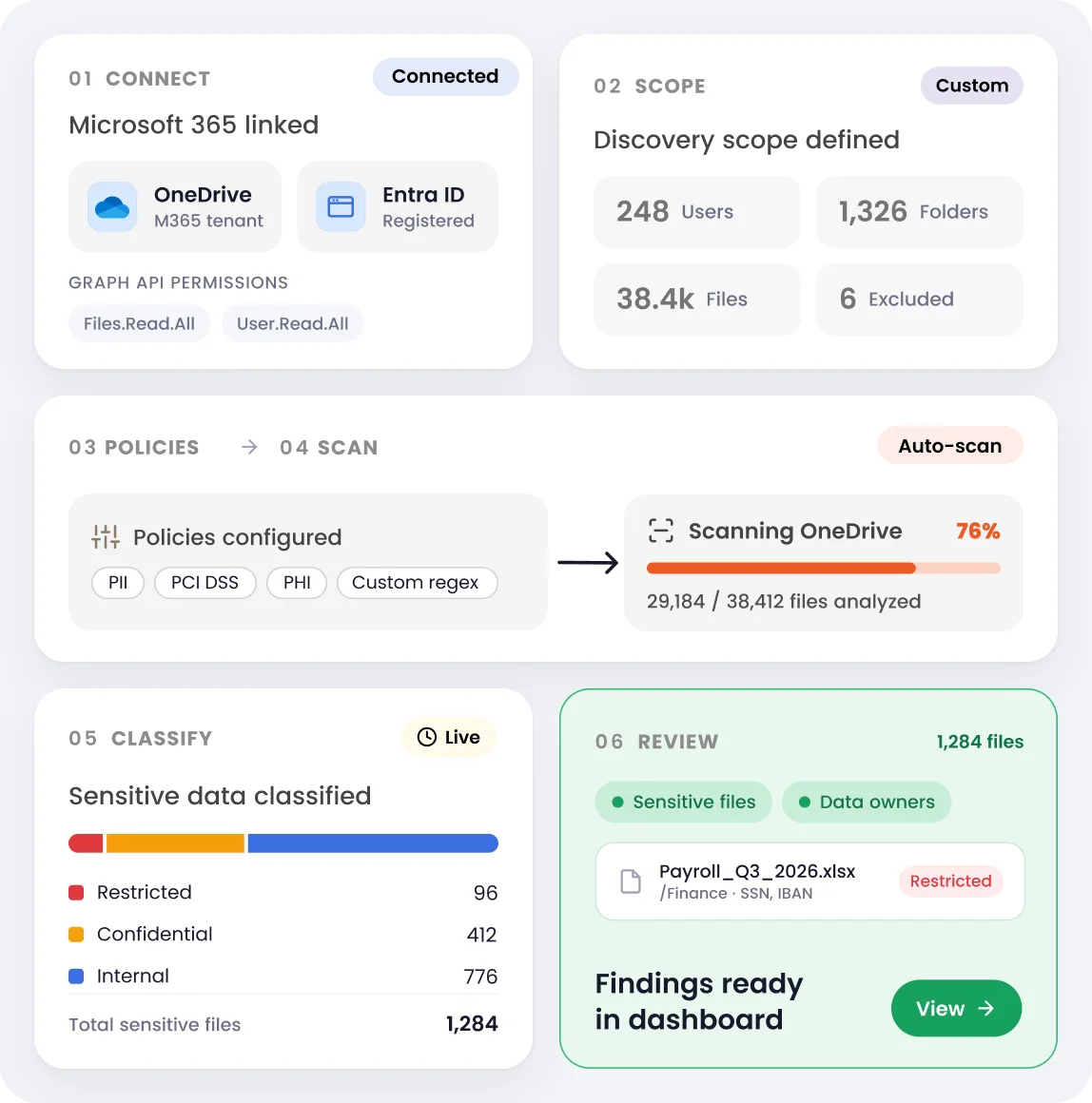
Use discovery findings to reduce blind spots, focus investigations, and support governance across Microsoft OneDrive.
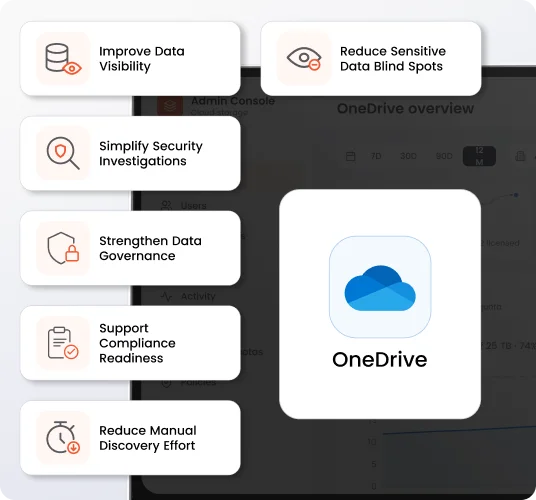
Identify sensitive information stored across OneDrive that might otherwise remain unnoticed within large volumes of cloud files.
Build a clearer understanding of what sensitive information exists within OneDrive and where it is stored.
Use file-level discovery findings to focus investigations on relevant files rather than manually reviewing large OneDrive repositories.
Use discovery insights to support internal data classification, retention, access review, and information governance initiatives.
Identify regulated information stored in OneDrive and maintain better visibility into sensitive data for audits, assessments, and compliance activities.
Automate the identification and classification of sensitive information across OneDrive instead of relying on time-consuming manual file reviews.
Instead of manually searching through individual OneDrive accounts and folders, miniOrange helps security teams identify sensitive information directly within their cloud-stored files.
Identify OneDrive files containing PII, financial information, healthcare data, credentials, confidential business information, and other sensitive data.
Understand which OneDrive files and locations are associated with discovered sensitive information, simplifying investigation and review.
Extend discovery beyond basic file metadata by analyzing the content stored within supported documents, spreadsheets, PDFs, images, and other files.
Configure custom patterns to identify sensitive information unique to your organization and business processes.
Regulated information in OneDrive is hard to govern without visibility. miniOrange identifies and classifies it to support privacy, governance, and compliance.
Know More


Identify sensitive information stored across OneDrive and view discovery findings through a centralized interface.
Classify sensitive information using predefined patterns, contextual analysis, and configurable discovery policies.
Extend sensitive data discovery to supported images, PDFs, and scanned documents stored within OneDrive.
Configure custom patterns to discover information specific to your organization’s security and compliance requirements.
Bring OneDrive discovery findings together in a unified dashboard to simplify investigation and data governance.
Reduce dependency on manual file reviews as the volume of data stored across your OneDrive environment grows.
OneDrive Data Discovery is the process of scanning content stored within Microsoft OneDrive to identify and classify sensitive information such as PII, financial information, healthcare data, credentials, and confidential business data.
miniOrange connects with your Microsoft 365 environment using the required Microsoft Entra ID application configuration and permissions. Administrators can then configure the OneDrive scope that needs to be scanned for sensitive information.
miniOrange Data Discovery analyzes supported files stored within OneDrive, including business documents, spreadsheets, PDFs, images, and other supported file formats.
Yes. OCR-based discovery can analyze supported images, PDFs, and scanned documents to identify sensitive information contained within non-editable or image-based content.
Organizations can discover PII, financial information, healthcare-related data, credentials, confidential business information, and other sensitive information based on configured discovery policies.
Yes. Custom detection patterns can be configured to discover organization-specific information in addition to predefined sensitive data categories.
Yes. Discovery findings provide file-level visibility to help administrators identify the relevant OneDrive files and locations associated with detected sensitive information.
It helps organizations identify where regulated information is stored within OneDrive, providing greater data visibility to support privacy, governance, security assessments, and compliance initiatives.
