Hello there!
Need Help? We are right here!

Need Help? We are right here!
Search Results:
×
Windows can record who modified an audited directory object, but administrators still need to configure auditing and interpret the resulting events. Native events typically show that a GPO changed, not which policy setting was edited or what its value was before and after.
miniOrange GPO auditing simplifies group policy change auditing by bringing change details, including the policy setting and its old and new values, into a centralized dashboard, so your team spends less time piecing together activity and more time investigating it.
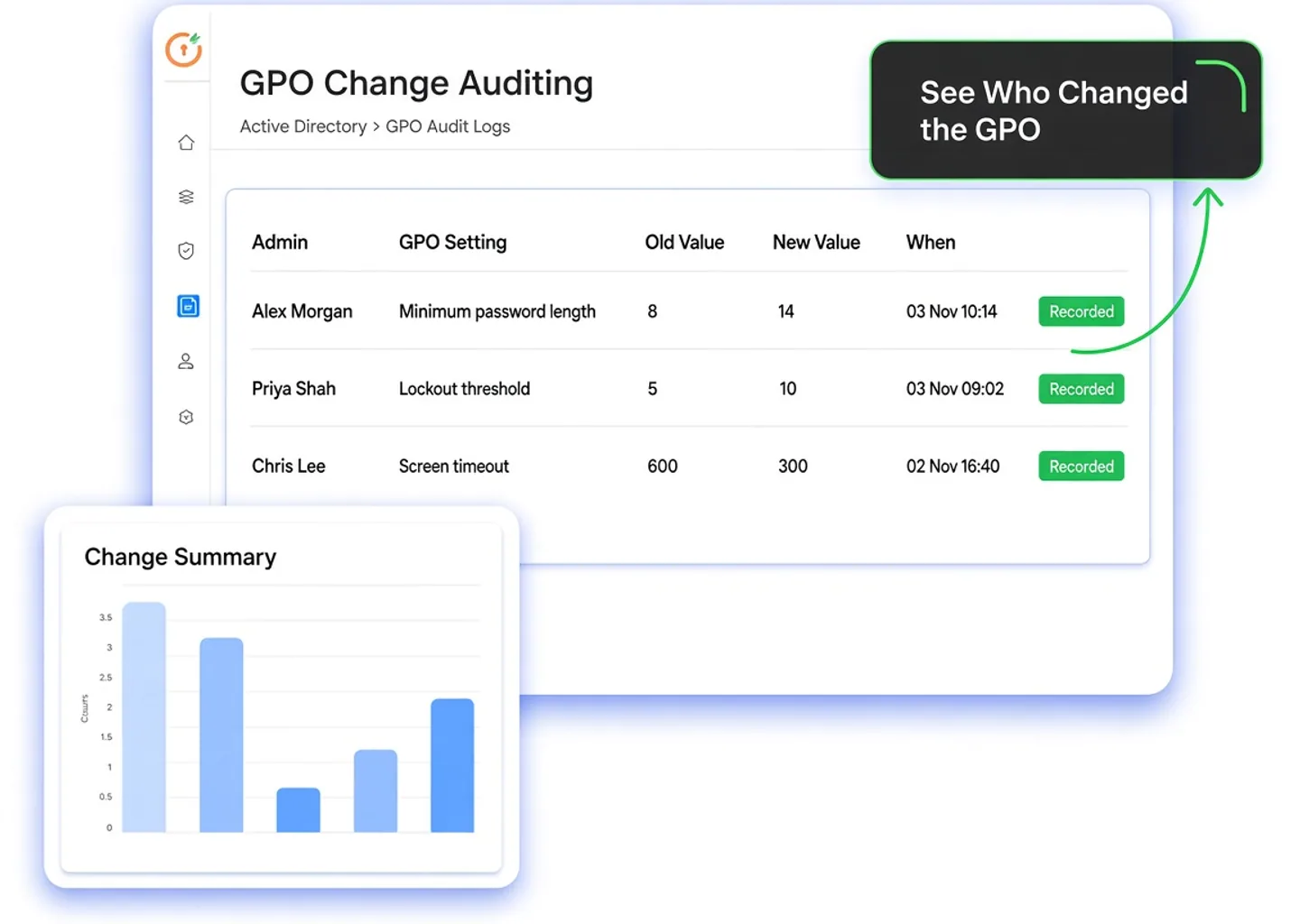
Get the context you need to investigate policy changes with confidence. GPO change auditing brings who, what, from what to what, and when together to make Group Policy Object auditing easier to review and act on.

Identify the account associated with a GPO modification. Give admins a clear starting point for validating activity, following up with the responsible team, and investigating unexpected changes.

See which policy setting was modified and what it was changed to, with the previous and updated values side by side, for example Minimum password length: 8 → 14. Focus your investigation on the affected policy and setting rather than manually searching through unrelated directory events.

See when a modification happened and place it in the context of your investigation. Compare the timing with maintenance windows, reported issues, or other admin activity to narrow your review.
See how miniOrange brings the account, the setting that changed, its old and new values, and the timestamp into one view, so your team can move from questions to investigation faster.
GPO auditing centralizes recorded modifications, making your GPO change audit easier to review from one dashboard.
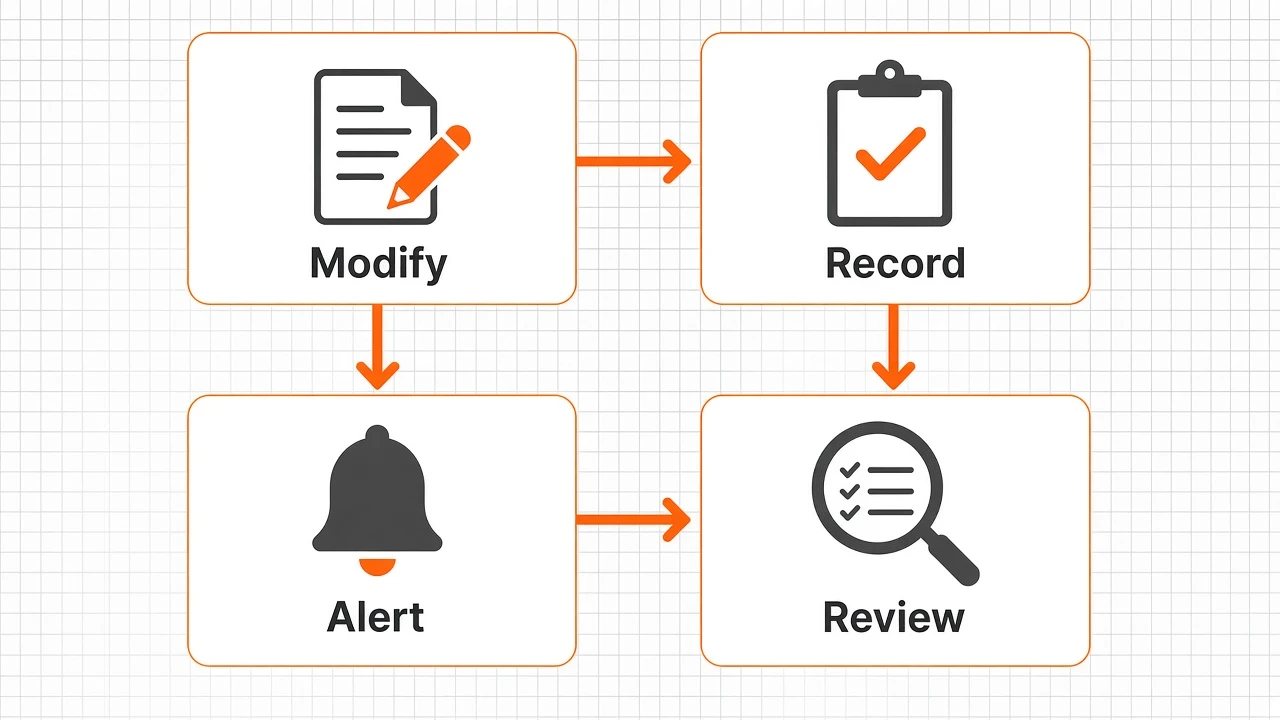
An administrator makes a Group Policy modification. That update becomes part of the policy activity your team needs to monitor and review.
With monitoring configured, miniOrange tracks GPO modifications and records who made the change, which policy setting changed, its previous and new values, and when it occurred.
When a monitored policy setting changes, miniOrange can notify admins by email. Catch unexpected GPO edits early, before they affect production users or compliance posture.
Open the centralized dashboard to investigate the recorded activity. Use the change details, including what the policy was changed from and to, to validate an expected update or follow up on a modification that needs attention.
Native Windows auditing provides underlying event records. miniOrange makes directory activity easier to review through centralized monitoring and reporting.
| Elements | Native Windows Auditing | miniOrange GPO Change Auditing |
|---|---|---|
| Identifying the account | Relevant events can identify the account responsible when audit policy and object-level auditing are configured. | Surfaces who made the GPO modification as part of the change record. |
| Understanding the change | Events expose technical details, such as modified AD attributes; interpreting the policy impact may require additional analysis. | Shows which policy setting changed alongside the account and timestamp for easier review. |
| Seeing what a setting changed from and to | Events generally do not present the previous and new value of an individual policy setting; teams often compare GPO backups or reports manually. | Shows the previous and updated value of the changed setting (for example, 8 → 14) in the change record. |
| Reviewing activity centrally | Events can be collected centrally, but collection and analysis require configuration and supporting workflows. | Provides a centralized dashboard for policy changes and broader AD activity. |
| Investigating changes | Administrators review and correlate relevant event records to reconstruct activity. | Brings directory change history into a reviewable interface to support faster investigations. |
| Preparing audit evidence | Teams must select and organize relevant event records for their review. | Provides structured, exportable AD audit reports to support internal reviews and compliance documentation. |
miniOrange Active Directory GPO auditing combines policy change visibility with broader AD monitoring to support investigations, administrative oversight, and audit preparation.

Bring GPO change details into a centralized interface instead of treating each event as a separate investigation. Give IT and security teams a shared view of recorded policy activity, including what each setting was changed from and to.

Review policy modifications alongside other monitored AD activity, including privileged actions, account changes, and logon events.

Use structured audit reports to document administrative activity and support internal assessments. Give reviewers an organized record of changes, with the old and new setting values included.