Hello there!
Need Help? We are right here!

Need Help? We are right here!
Search Results:
×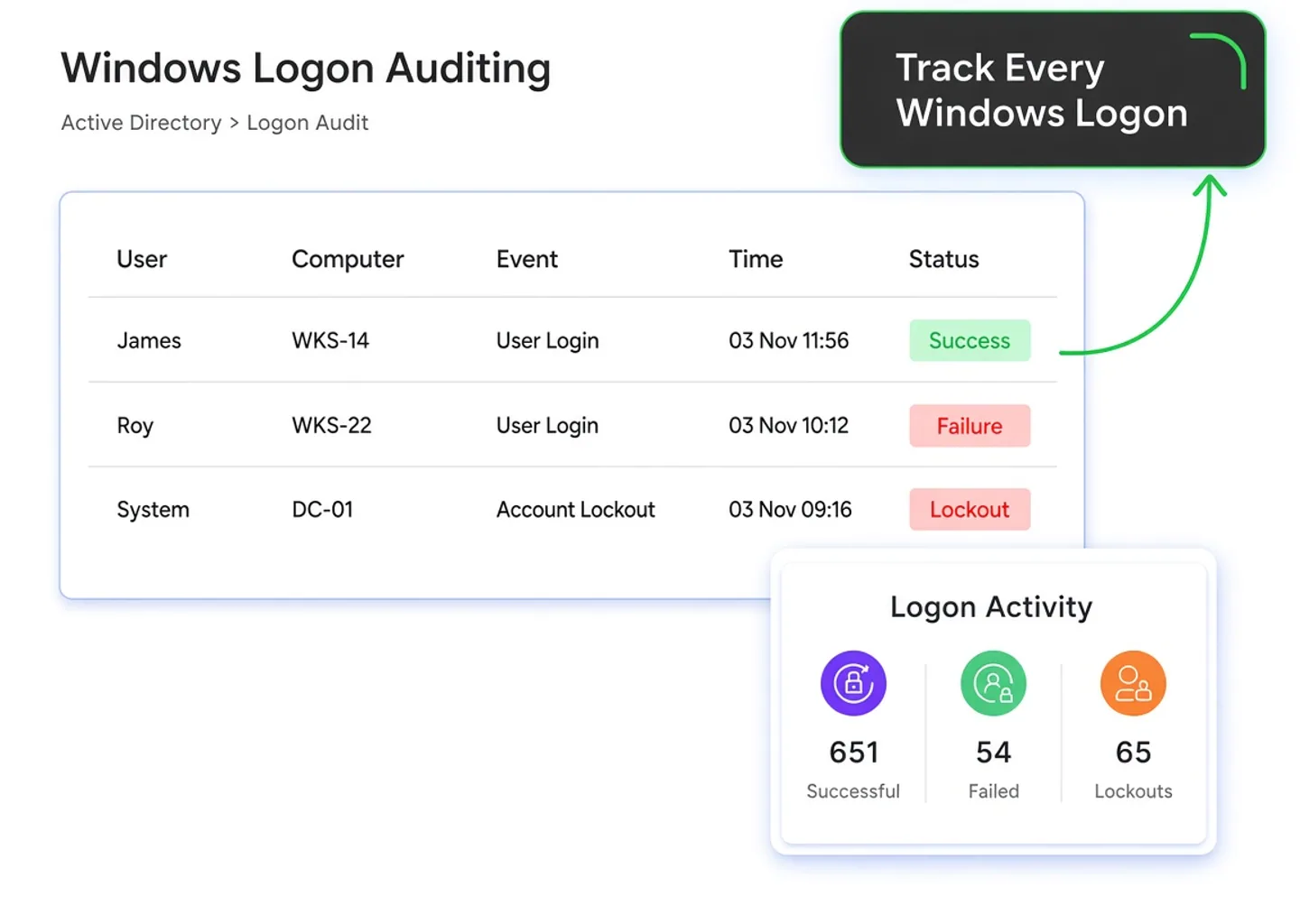
Windows logon auditing gives security teams visibility into authentication activity across Active Directory. With Windows login monitoring software, teams can review successful and failed logons, investigate AD logon events, and identify unusual access patterns.
Centralized logon monitoring brings this activity into one place, while Windows security log auditing helps security teams understand who accessed systems, when access occurred, and whether the activity requires investigation.

Monitor failed logon attempts across Active Directory to identify repeated authentication failures and investigate suspicious access patterns.

Review AD logon history to understand user authentication activity, access patterns, source systems, and previous login events.

Monitor concurrent sessions to identify accounts accessing multiple systems simultaneously and investigate unexpected or potentially unauthorized activity.

View currently logged-on users across systems to quickly identify active sessions, user access, and ongoing authentication activity.
Collect Windows logon events across Active Directory, capturing authentication activity from users, devices, and systems.
Correlate logon events with users, source devices, timestamps, and authentication details to establish complete activity context.
Analyze authentication patterns to identify failed attempts, unusual access, concurrent sessions, and potentially suspicious logon activity.
Alert administrators to suspicious authentication patterns, repeated failures, unusual logons, and activity requiring investigation.
Generate centralized logon reports providing historical visibility into authentication activity, account access, failures, and lockouts.

Trace suspicious access, investigate lockouts, and gain centralized visibility into authentication activity with miniOrange Windows Logon Auditing.
Identify repeated failed logons across accounts to detect brute-force AD attempts and strengthen password spray attack monitoring.

Flag authentication outside expected working hours for unusual logon detection, helping teams investigate potentially unauthorized access and suspicious user activity.

Monitor AD logon events when users access unfamiliar machines, giving administrators visibility into new authentication relationships and potential access anomalies.

Analyze Windows security log auditing data to identify sudden increases in failed authentication attempts that may indicate attacks or compromised credentials.

Use concurrent session monitoring to identify multiple active sessions for the same account and investigate unexpected access across different systems.
Begin with the alert to identify suspicious or failed authentication activity requiring immediate investigation.
Identify the affected user and examine their authentication activity to determine which account is associated with the issue.
Identify the source device associated with the logon activity to determine where the authentication request originated.
Correlate the available authentication details to trace the activity toward its root cause and determine the appropriate response.
Use an account lockout tool to trace the lockout back to the originating machine or process.
Identify stale credentials that continue generating failed authentication attempts and repeatedly trigger account lockouts.
Locate mapped drives, scheduled tasks, or processes using outdated credentials that may be causing repeated authentication failures.
Simplify AD account lockout troubleshooting by tracing the source directly instead of manually checking every domain controller to determine, "Why is my account locked out?"
Centralized logon reports give administrators searchable visibility into authentication activity, user access, failed attempts, and account lockouts across Active Directory.
Review successful and failed authentication attempts to identify access patterns, repeated failures, and potentially suspicious login activity.
View individual users’ authentication activity to understand their login patterns, access history, and associated systems over time.
Track authentication activity by computer to identify which systems users accessed and investigate unusual machine-specific login patterns.
Analyze authentication trends over time to identify changes in login activity, recurring failures, and unusual increases across your environment.
Review locked-out accounts and their associated authentication activity to identify recurring lockouts and investigate their potential sources.
Windows logon auditing helps maintain authentication records and audit trails, supporting investigations and reporting requirements around access to systems and sensitive data.
Logon auditing helps maintain historical authentication evidence, providing visibility into user access and supporting security investigations and audit activities.
Windows logon auditing helps establish accountability for system access by maintaining authentication records that can support internal controls and compliance audits.
Logon auditing helps organizations maintain records of authentication activity, supporting access investigations, security monitoring, and evidence required for applicable data protection obligations.
Windows logon auditing helps maintain audit trails and historical access evidence, supporting security investigations, monitoring, and documentation for information security audits.
Comparison Area
miniOrange
Native Windows/AD Tools
Centralized logon monitoring
Manual event-log monitoring
Unified successful/failed logon visibility
Review individual security events
Searchable AD logon history
Manually analyze event logs
Trace account lockouts to their source
Trace events across systems manually
Identify suspicious login activity
Manually analyze authentication patterns
Centralized reports for auditing and compliance
Limited native reporting

Monitor Windows login activity across domain users and systems to maintain centralized visibility into authentication patterns and access.

Analyze failed login attempts to identify authentication issues, suspicious activity, repeated failures, and potential unauthorized access.

Identify unusual user access patterns, unexpected logons, and suspicious authentication behavior that may indicate insider threats.

Monitor RDP and remote logons to understand remote access activity and investigate potentially unauthorized connections across systems.
Monitor administrator logons and access activity to maintain visibility into privileged account usage across Active Directory environments.

Use centralized logon records and reports to provide authentication evidence and support compliance audits across security frameworks.
Windows Security Event IDs provide detailed records of authentication activity. With Windows security log auditing, administrators can identify successful and failed logons, understand authentication context, and investigate suspicious access.
| Event ID & What the Event Represents |
Relevance to Logon Auditing | How It Helps Investigation |
|---|---|---|
| 4624 Successful account logon |
Records successful authentication activity | Identifies who logged in, when, and from which system |
| 4625 Failed account logon |
Records unsuccessful authentication attempts | Helps identify repeated failures and potential brute-force activity |
| 4634 Account logoff |
Records when a logon session ends | Helps establish session duration and user activity timelines |
| 4647 User-initiated logoff |
Records a user explicitly logging off | Helps distinguish intentional logoffs from other session termination events |
| 4648 Logon attempted using explicit credentials |
Shows authentication using explicitly supplied credentials | Helps investigate delegated credentials and unusual authentication activity |
| 4672 Special privileges assigned to new logon |
Identifies privileged logon sessions | Helps investigate administrator and other privileged account activity |
| 4740 User account locked out |
Records account lockout events | Helps investigate repeated authentication failures and determine lockout sources |

Monitor user account activity across Active Directory to track changes, authentication events, and actions associated with individual users.

Audit computer activity to maintain visibility into system changes, access events, and activity across domain-joined machines.

Monitor Group Policy changes and activity to identify modifications that could affect security configurations and access controls.
Track account lockouts and related authentication activity to identify their sources and investigate recurring lockout issues.
Monitor organizational unit activity and changes to maintain visibility into modifications affecting Active Directory structure and administration.

Track changes to Active Directory groups, including membership and configuration changes, to maintain visibility into access and privilege modifications.
Windows logon auditing records authentication activity, including successful and failed attempts, across Windows systems and Active Directory. It helps administrators see who logged in, when, from where, and why.
Event ID 4624 records successful logons, while 4625 records failed logon attempts. Other events, such as 4648, can provide additional authentication context during security investigations.
Yes. By analyzing repeated failed logons and authentication patterns across users and systems, administrators can identify potential brute-force attempts and password spraying and investigate their sources.
Yes. Logon auditing can correlate account lockout activity with the originating machine or process, helping administrators identify causes such as stale credentials, mapped drives, or scheduled tasks.
Yes. Windows logon events include logon-type information, allowing administrators to distinguish remote interactive activity such as RDP from other authentication activity and investigate remote access separately.
Logon history retention depends on the auditing solution and its configured storage policy. Retention can be aligned with operational investigation needs, reporting requirements, and applicable compliance or regulatory requirements.
Yes. Windows logon auditing can monitor authentication activity across domain controllers and workstations, providing broader visibility into user logons, failed attempts, source machines, and authentication patterns.
Yes. Reports can be scheduled for recurring delivery, allowing administrators to automatically receive logon activity summaries, failed logon reports, account lockout information, and other audit data.
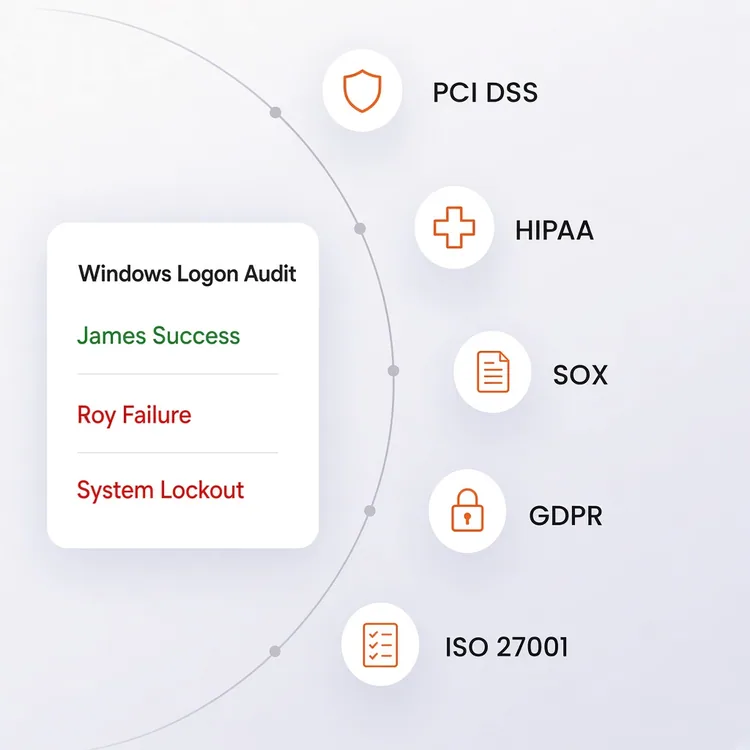
Logon data can support compliance requirements by maintaining authentication records and audit trails. These records can provide evidence for frameworks such as PCI DSS, HIPAA, SOX, GDPR, and ISO 27001.