Hello there!
Need Help? We are right here!

Need Help? We are right here!
Search Results:
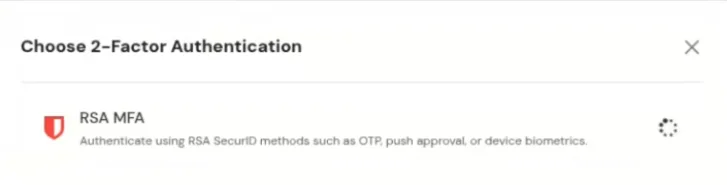
×RSA SecurID Two-Factor Authentication (2FA) and Multi-Factor Authentication (MFA) strengthen access security by requiring users to verify their identity using more than a username and password. Built for enterprise and regulated environments, RSA SecurID combines something the user knows, such as a password or PIN, with something the user has, such as a SecurID hardware token, software token, or the RSA Authenticator app. When enabled, users complete an additional verification step through methods such as push notification approval, one-time passcode (OTP), SecurID passcode, biometrics, or hardware authenticators. Policies are managed through RSA Authentication Manager, helping organizations enforce consistent access controls across applications, VPNs, cloud services, and on-premises resources, and reducing the risk of account takeover even if credentials are compromised.
With miniOrange, organizations can integrate RSA SecurID as an MFA method within their identity and access workflows. miniOrange connects to your RSA environment and allows end users to authenticate using RSA-configured methods during login, while administrators manage policies, user access, and additional security controls from a single platform. miniOrange also supports 15+ authentication methods, giving organizations flexibility to combine RSA SecurID with other MFA options based on their security requirements.
miniOrange provides user authentication from various external sources, which can be Directories (like ADFS, Microsoft Active Directory, OpenLDAP, AWS etc), Identity Providers (like Microsoft Entra ID, Okta, AWS), and many more. You can configure your existing directory/user store or add users in miniOrange.

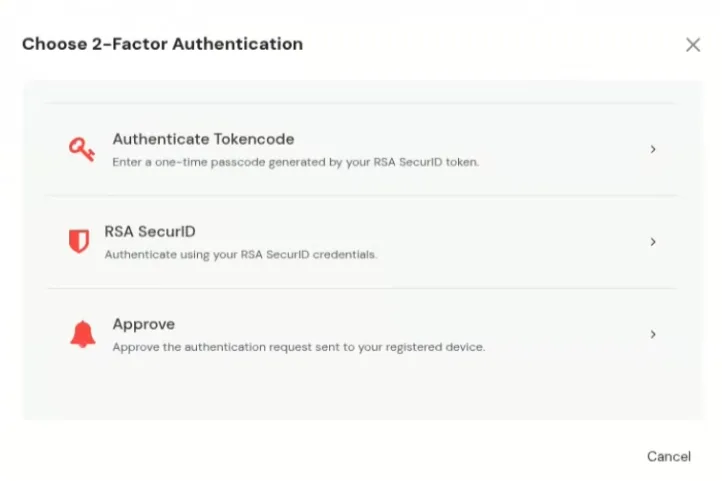
Authenticate Tokencode

RSA SecurID

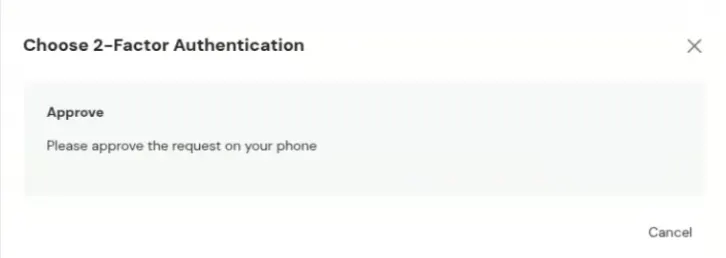
Push Notification
The RSA SecurID MFA integration allows users to utilize RSA authentication methods for secure access within the miniOrange platform. This documentation provides an overview of the configuration process and the necessary parameters required for a successful setup.
To configure RSA Authentication (SecurID) in miniOrange, follow the steps below:
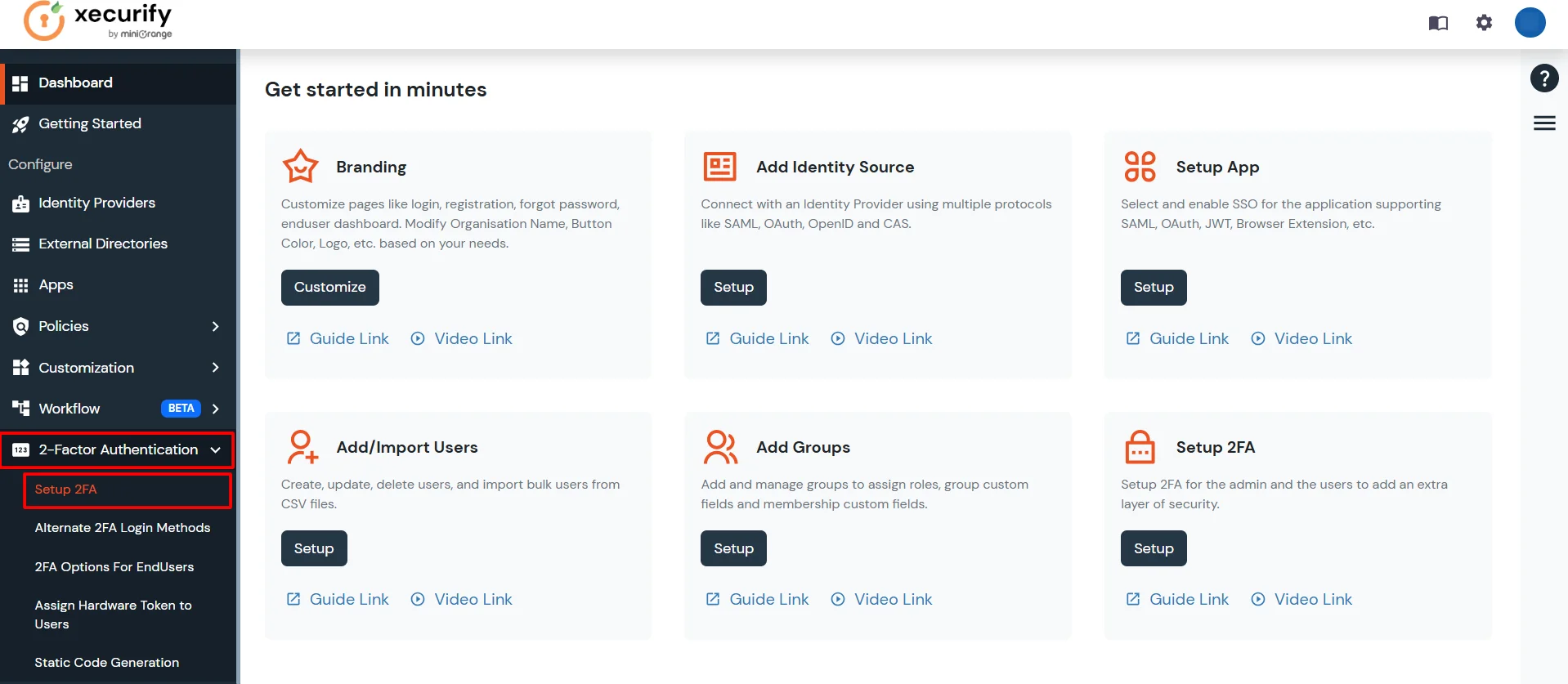
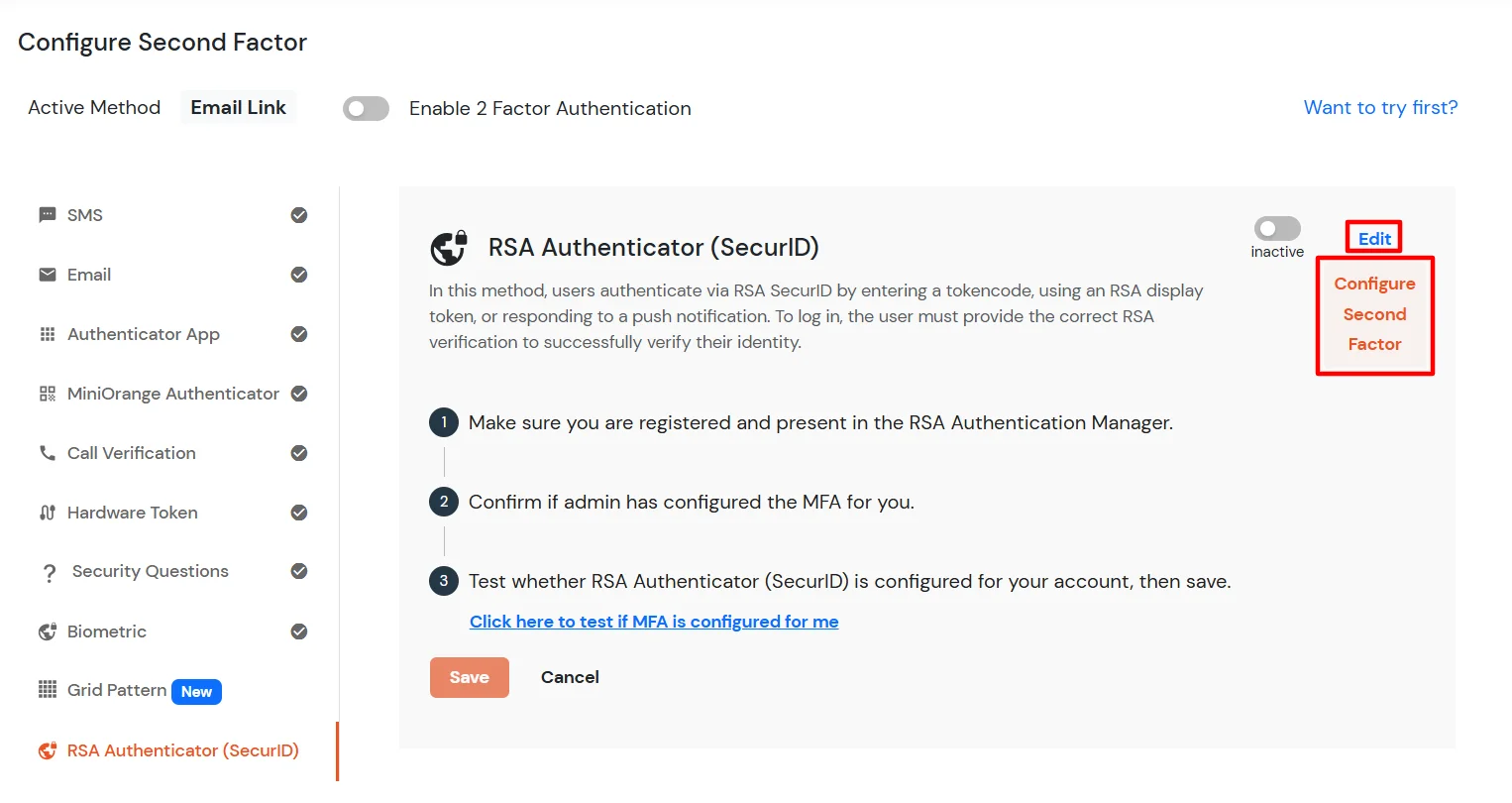
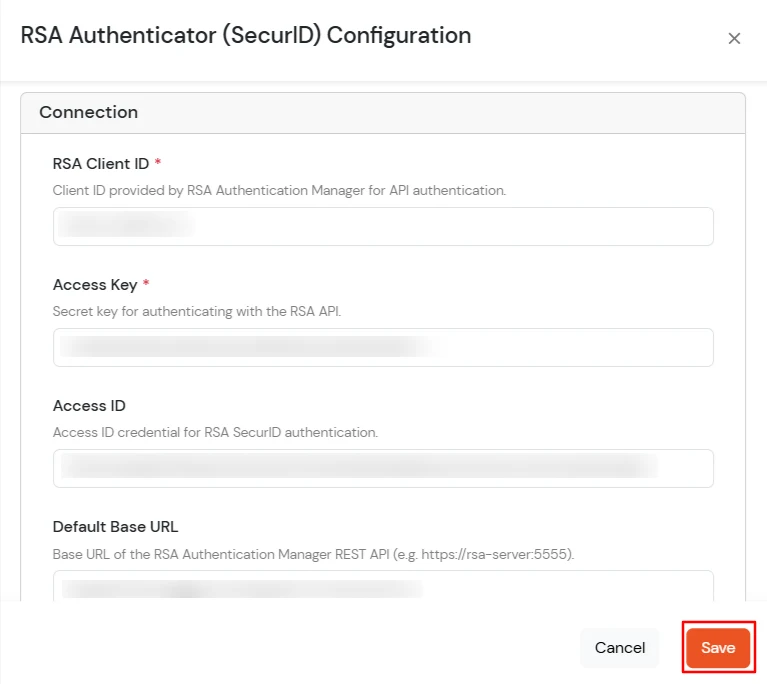
RSA Configuration Parameters:
| Parameter | Description | Status |
|---|---|---|
| default_policy_condition | The default condition under which a policy is applied. | Required |
| rsa_client_id | The unique identifier for the RSA client application. | Required |
| rsa_context_message_id | Identifier for the context message used in RSA transactions. | Required |
| assurance_level | Required level of assurance for the authentication process. | Required |
| rsa_api_version | The version of the RSA API being used. | Required |
| success_status | The status code/message indicating a successful operation. | Required |
| default_interface_path | The default path for the RSA interface or endpoint. | Required |
| access_id | The ID used to access the RSA service. | Required |
| access_key | The secret key corresponding to the access ID for secure communication. | Required |
| read_timeout | INTEGER (Default: 3000) - Timeout in milliseconds for reading data from the RSA service. | Required |
| default_root_cert_filename | Filename of the default root certificate for secure connections. | Required |
| default_client_id | A default client identifier, possibly a fallback or non-RSA specific ID. | Required |
| system_uuid | Unique identifier for the system instance. | Required |
| platform | The platform or operating system environment. | Required |
| attempt_timeout | INTEGER (Default: 5000) - Timeout in milliseconds for the overall authentication attempt. | Required |
| keep_attempt | Specifies whether the authentication attempt should be kept open after initial failure. | Required |
| default_policy_id | The ID of the default authentication policy to apply. | Required |
| sid_passcode_method | Method used for SecurID (SID) passcode generation/validation. | Optional |
| debug_client | Flag to enable or disable client-side debugging. | Required (Default: 'FALSE') |
| default_language | The default language for messages and prompts. | Required (Default: 'en_US') |
| method_id | Identifier for the specific authentication method being used (e.g., Push, Passcode). | Required |
| auth_method_version_id | Version identifier for the authentication method. | Required |
| ia_resource_prompt_token | Resource token for the identity assurance prompt. | Optional |
| default_base_url | The base URL or endpoint of the RSA server. | Required |
| rsa_version | The overall version of the RSA integration or software. | Required |
| end_user_attribute | The user attribute (e.g., username, email) used to identify the end-user to RSA. | Required |
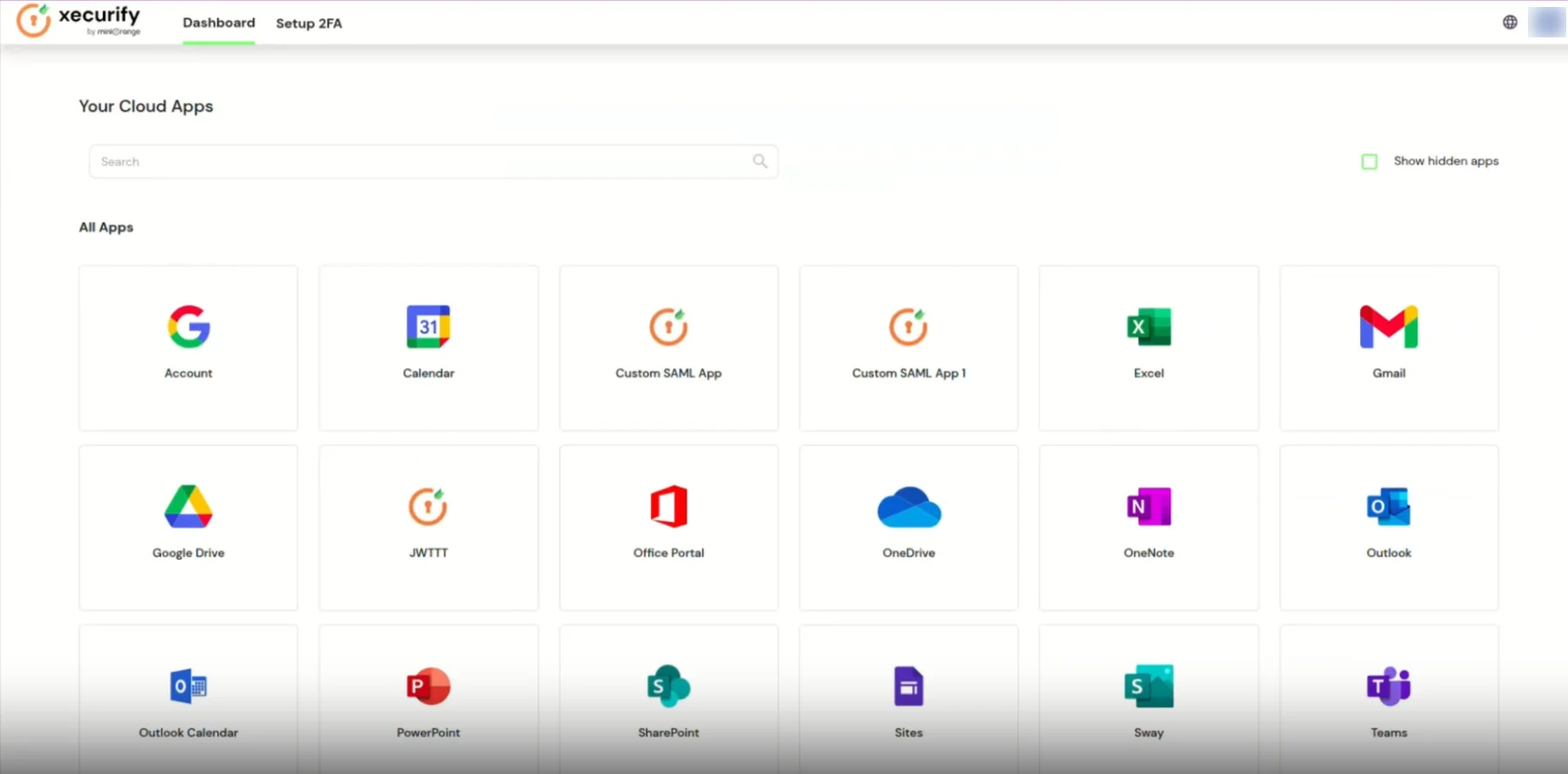
https://<domain_name>.xecurify.com/moas/login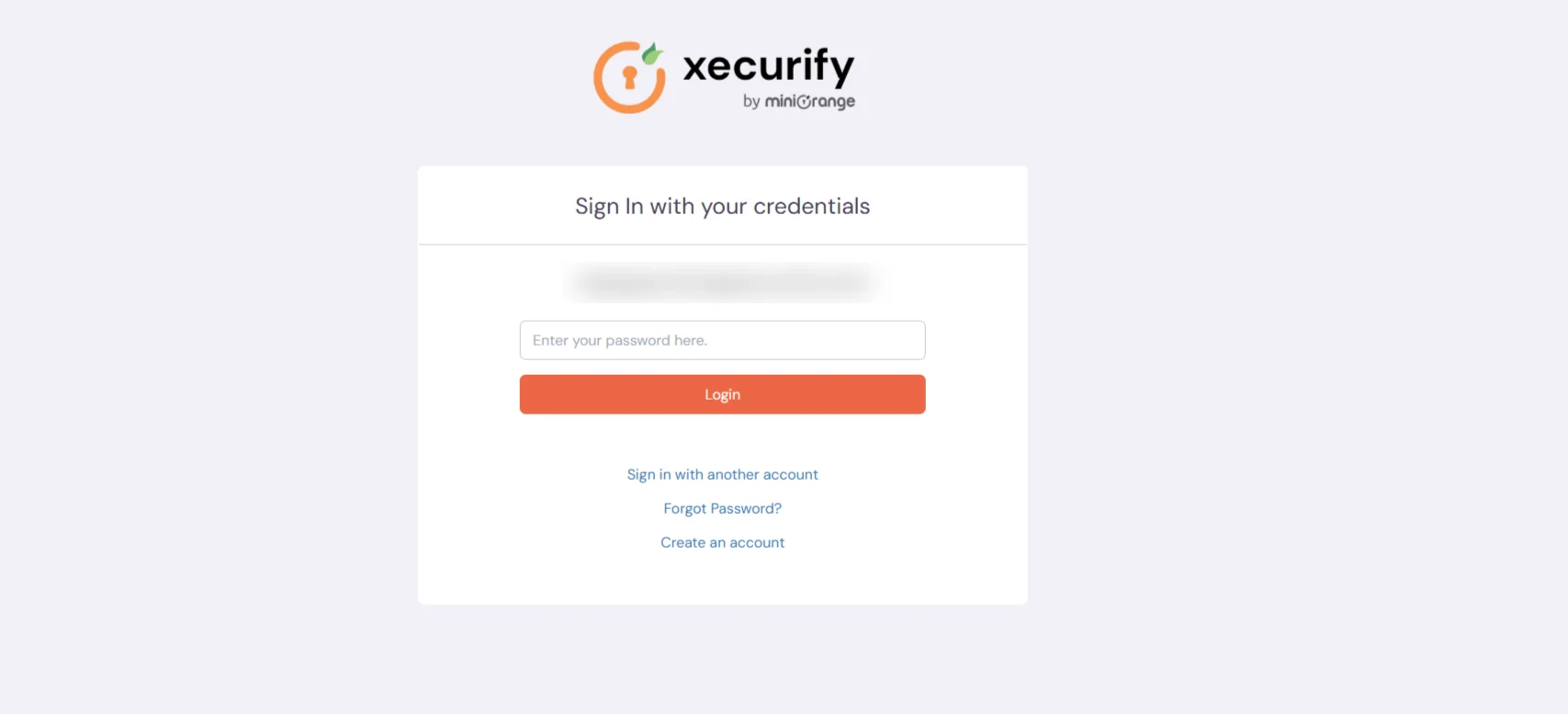
Note:
For further assistance or inquiries regarding the configuration, please contact miniOrange support.

