A brief overview of the deployment, summary, and issues observed during the miniOrange AD Tools POC.
Steps to Delegate Control at Domain Level
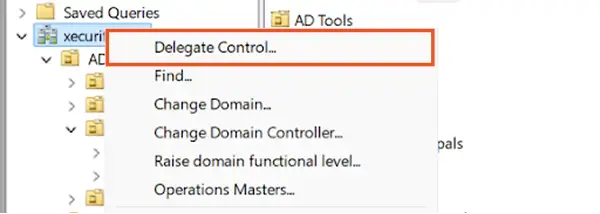
Go to the Domain level in Active Directory Users and Computers (ADUC).
Right-click on the domain name and select Delegate Control.
Click Next.
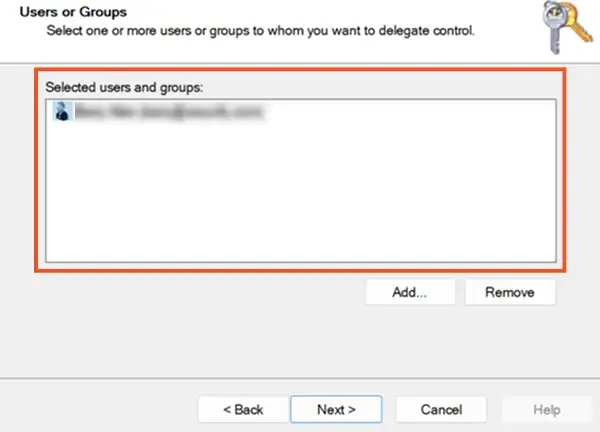
Select the User or Group
Select the user or security group to whom you want to delegate access.
Click Next.
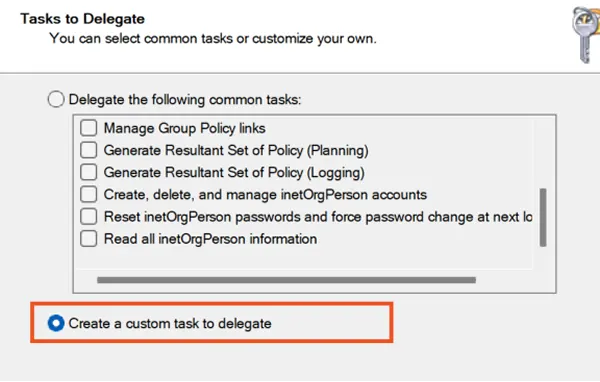
Choose Custom Delegation Task
Select Create a custom task to delegate.
Click Next.
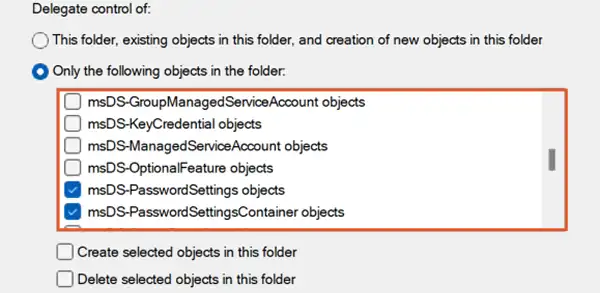
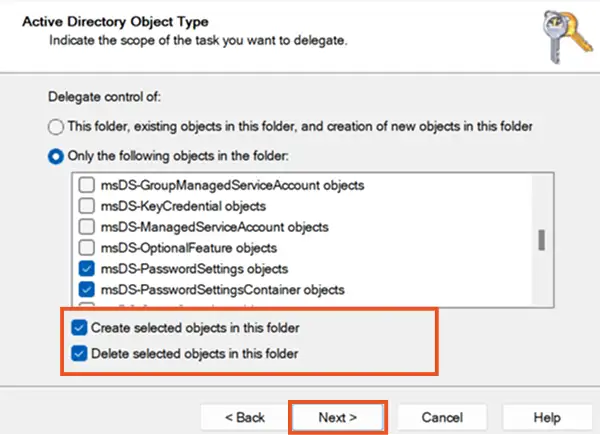
Select the Objects to Delegate
Under Only the following objects in the folder, select:
msDS-PasswordSettings objects
msDS-PasswordSettingsContainer objects
These represent access to:
The FGPP container
Fine-Grained Password Policy object
Assign Create/Delete Permissions (If Required)
To allow the user/group to create FGPP policies, check:
Create selected objects in this folder
To allow the user/group to delete FGPP policies, check:
Delete selected objects in this folder
Click Next.
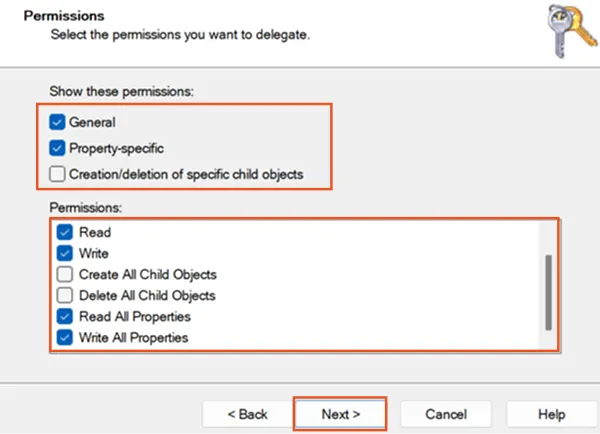
Configure Read or Write Access
On the Permissions page, select:
General
Property-specific
For Read-Only Access
Grant Read permissions to allow viewing policies such as policy name and settings.
For Write Access (Modify Policies)
Select the following options:
Write
Read all properties
Write all propertie
Finish Delegation
Click Next.
Review the selections.
Click Finish to complete the delegation setup
Note:
These permissions provide read-only access to the Default Domain Password Policy. Read and write permissions apply only to Fine-Grained Password Policies (FGPP) and do not allow modification of the default policy.