Hello there!
Need Help? We are right here!

Need Help? We are right here!
Search Results:
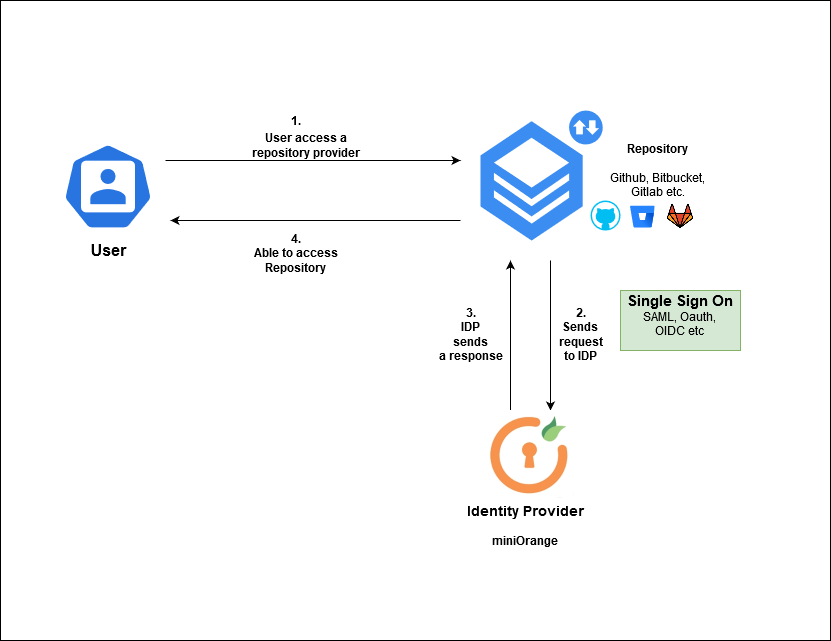
×You can access the Repository providers that use authentication protocol for single sign-on (SSO) by authenticating through an identity provider (IdP).SSO helps you maintain control of your identity and contributions, while giving organizations a centralized and secure way of controlling access to their resources on Repository. The flow diagram below shows the steps used for authenticating the user.
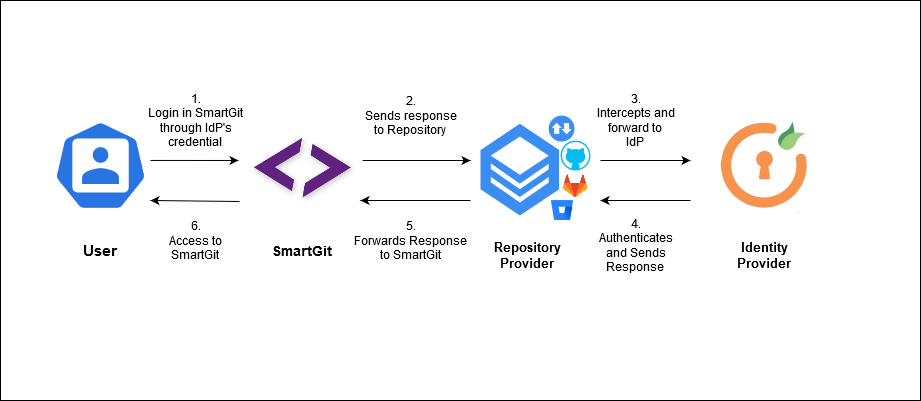
miniOrange helps you to log in into SmartGit application. SmartGit supports Oauth authentication protocol for Signle Sign-On with the identity providers. User will put on his app IdP credentials and will be authenticated to access the repository.
Authenticating to a GitHub Enterprise instance is slightly different than to github.com due to the nature of OAuth. Basically you have two options:
Personal Access Token
Personal access tokens are working for GitHub Enterprise as well as for github.com. To create a personal access token, go to your Account settings and select Personal Access Tokens. Invoke Generate New Token, enter SmartGit for the Token Description and for Select scopes select the repo scope and the read:org scope.
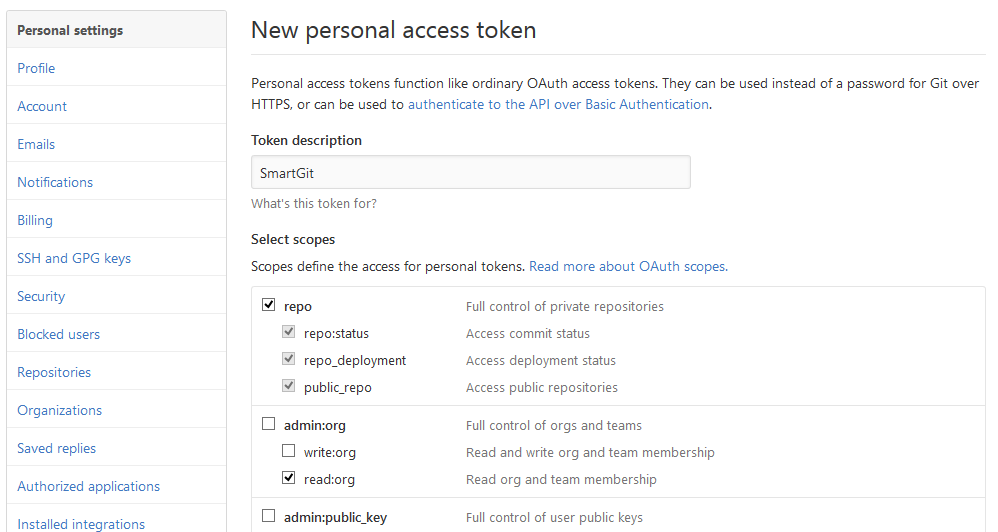
After confirming with Generate Token, you will see the new token in your list of tokens. Copy the token to the clipboard and paste it into the Token field of SmartGit's GitHub configuration dialog.
Developer Application
To use SmartGit's OAuth authentication with your GitHub Enterprise instance, SmartGit has to be configured as Developer Application in your GitHub Enterprise instance. This can be done by every GitHub Enterprise user, from the Personal Settings, OAuth Applications, Developer Applications.
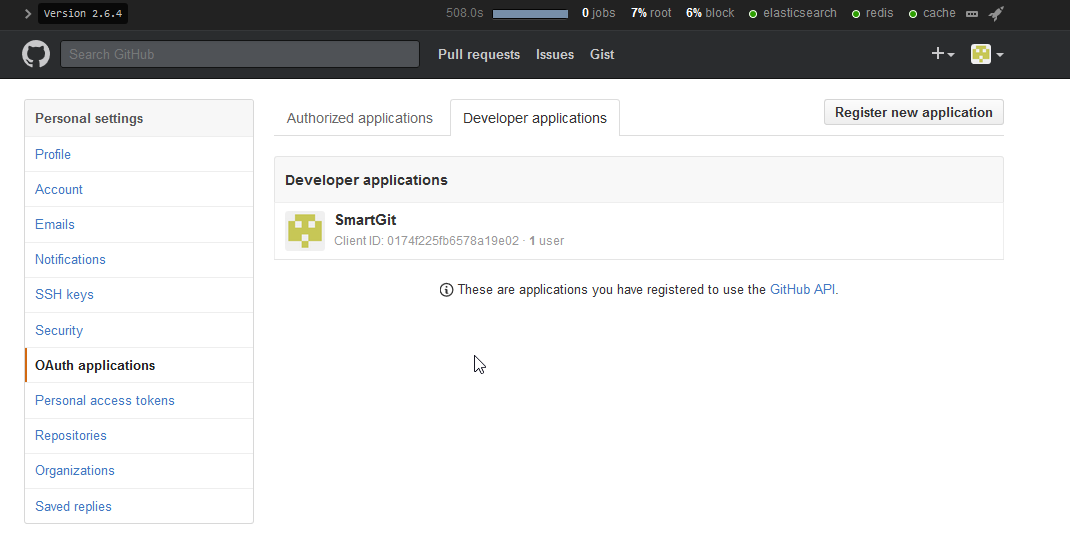
You have to provide an Application name, a Homepage URL and the Authorization callback URL to which GitHub Enterprise will redirect during authentication and pass the generated token to.
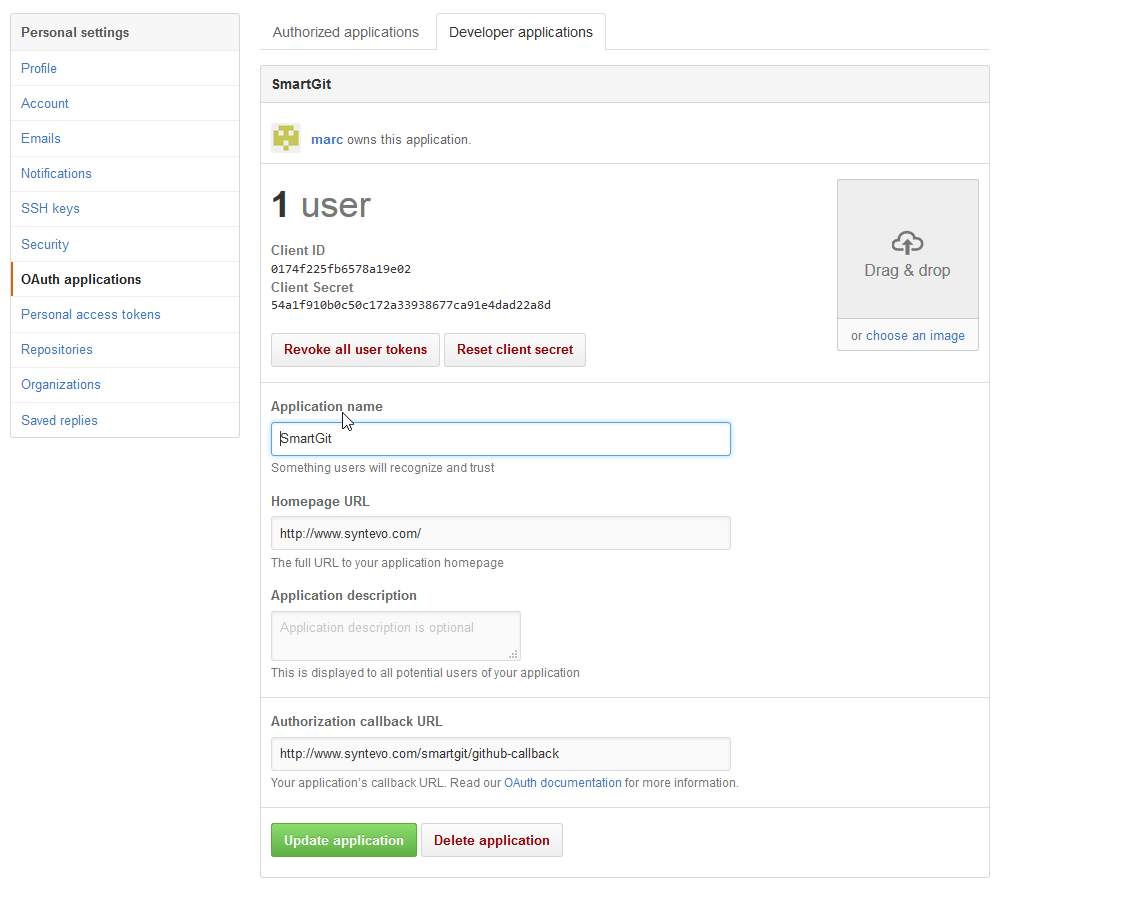
GitHub will automatically create a Client ID and a Client Secret which have to be passed to SmartGit using system properties smartgit.github.enterprise.oauth.id and smartgit.github.enterprise.oauth.secret. For the example application from the screenshot, this would be:
     smartgit.github.enterprise.oauth.id=0174f225fb6578a19e02

     smartgit.github.enterprise.oauth.secret=54a1f910b0c50c172a33938677ca91e4dad22a8d

