Hello there!

Need Help? We are right here!

Support Icon
miniOrange Email Support
success

Thanks for your Enquiry. Our team will soon reach out to you.

If you don't hear from us within 24 hours, please feel free to send a follow-up email to info@xecurify.com

Search Results:

×

SSO for Apps Using Facebook Social Login


Facebook Single Sign On (SSO) for Your Application miniOrange provides a ready to use solution for your application. This solution ensures that you are ready to roll out secure access to your application using Facebook within minutes.

Get Free Installation Help


miniOrange offers free help through a consultation call with our System Engineers to configure SSO for different apps using Facebook as IDP in your environment with 30-day free trial.

For this, you need to just send us an email at idpsupport@xecurify.com to book a slot and we'll help you in no time.


Prerequisites

Please make sure your organisation branding is already set under Customization >> Login and Registration Branding in the left menu of the dashboard.
Follow the Step-by-Step Guide given below for Facebook Single Sign-On (SSO)

1. Configure Facebook as OAuth 2.0 Provider in miniOrange.


  • Go to miniOrange Admin Console.
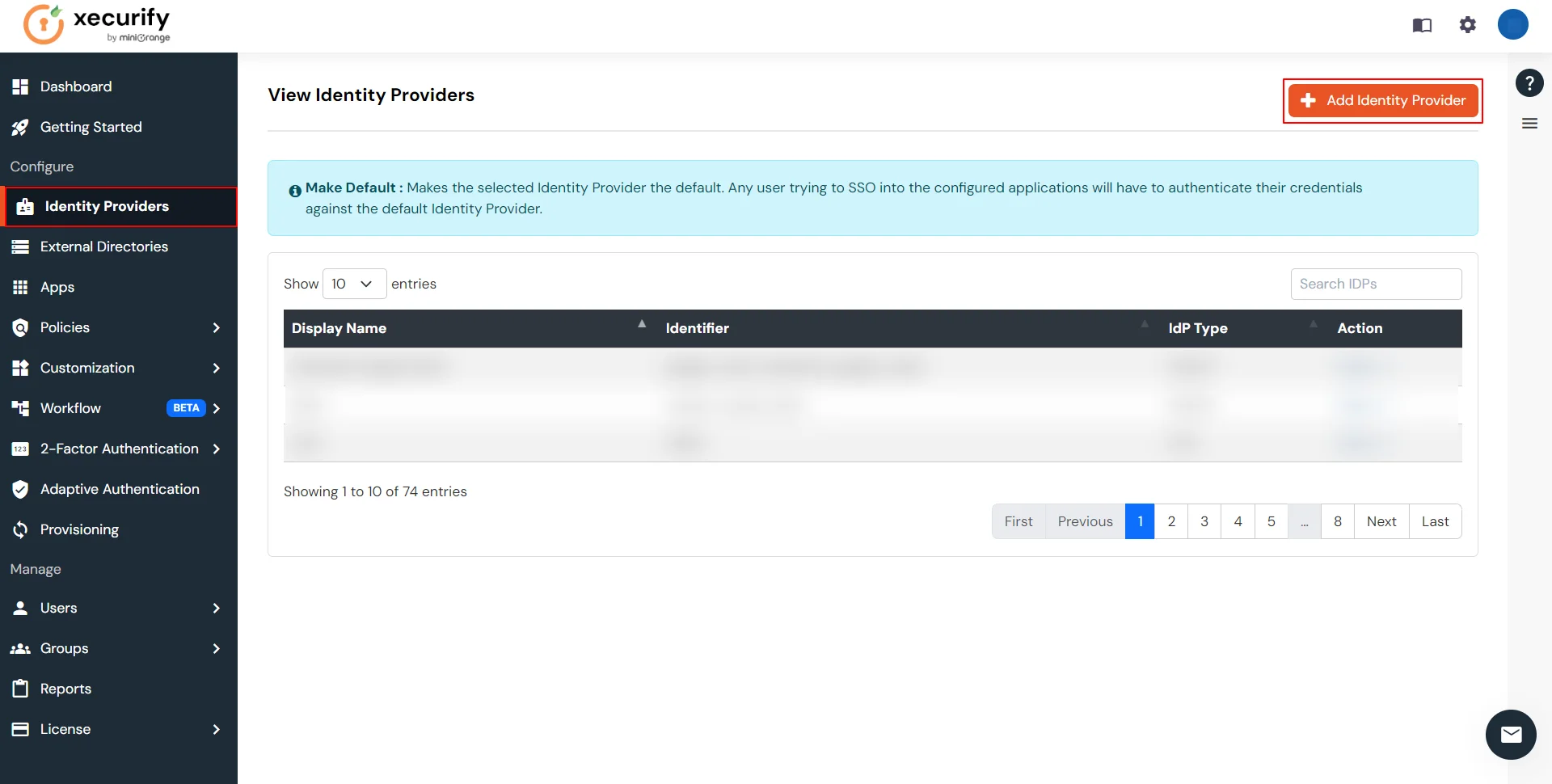
  • From the left navigation bar, select Identity Providers >> click Add Identity Provider.
  • Facebook SSO : Add Identity Providers

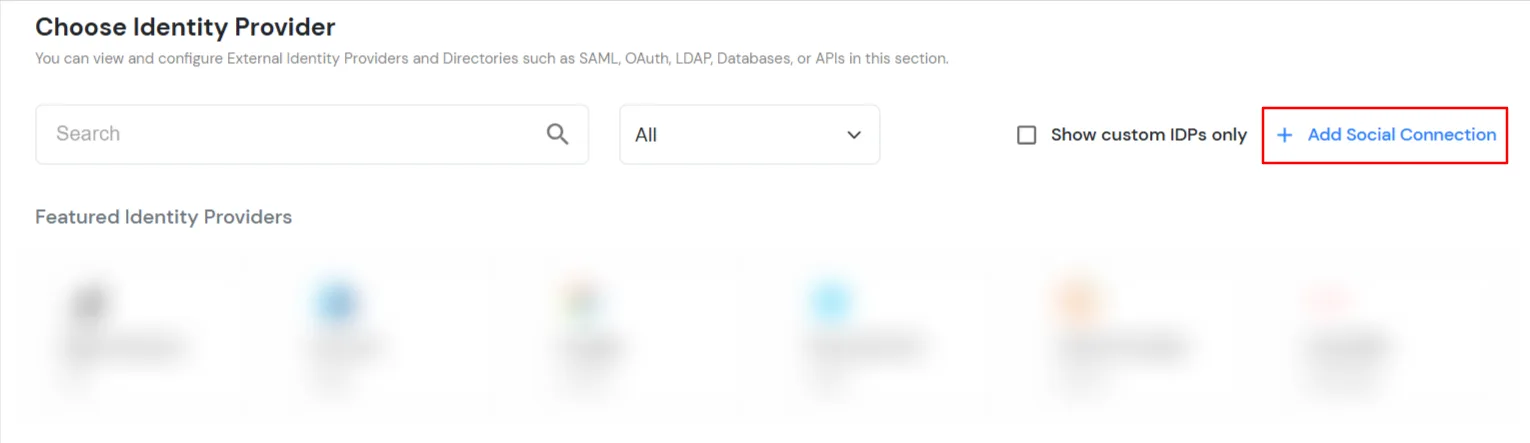
  • Click on Add Social Connection.
  • Facebook SSO : Click on Social Connection

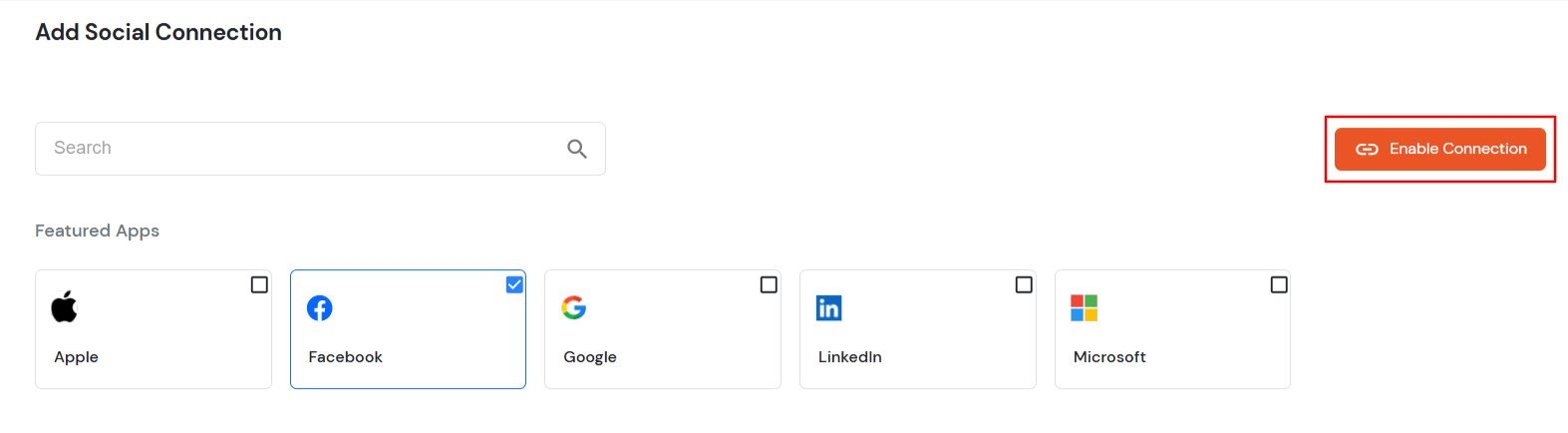
  • Select Facebook. and click on Enable connection button.
  • Facebook SSO : Select Facebook OAuth

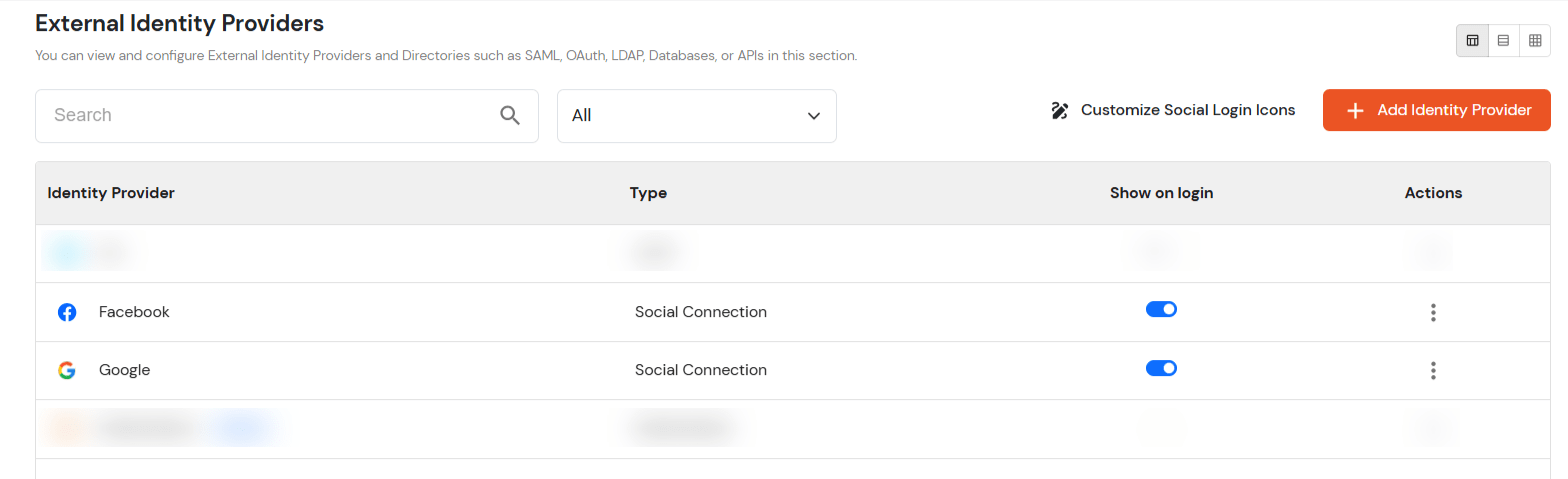
  • You will be redirected to the External Identity Providers page listing the enabled social connections.
  • Facebook SSO : External Identity Providers

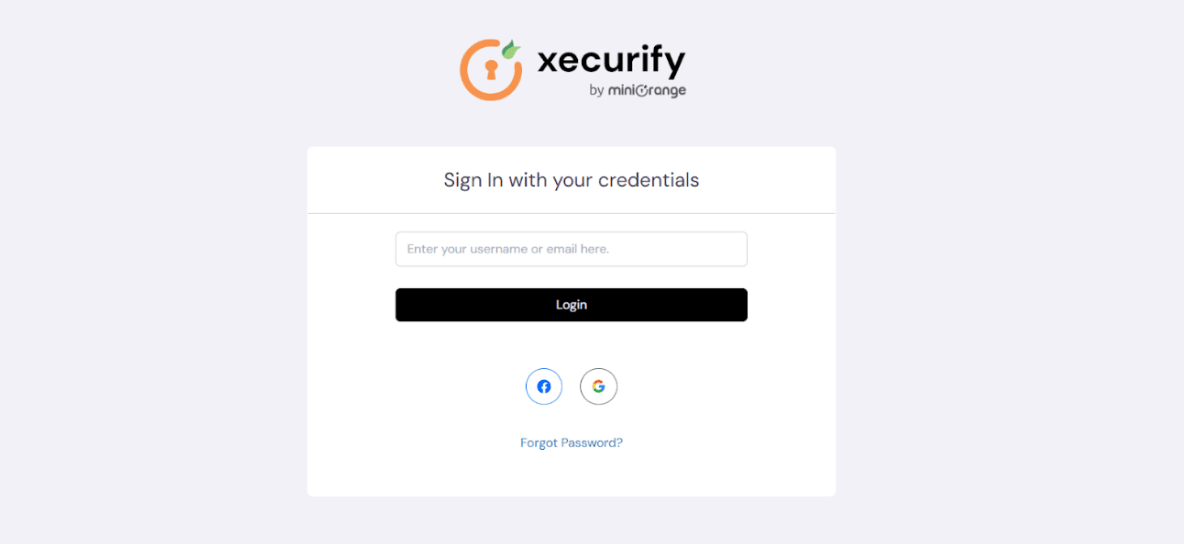
  • You can check on the login form that the social login connections will be added.
  • Facebook SSO : Sign in with social login

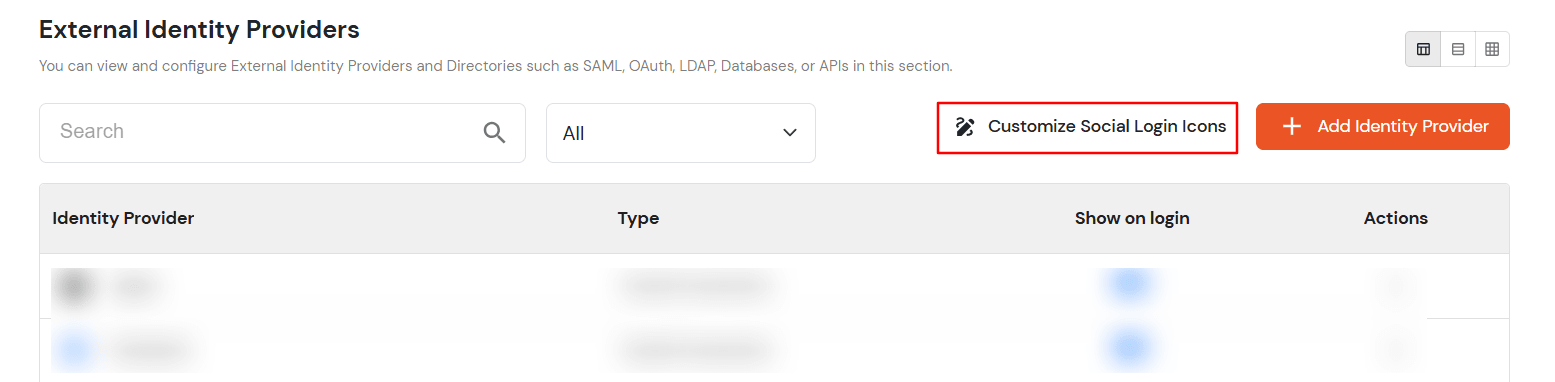
  • You can also customize the appearance of the social connections. Go to Identity Providers from the left nav and click on the Customize Social Login Icons button.
  • Facebook SSO : Customize Social Login Icons

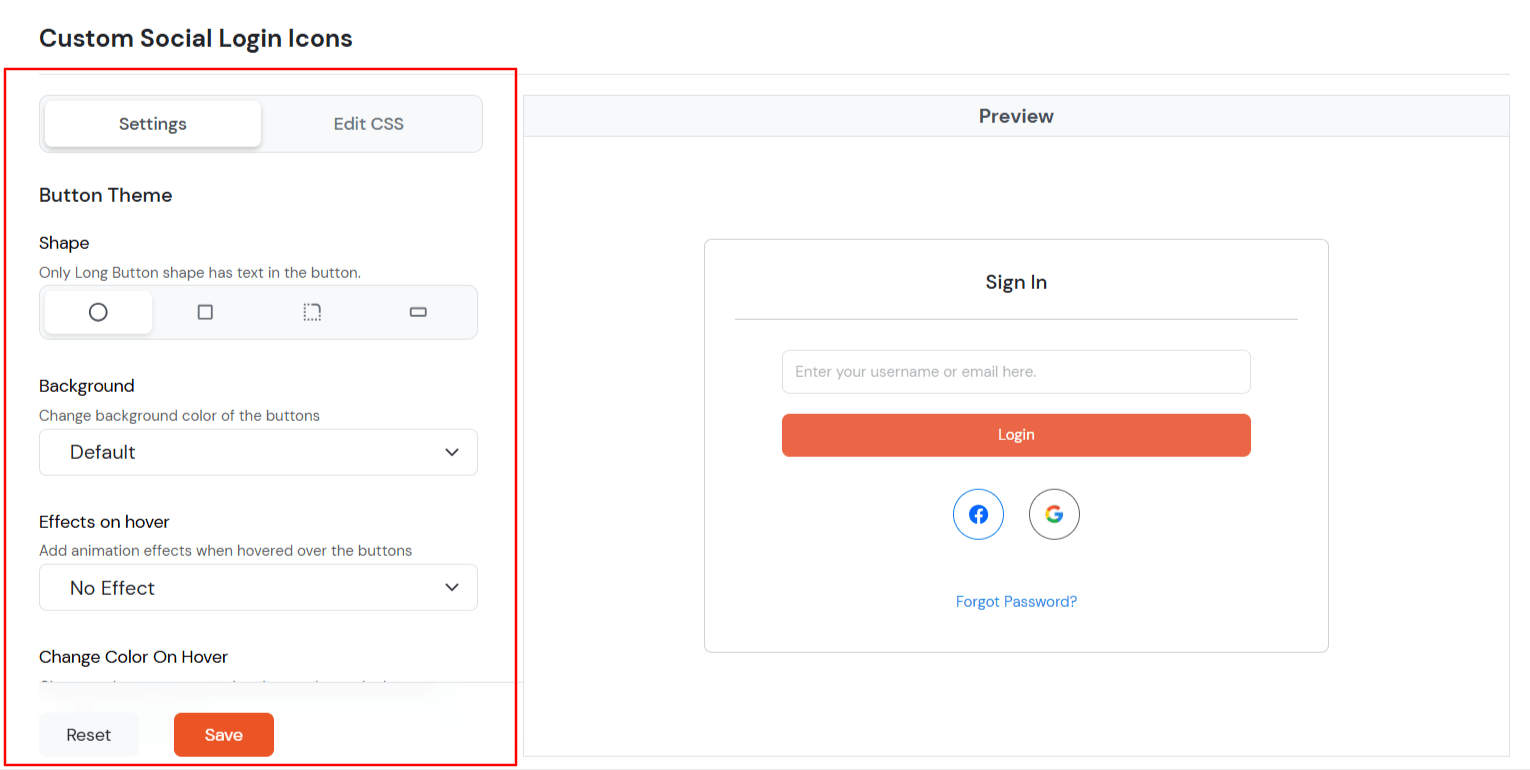
  • You will see the various options to customize the dimensions, background, hover effects, etc of the social login icons.
  • Facebook SSO : Modified Settings

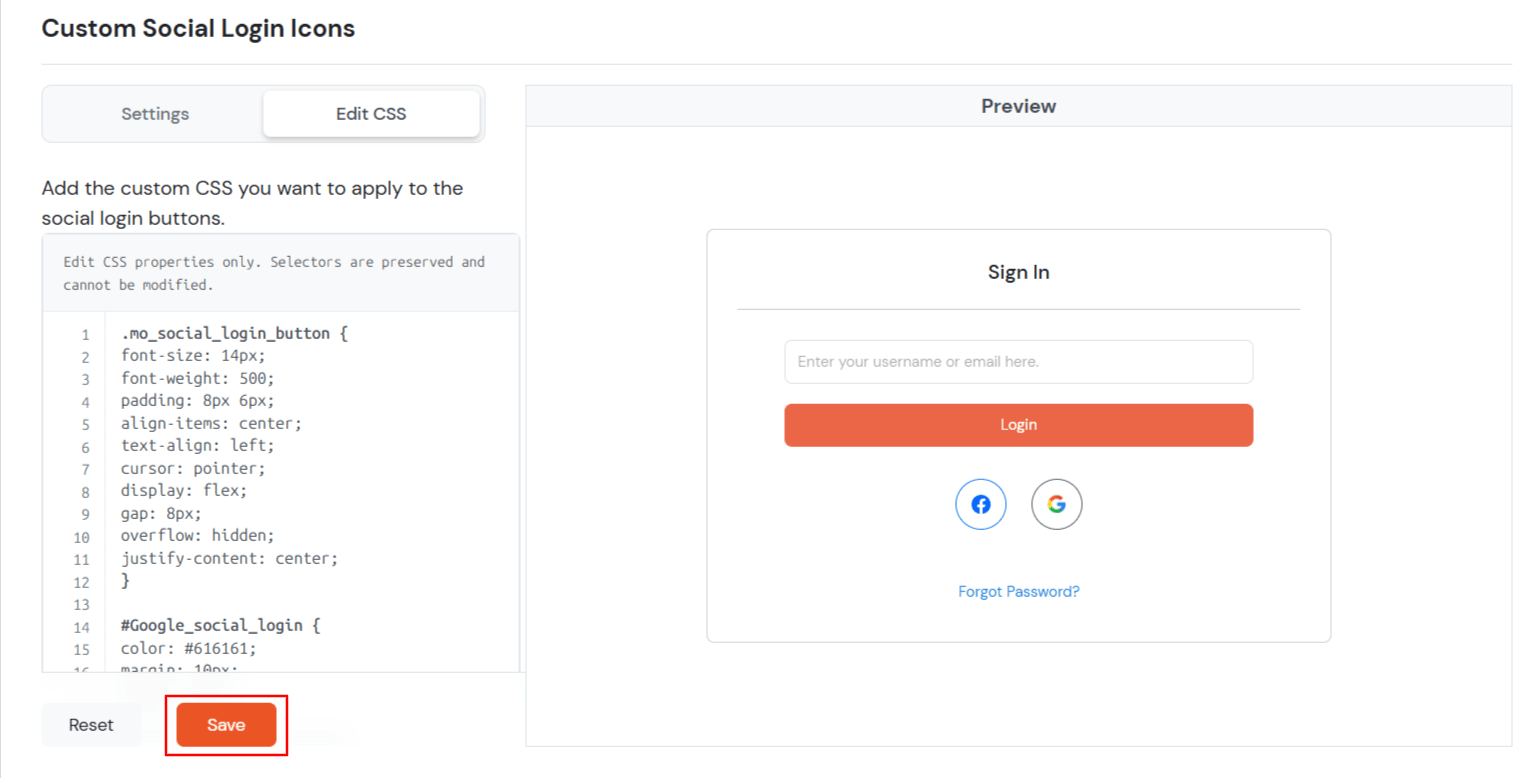
  • You can also add the custom css
  • Facebook SSO : Modified Settings

  • Click on Save to see the changes on the login page.
  • You can also enable/disable the social connection to be shown on the login form from the Identity Providers page.
  • Facebook SSO : Enable and Disable Social Connection

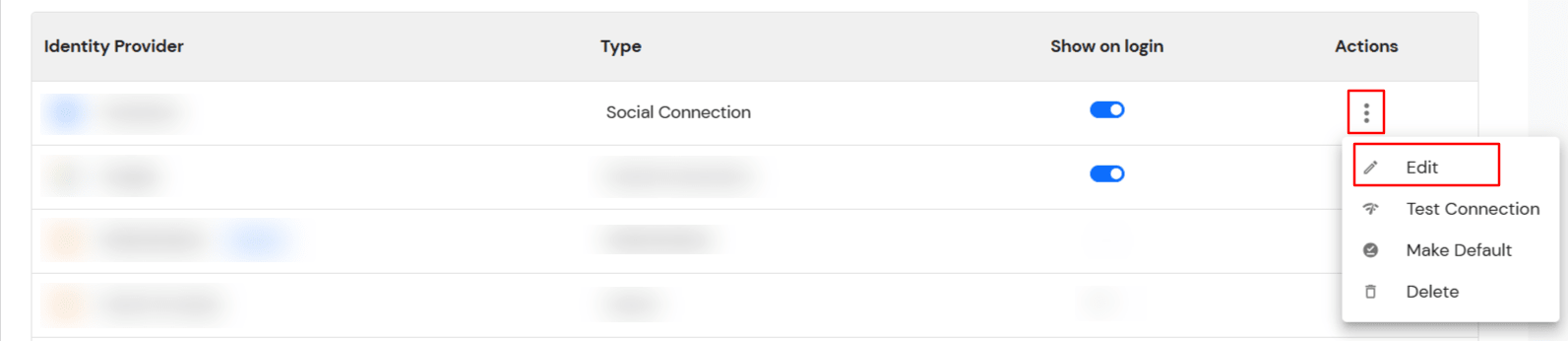
  • If you want to add your development keys to social login, you can add your keys by editing the Social connection from the Identity Providers page.
  • Facebook SSO : Edit Social Connection

  • Keep the OAuth Callback URL, which we will use to configure Facebook as the OAuth Server/Provider.
  • Facebook SSO : Add Your Client ID

  • Refer to the OAuth guide to set up the OAuth app on Facebook.

  • Go to miniOrange Admin Console.
  • From the left navigation bar select Identity Providers >> Add Identity Provider.
  • Facebook SSO : Select Identity Providers >> click Add Identity Provider

  • To configure OAuth/OpenID, select OAuth/OpenID from the dropdown.
  • Select OAuth to setup Facebook as IDP : Select OAuth 2.0

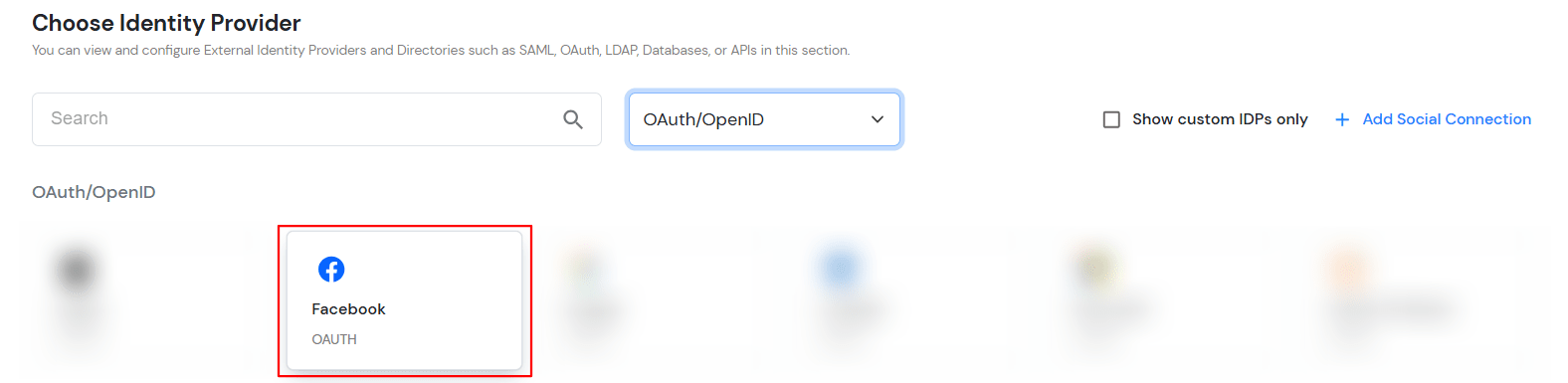
  • Select Facebook.
  • Select OAuth to setup Facebook as IDP : Select OAuth 2.0

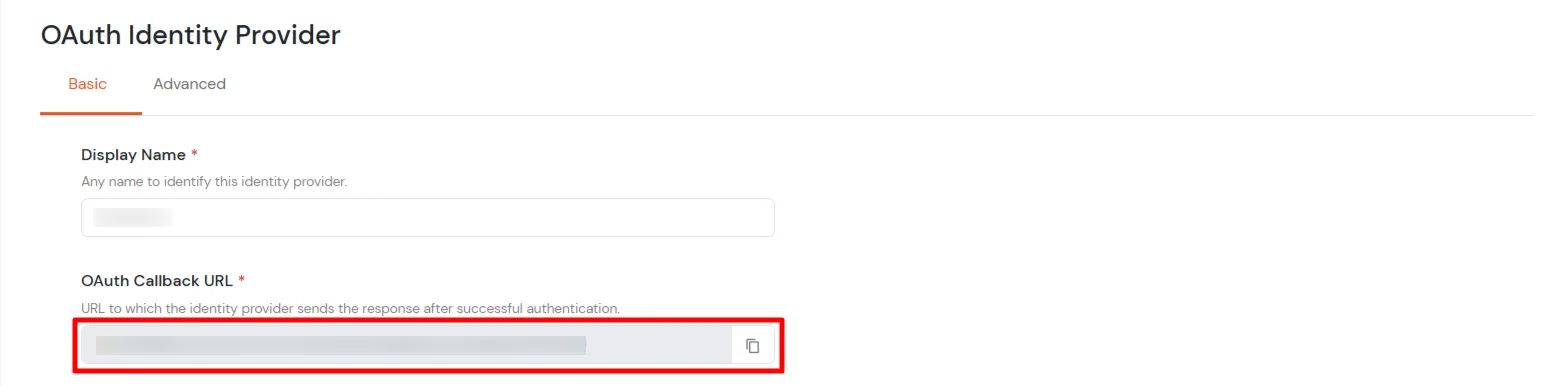
  • Keep the OAuth Callback URL, which we will use to configure Facebook as the OAuth Server/Provider.
  • Select OAuth to setup Facebook as IDP : Copy OAuth Callback URL

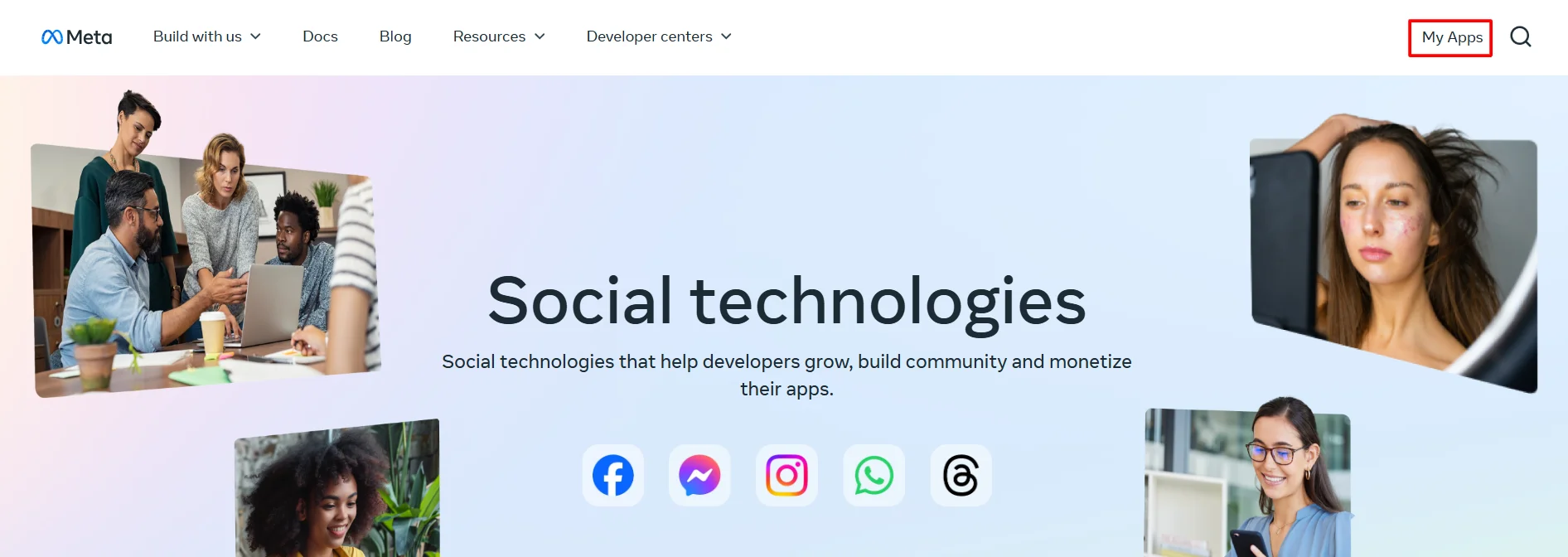
  • Now, log in or sign up on the Facebook Developer Console and navigate to My Apps.
  • OAuth/OpenID/OIDC Single Sign On (SSO) Facebook SSO developer console

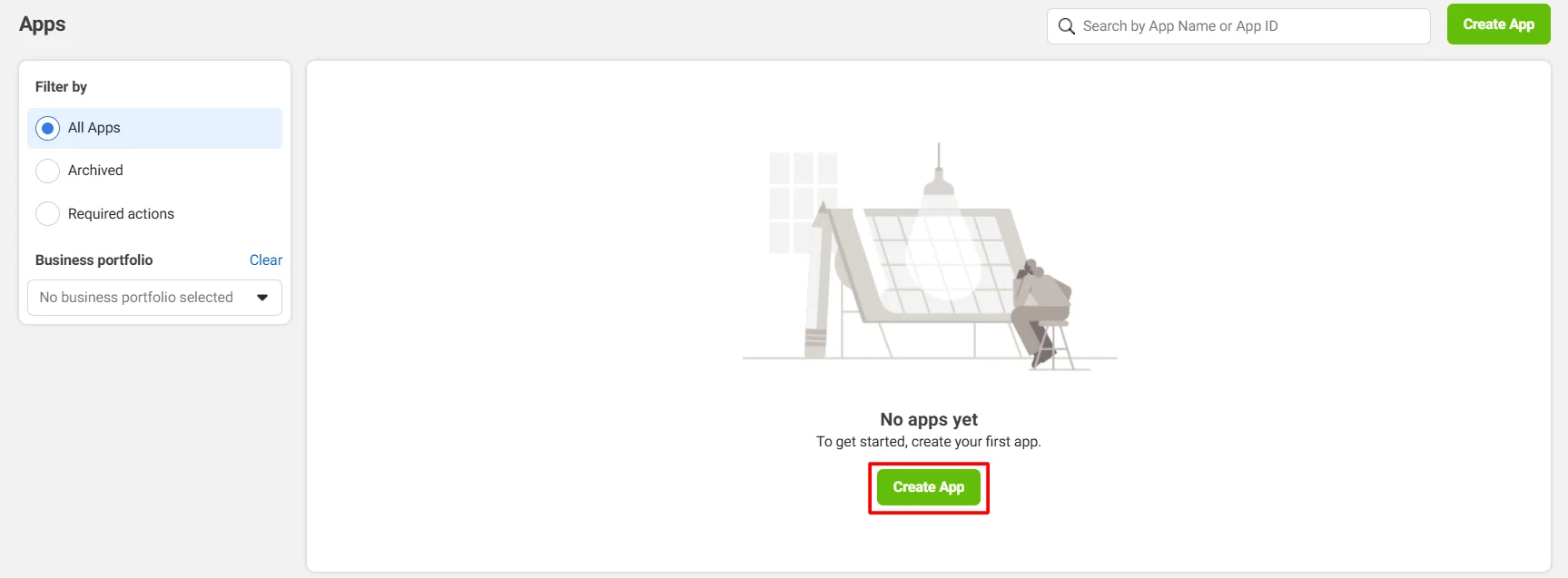
  • Click on Create App to create a new application.
  • OAuth/OpenID/OIDC Single Sign On (SSO) Facebook SSO add new app

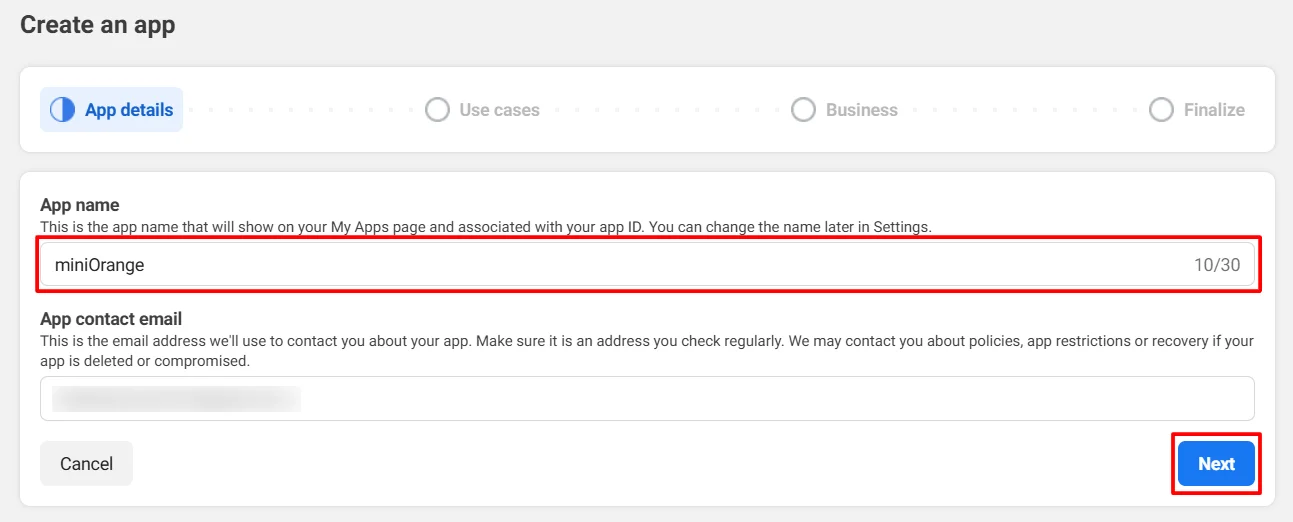
  • Provide the required details and click Next.
  • OAuth/OpenID/OIDC Single Sign On (SSO) Facebook SSO enter app name

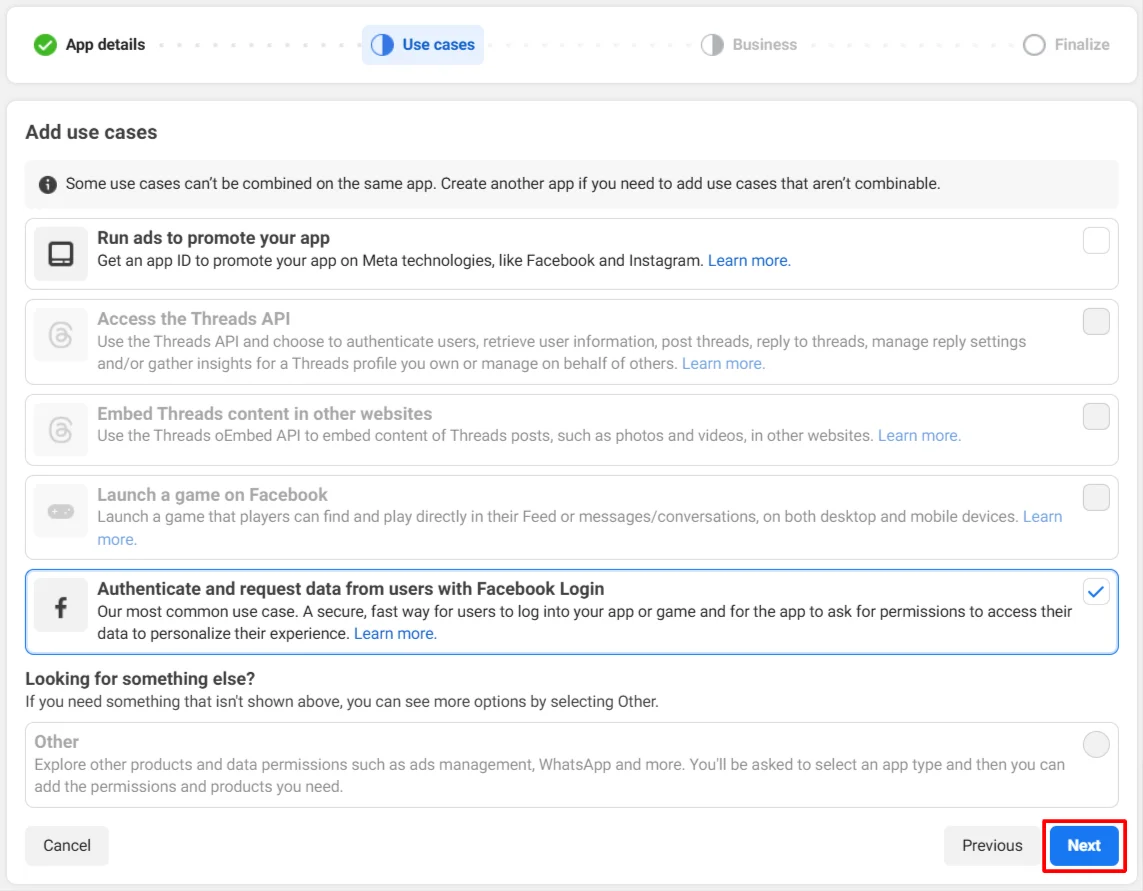
  • Choose Authenticate and request data from users with Facebook Login and click Next.
  • OAuth/OpenID/OIDC Single Sign On (SSO) Facebook SSO choose Facebook Login

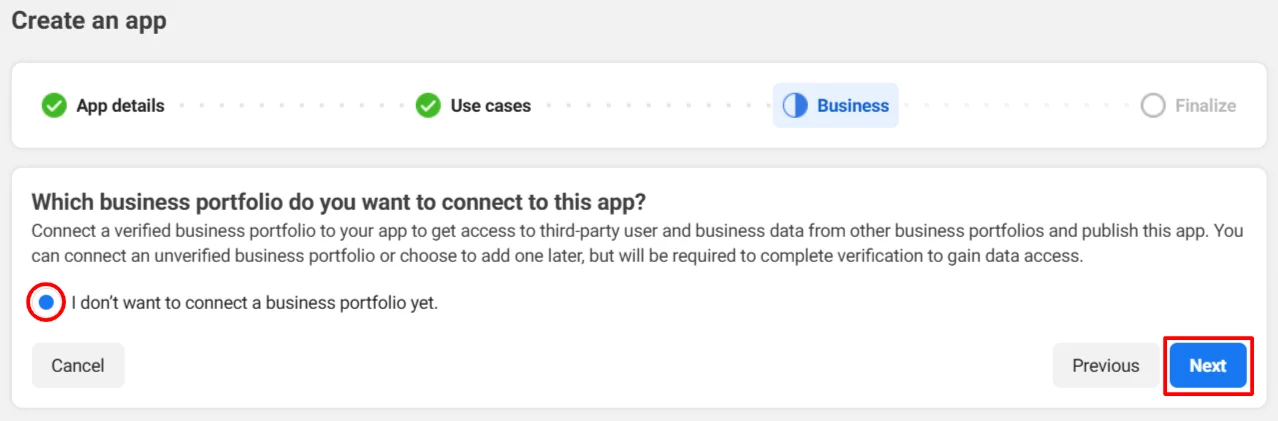
  • Select the appropriate option and click Next.
  • OAuth/OpenID/OIDC Single Sign On (SSO) Facebook SSO click Next

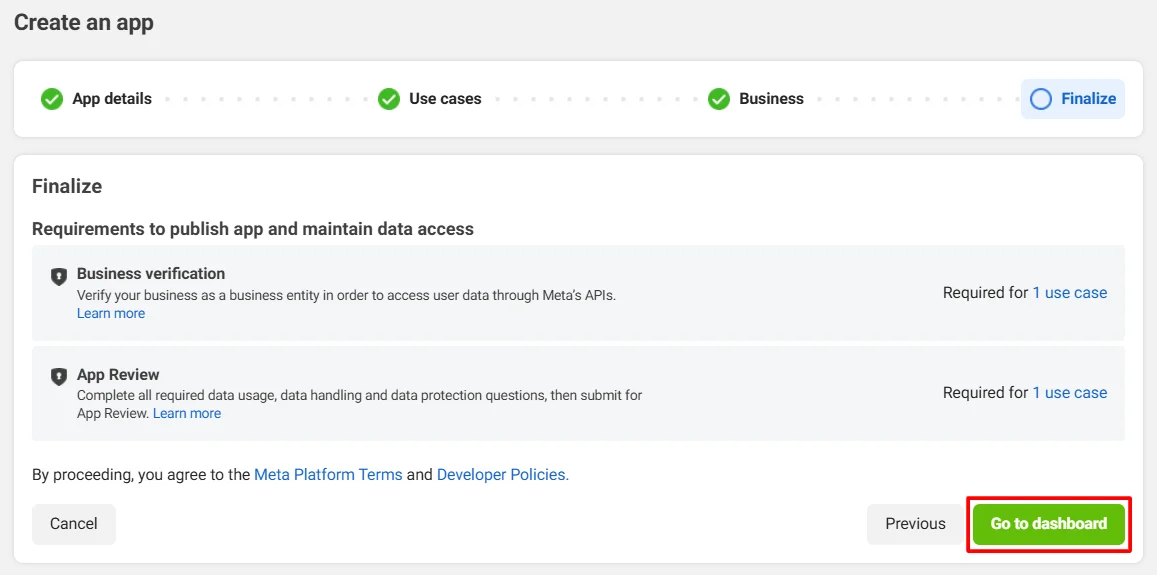
  • Click Go to dashboard to complete the configuration.
  • OAuth/OpenID/OIDC Single Sign On (SSO) Facebook SSO go to dashboard

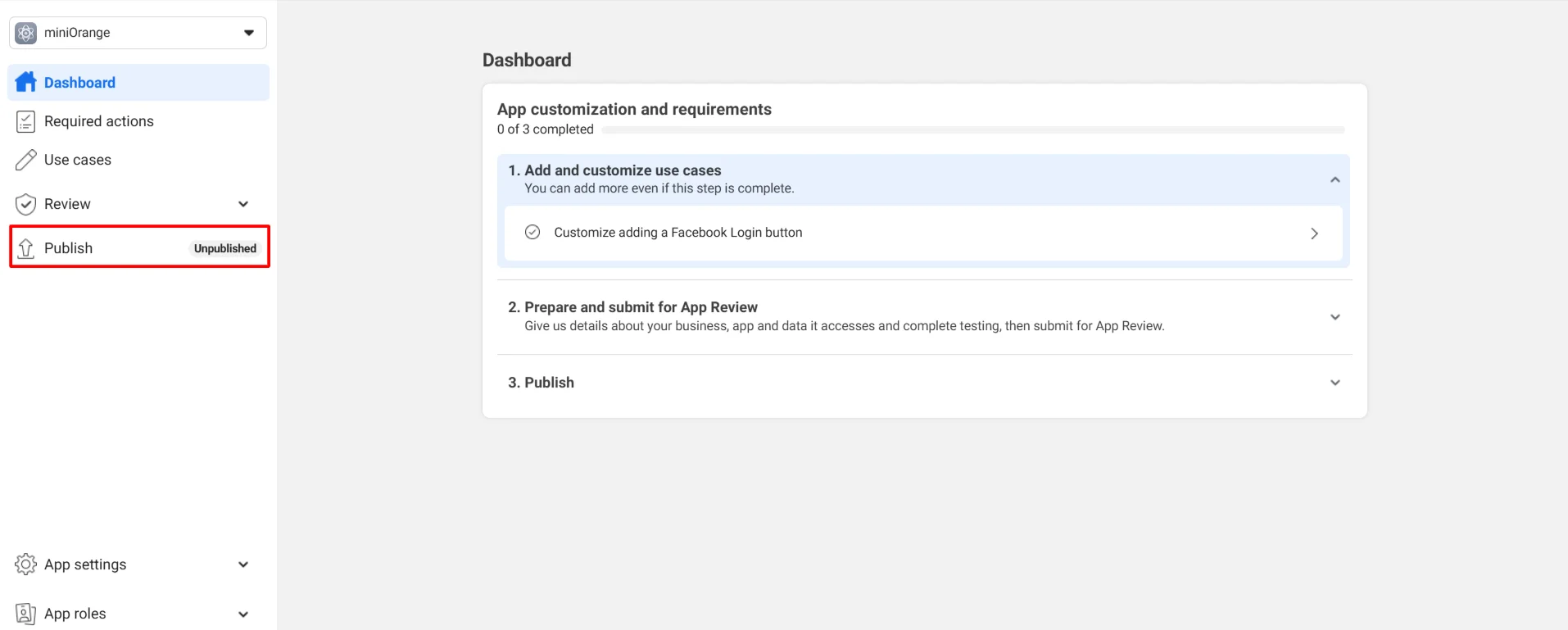
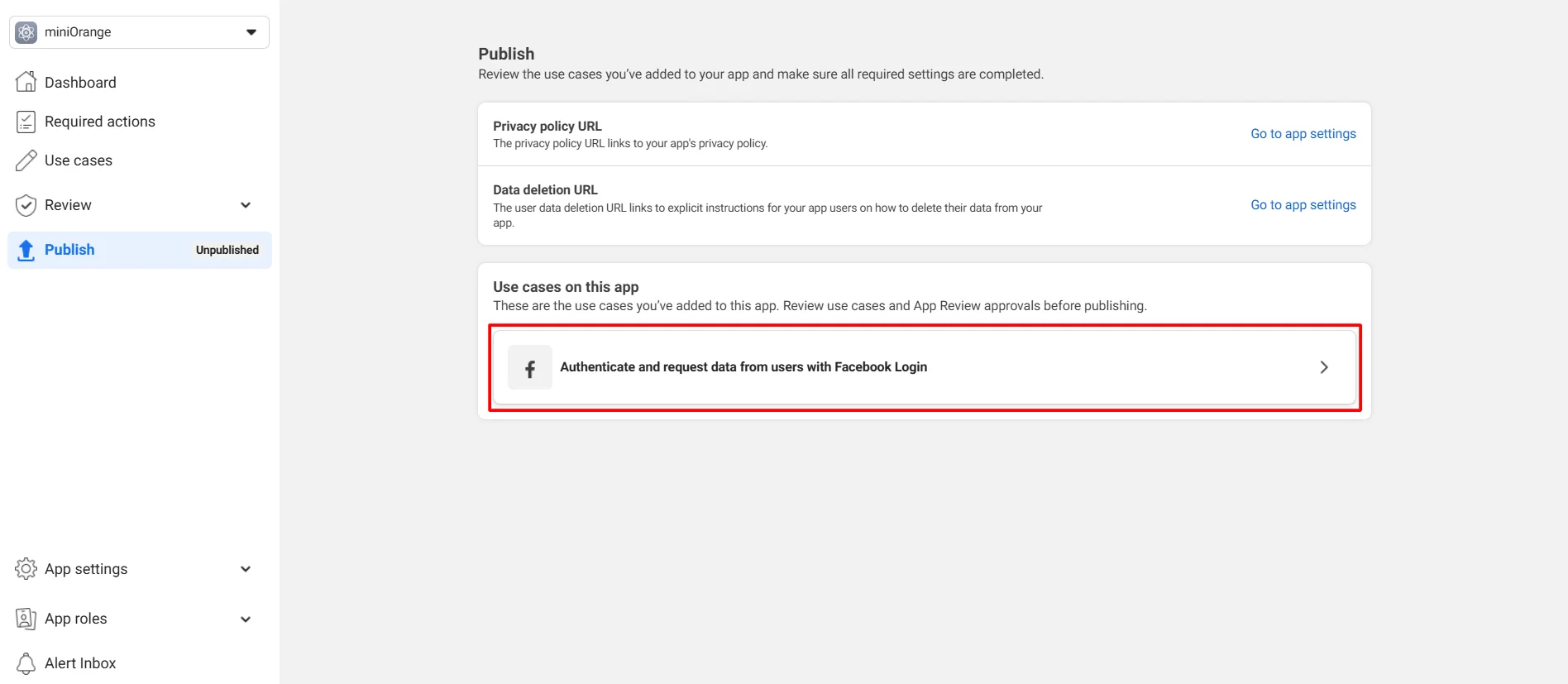
  • Navigate to Publish.
  • OAuth/OpenID/OIDC Single Sign On (SSO) Facebook SSO navigate to Publish

  • Select Facebook login as Use cases on this app.
  • OAuth/OpenID/OIDC Single Sign On (SSO) Facebook SSO select use cases on this app

  • In the Facebook Login section, provide the following details:
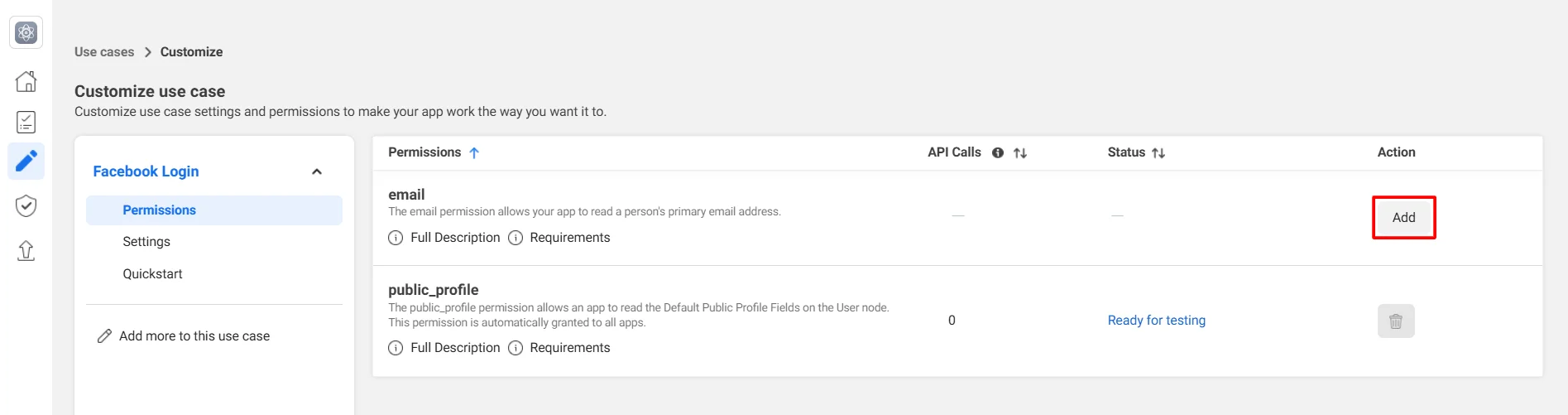
    • Go to Permissions, locate email, and click Add under Action.
    • OAuth/OpenID/OIDC Single Sign On (SSO) Facebook SSO add email

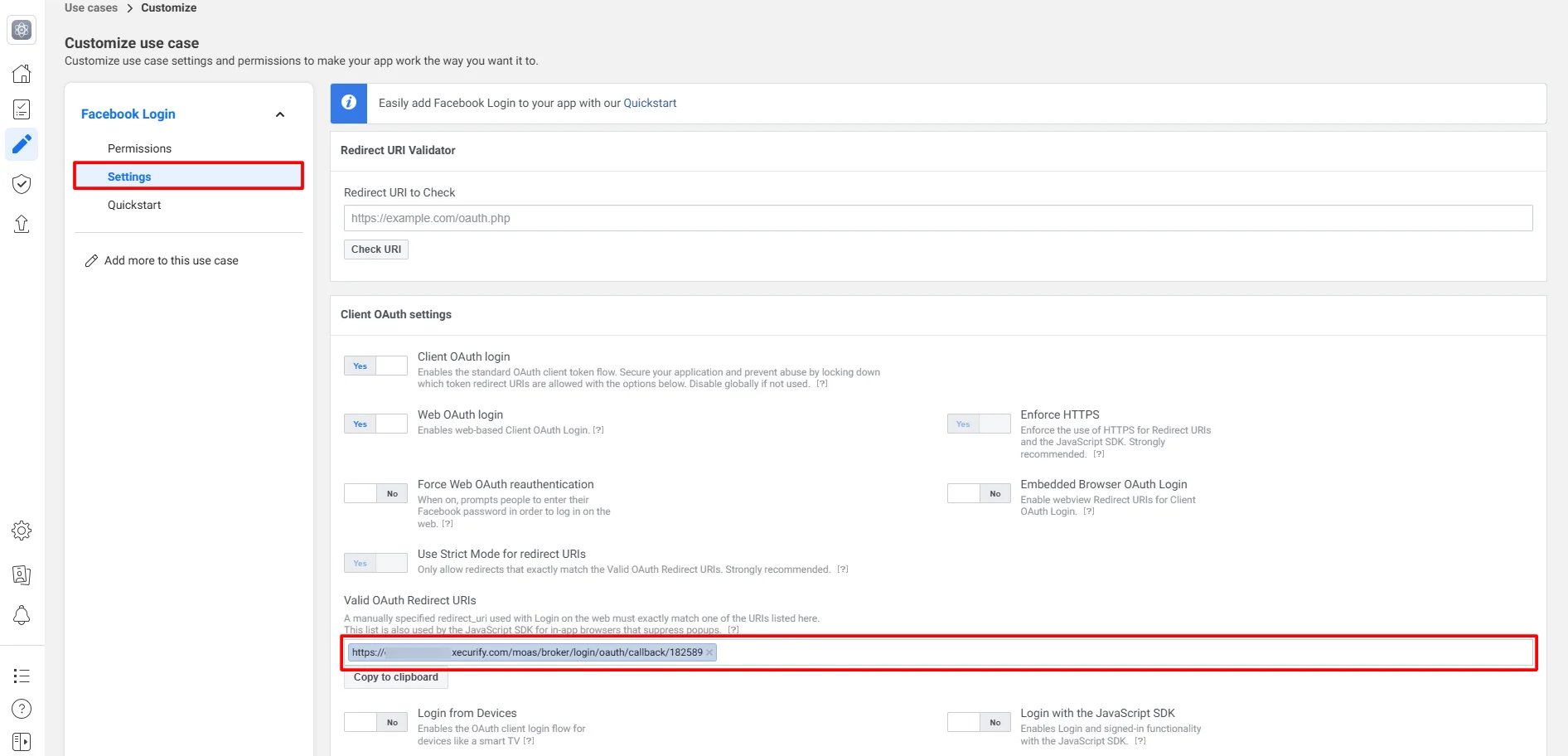
    • Click Settings, scroll to Valid OAuth Redirect URIs, and enter the OAuth Callback URL from the above step.
    • OAuth/OpenID/OIDC Single Sign On (SSO) Facebook SSO enter callback url

    • Click Save changes.
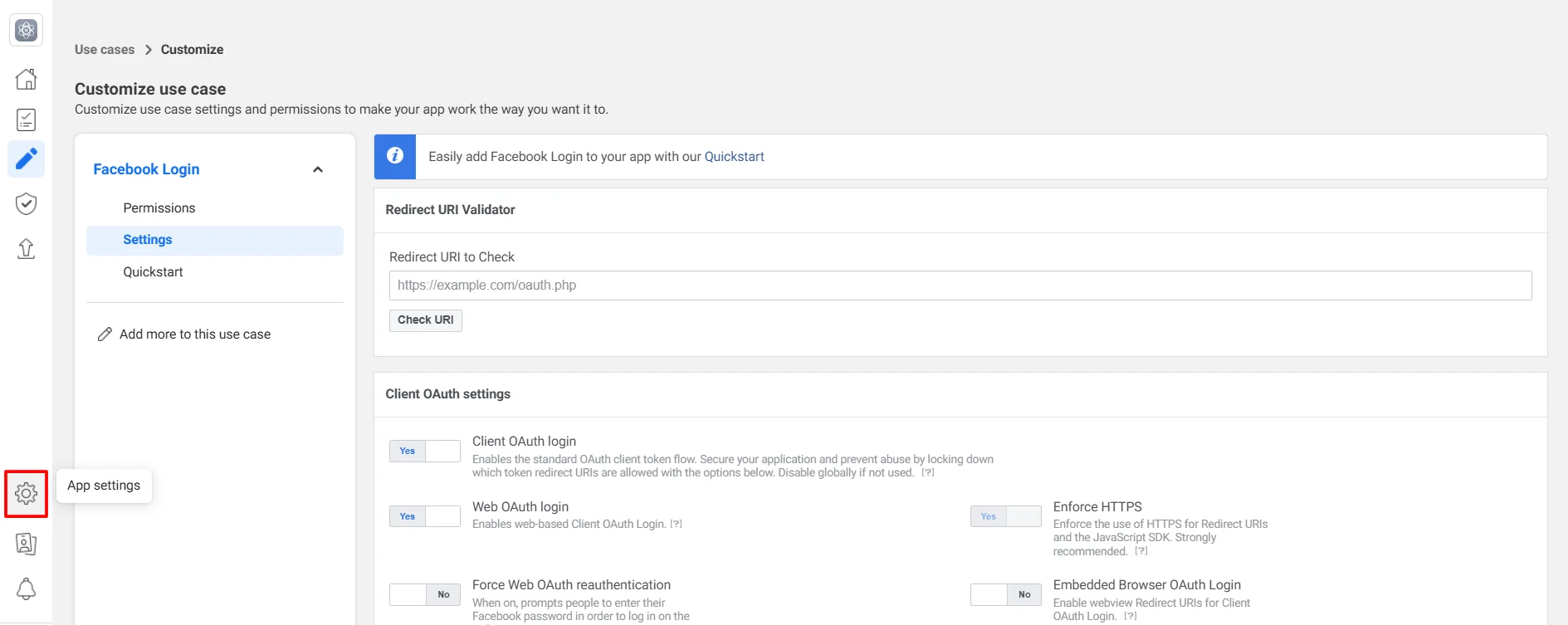
  • Now, click on (App settings) icon.
  • OAuth/OpenID/OIDC Single Sign On (SSO) Facebook SSO click settings icon

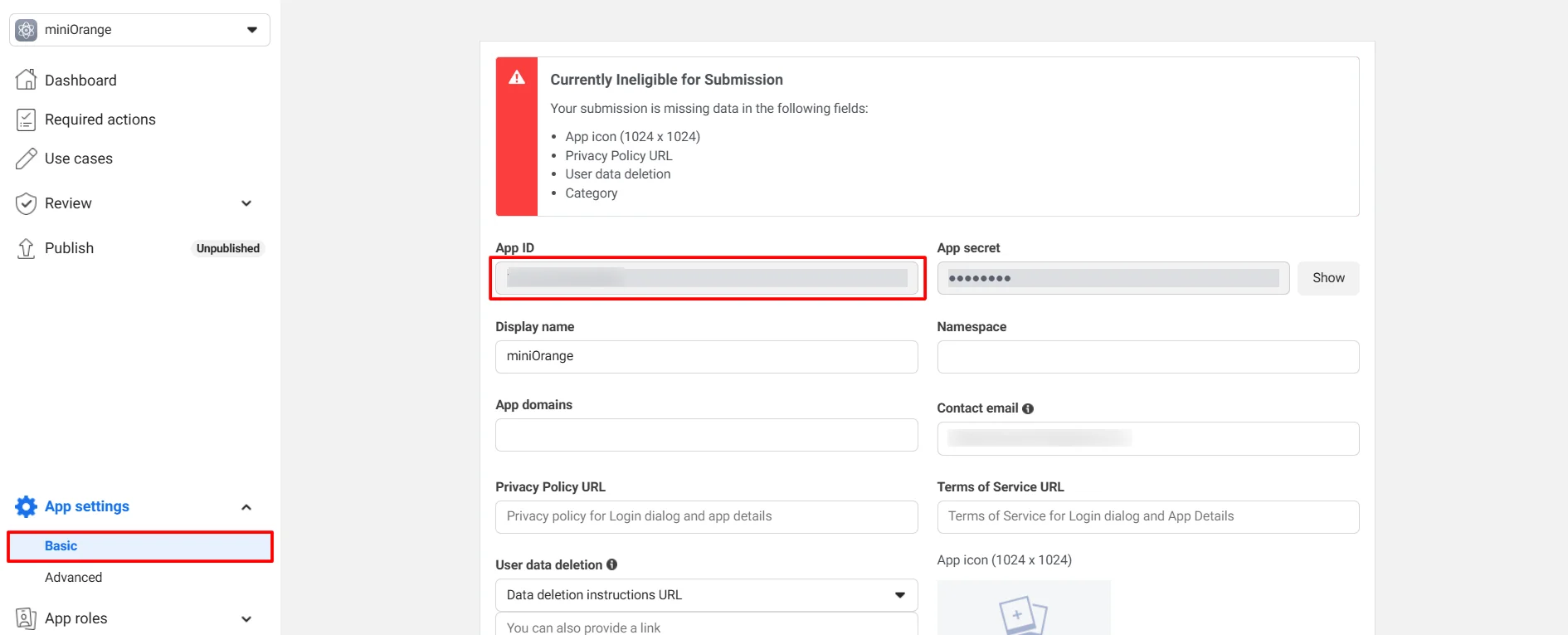
  • In App Settings >> click Basic. Copy the App ID and keep it handy.
  • OAuth/OpenID/OIDC Single Sign On (SSO) Facebook SSO click Basic and copy App ID

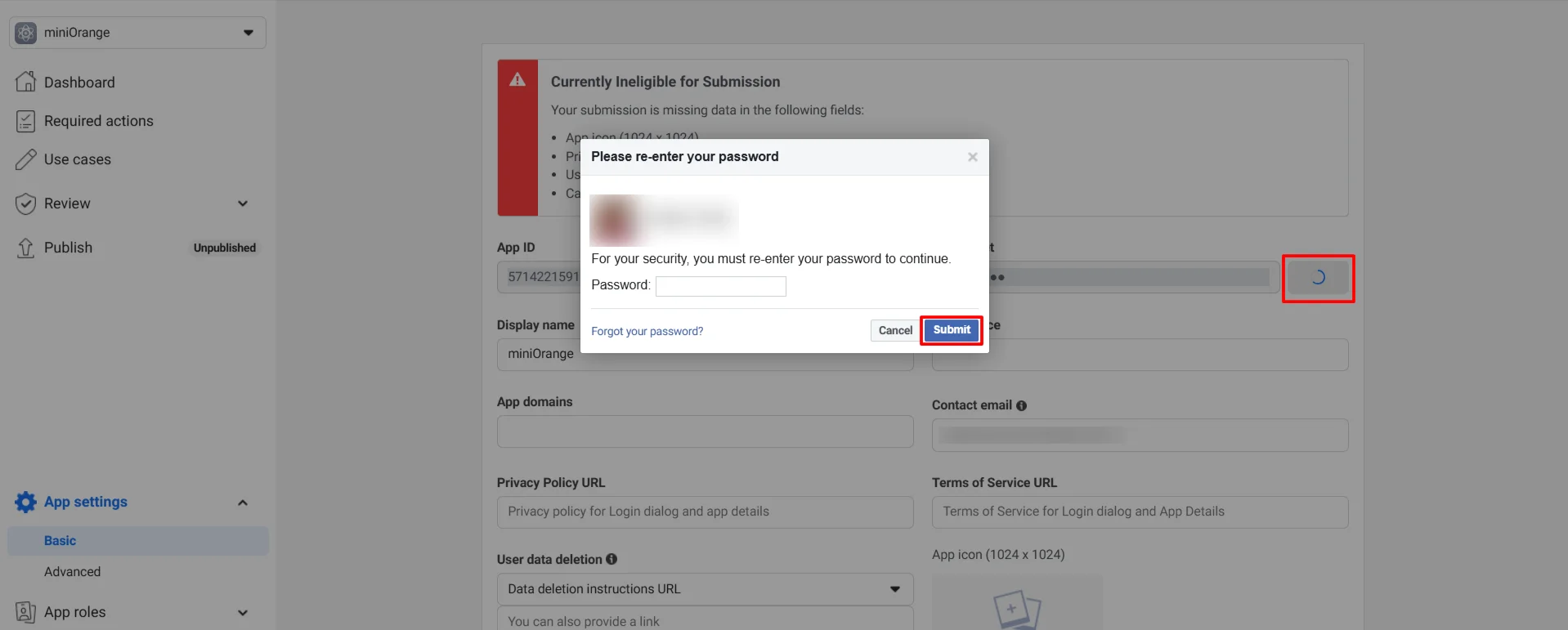
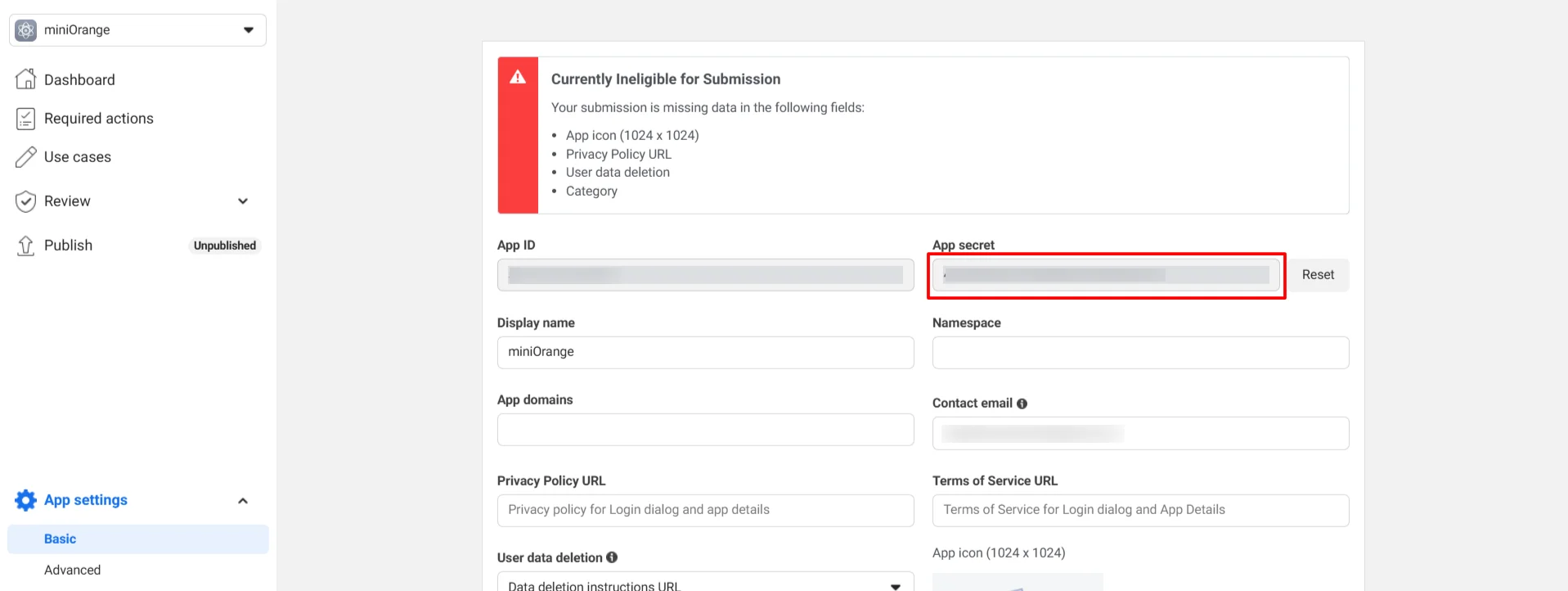
  • Click Show, complete the security check, and retrieve the App secret required in Step 2.
  • OAuth/OpenID/OIDC Single Sign On (SSO) Facebook SSO Click Show and verify details

    OAuth/OpenID/OIDC Single Sign On (SSO) Facebook SSO copy app secret

2. Configure miniOrange as Service Provider (SP) in Facebook

  • Return to the miniOrange Admin Console (you should have kept it open from Step 1).
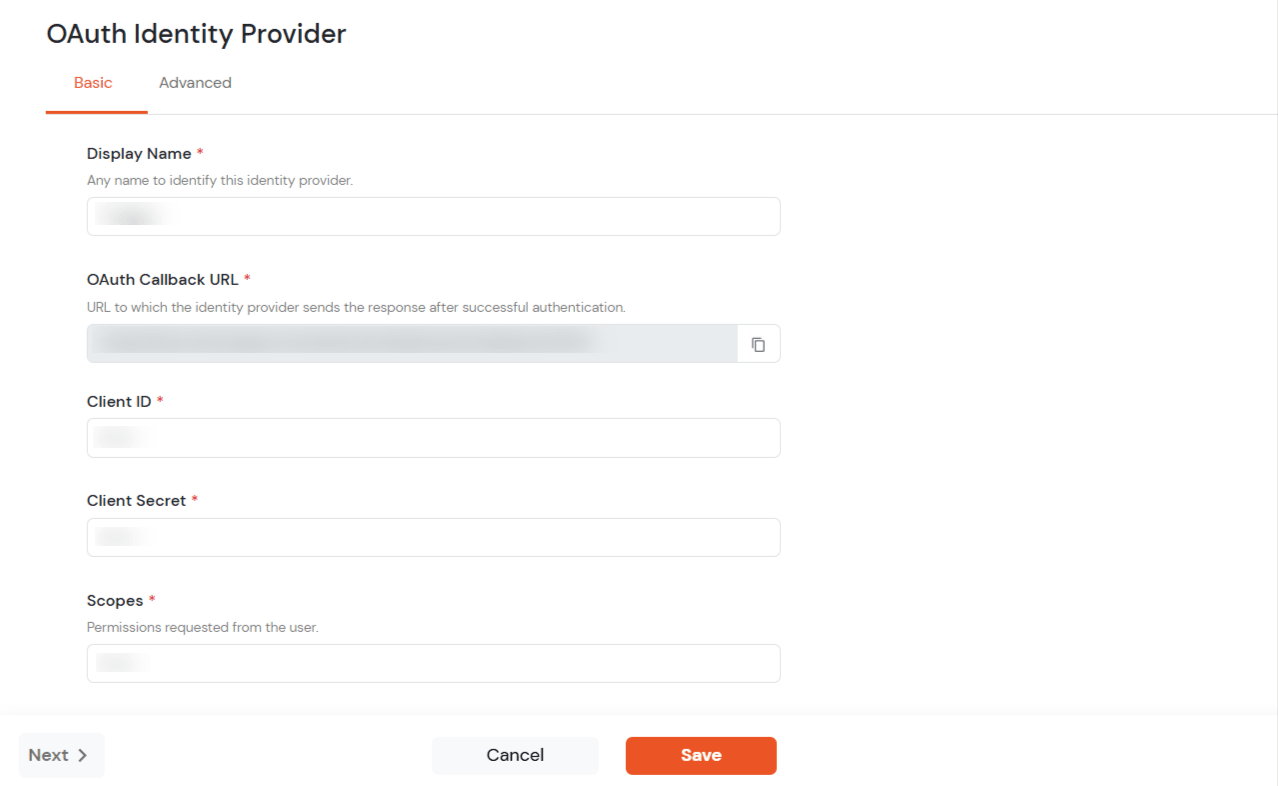
  • Enter the following values.
  • Display Name Enter appropriate Name (Like Facebook)
    OAuth Callback URL URL where the IDP redirects users after successful authentication.
    Client ID Copied from above steps
    Client Secret Copied from above steps
    Scopes openid profile email
    Select OAuth to setup Facebook as IDP : Select OAuth 2.0

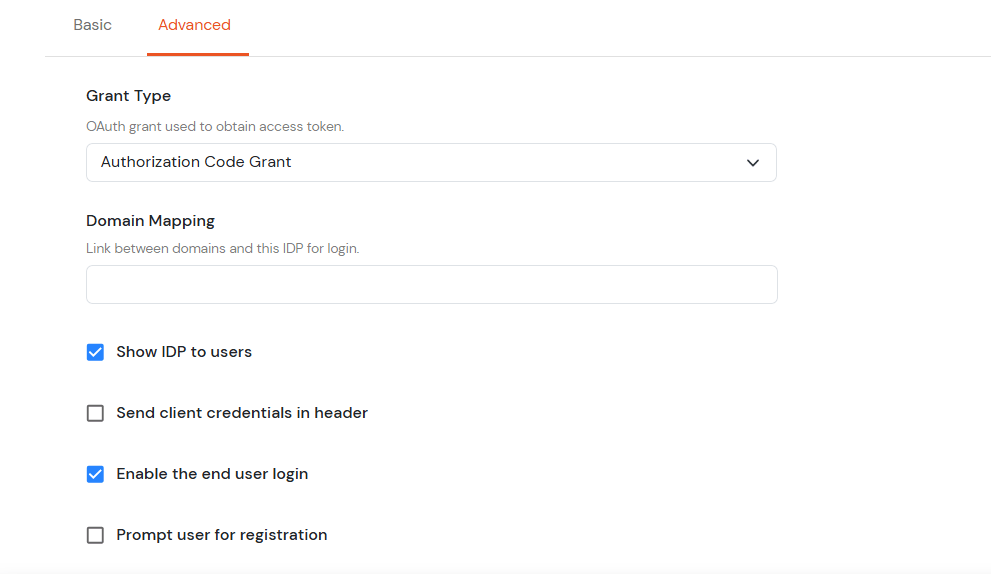
  • Click on Next for Advanced tab.
  • Grant Type: Select the OAuth grant type used to obtain the access token.
  • Domain Mapping: Specify the domain linked to this Identity Provider for login.
  • Select OAuth to setup Facebook as IDP : Select OAuth 2.0

  • Click on Save.

3. Test Connection

  • Visit your Login Page URL.
  • Go to Identity Providers tab.
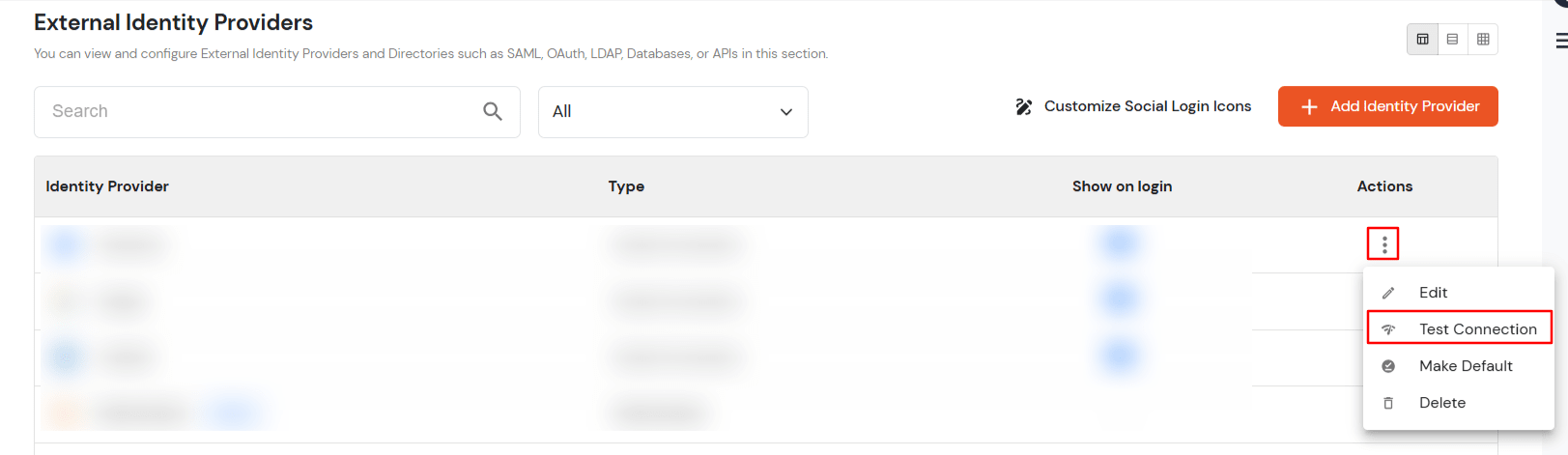
  • Search for your app, click the three dots in the Actions menu, and select Test Connection against the Identity Provider (IDP) you configured.
  • Facebook-IDP-TestConnection

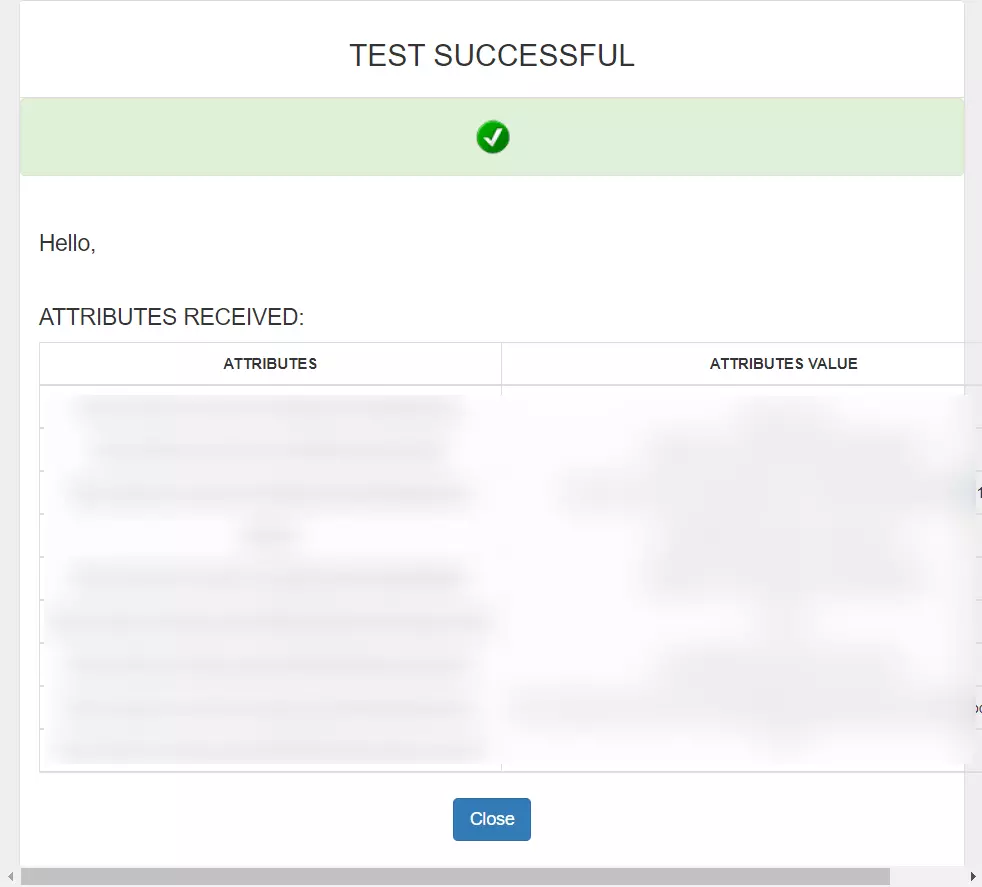
  • On entering valid Facebook credentials (credentials of user assigned to app created in Facebook), you will see a pop-up window which is shown in the below screen.
  • SucessTestConn-Facebook-IDP

  • Hence your configuration of Facebook as IDP in miniOrange is successfully completed.

Note:

You can follow this guide, if you want to configure SAML/WS-FED, OAuth/OIDC, JWT, Radius etc


Configure Attribute Mapping

Note: The customer configure attribute mapping for social login only when he/she has used his/her client credentials.
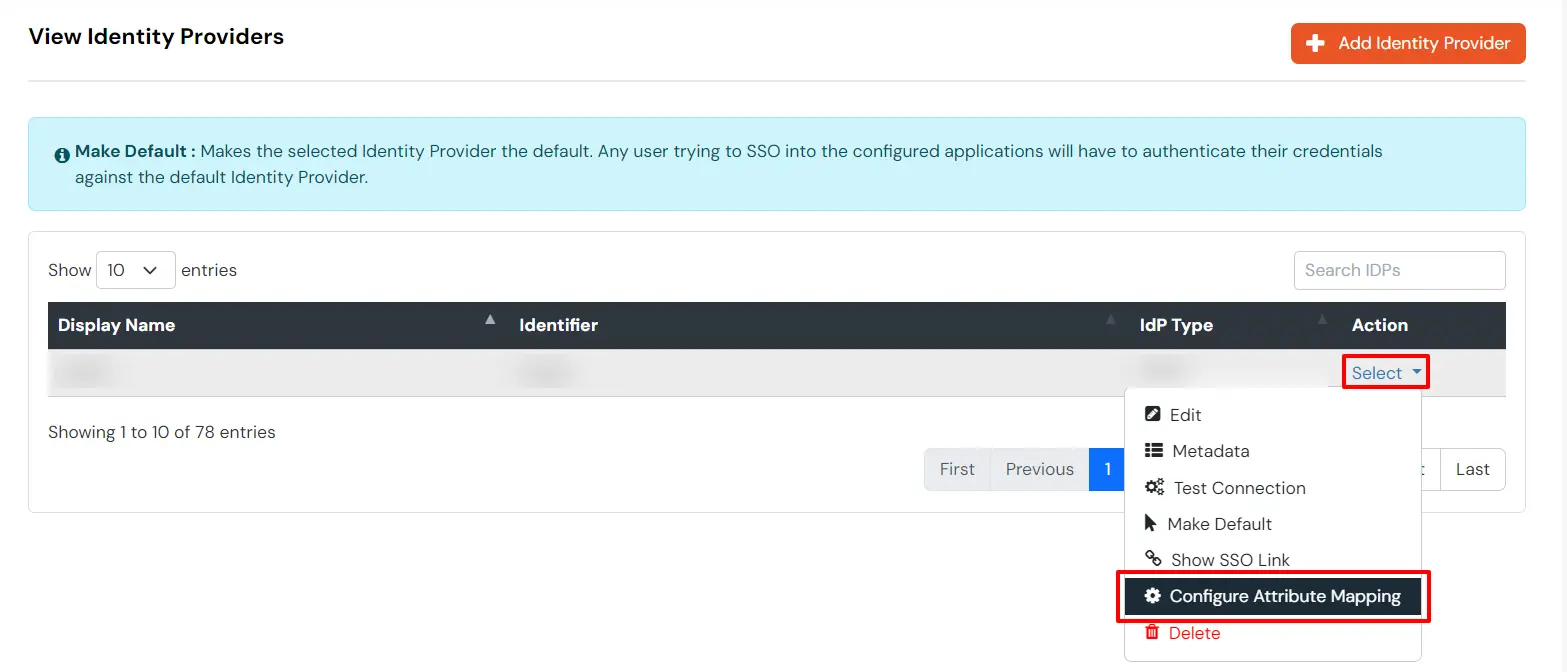
  • Go to Identity Providers.
  • Click the three dots in the Actions menu, and select Attribute Mapping against the Identity Provider (IDP) you configured.
  • Facebook Single Sign-On SSO Select and Configure Attribute Mapping


Maps information, such as email and username, during Just-In-Time (JIT) user creation. Email and Username attributes are necessary to create the user profile.
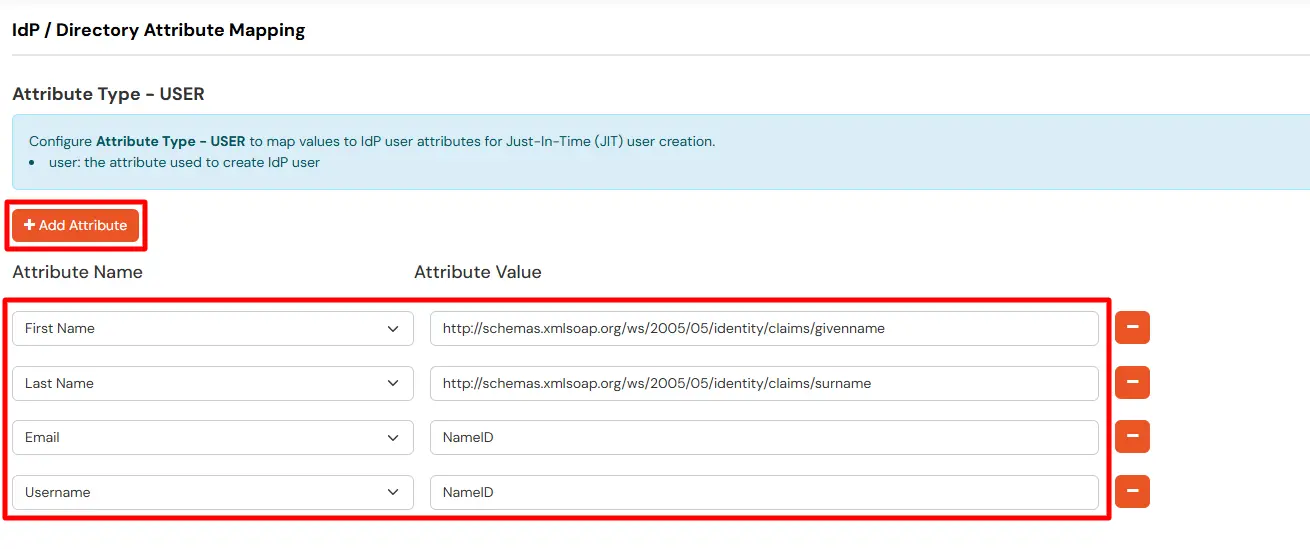
  • Click on the + Add Attribute button to add the attribute fields.
  • Facebook Single Sign-On SSO Map USER Attribute

  • Check the attributes in the Test Connection window from the previous step. Choose any attribute names you want to send to your application under Attribute Name sent to SP.
  • Enter the values of the attributes coming from IdP into the Attribute Name from IdP field on the Xecurify side.

EXTERNAL mappings help alter incoming attribute names before sending them to apps, ensuring that the data is in the correct format.
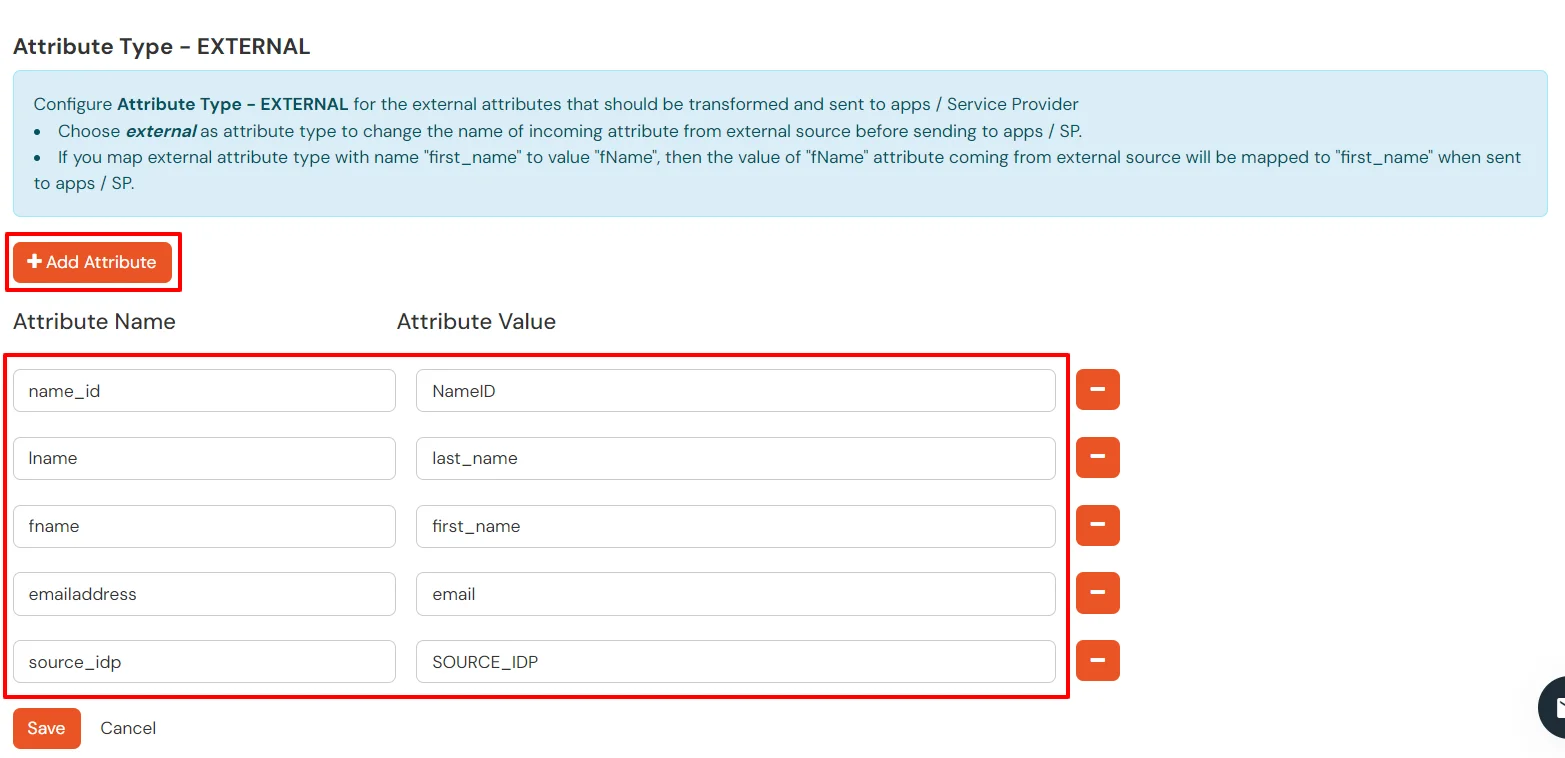
  • Click on the + Add Attribute button to add the attribute fields.
  • Facebook Single Sign-On SSO Map EXTERNAL Attribute

  • Check attributes in test connection window from last step. Enter the attribute names (any name) that you want to send to your application under Attribute Name sent to SP.
  • Enter the value of attributes that are coming from IdP into the Attribute Name from IdP field on the Xecurify side.

Configure Multiple IDPs:

You can follow this guide, if you want to configure multiple IDPs (Identity Providers) and give users the option to select the IDP of their choice to authenticate with.


External References

Want To Schedule A Demo?

Request a Demo


Our Other Identity & Access Management Products