Hello there!
Need Help? We are right here!

Need Help? We are right here!
Search Results:
×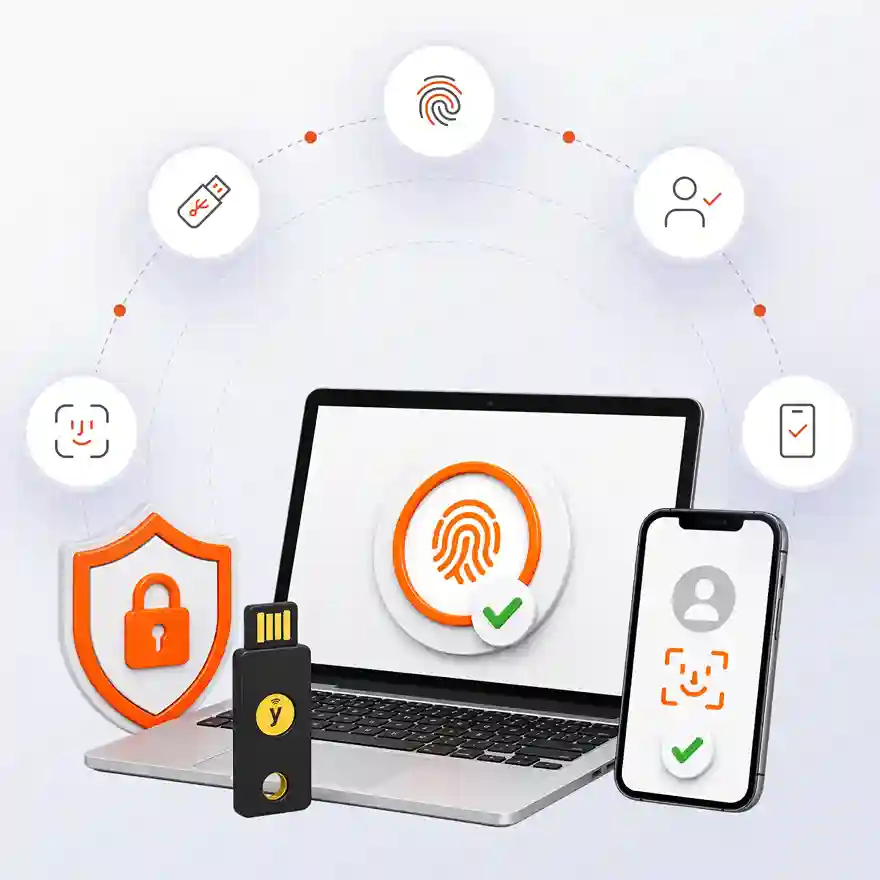
FIDO2 authentication is an open standard that uses public-key cryptography for secure, passwordless authentication. It enables passwordless authentication through passkeys, security keys, and biometrics while supporting FIDO2 MFA for phishing-resistant access.
During registration, a FIDO2 authenticator creates a public-private key pair. The public key is stored by the application while the private key remains protected by the authenticator. FIDO2 uses WebAuthn for application and browser communication and CTAP to connect with external authenticators, enabling secure passwordless FIDO2 authentication.
Enable users to access applications without passwords through a passwordless authentication solution for a simpler and more secure authentication experience.
Protect user access with a phishing-resistant MFA solution using cryptographically bound FIDO2 credentials that prevent phishing sites from capturing reusable authentication secrets and replaying them.
Let users verify their identity with device biometrics while keeping biometric information local, providing convenient authentication without exposing sensitive biometric data.
Support hardware security keys and platform-based passkeys, giving organizations flexible authentication options for employees, administrators, high-risk users, and shared environments.
Extend secure FIDO2 authentication to supported offline scenarios, including Windows Logon and RDP, when users need access despite limited connectivity.
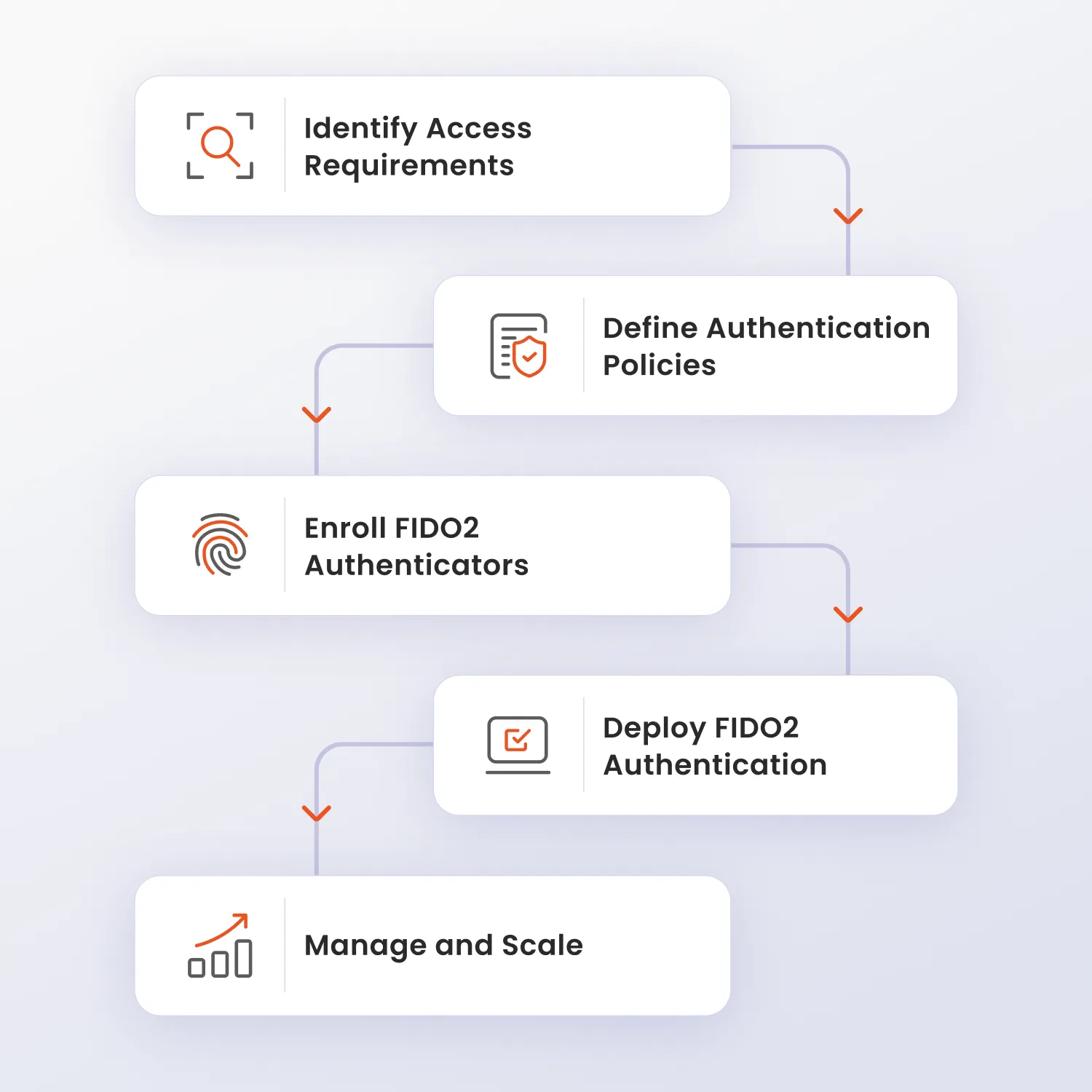
Move from password-based access to FIDO2 authentication with a structured rollout across users, applications, and access environments.
Determine which users, applications, endpoints, VPNs, and remote access workflows should adopt FIDO2 authentication.
Choose where FIDO2 will provide passwordless authentication and where it should strengthen existing MFA policies.
Register passkeys, security keys, biometrics, and supported platform authenticators for users based on their access requirements.
Apply FIDO2 across supported applications, Windows Login, RDP, VPN, cloud applications, and enterprise access workflows.
Centrally manage authentication policies and user enrollment while expanding FIDO2 adoption across additional users and access environments.
Replace password-dependent sign-ins with cryptographic verification that strengthens account security while making everyday access simpler.

Service-specific cryptographic credentials make captured authentication data far less useful to attackers attempting to impersonate users.

Biometric verification happens locally on supported devices, so fingerprints and facial data are not shared with the service during authentication.

Passkeys, device PINs, and biometrics simplify sign-in by reducing password entry, forgotten credentials, and routine reset requests.
Secure treasury approvals and payment administration against phishing, reducing opportunities for attackers to misuse compromised employee credentials during high-value financial operations.
Accommodate clinicians moving between patient records, prescribing systems, and shared terminals without making repeated password entry a barrier to timely care.
Protect software release workflows by strengthening authentication for developers who manage source code, cloud infrastructure, and production deployment permissions.
Enable secure remote maintenance for industrial environments, applying FIDO2 at compatible access gateways without requiring legacy controllers to support modern authentication.
Help distributed retail teams manage sensitive administrative actions, including refund approvals, point-of-sale configuration, and inventory adjustments across multiple locations.
Support secure access to case-management systems and citizen-service portals while accommodating agency identity assurance policies and managed-device requirements.
FIDO2's relevance varies across identity standards, privacy laws, and payment regulations. Each requires a different implementation consideration.

WebAuthn provides verifier-name binding for phishing resistance; select authenticators according to the assurance level and requirements applicable to your deployment.

Federal cybersecurity direction emphasizes stronger identity controls; FIDO2 can strengthen authentication within Zero Trust, alongside device security and least-privilege enforcement.
Article 32 requires risk-appropriate personal-data security. FIDO2 can reduce password-related exposure, but organizations must assess safeguards against processing risks.

The Security Rule requires safeguards for electronic protected health information. FIDO2 may strengthen workforce authentication within a broader, documented risk-management program.

FIDO2 may support applicable MFA requirements for cardholder-data access, provided the complete implementation meets the relevant PCI DSS criteria.

FIDO2-based methods may contribute to Strong Customer Authentication when payment flows satisfy applicable requirements for independent authentication elements and regulatory technical standards.
Secure users across applications, endpoints, VPNs, and remote access with passwordless FIDO2 authentication.
Integrate phishing-resistant authentication into your identity environment with flexible methods, centralized administration, and support for diverse access requirements.

Bring FIDO2 into your wider Identity and Access Management strategy alongside SSO, MFA, and access policies across supported applications.

Get assistance with deployment, configuration, and troubleshooting through miniOrange's 24/7 technical support, subject to the applicable support plan.

Accommodate cloud, on-premises, and hybrid infrastructure requirements with deployment options suited to your environment and supported integrations.

Configure authentication policies and manage enrollment across supported methods, helping IT teams maintain consistent access controls as adoption grows.

Extend authentication to supported access scenarios, including Windows Login, RDP, VPN, and cloud applications, based on product configuration and integration compatibility.
Strengthen enterprise access with secure, phishing-resistant FIDO2 authentication by miniOrange.
Yes. FIDO2 can authenticate users without traditional passwords using a PIN, biometric, security key, passkey, or other supported authenticator. It can also work alongside passwords when organizations deploy FIDO2 as an additional MFA factor.
Yes. FIDO2 can function as a phishing-resistant MFA factor alongside passwords or other authentication methods. Organizations can also use FIDO2 with local user verification to create a completely passwordless authentication experience.
Yes. FIDO2 credentials are cryptographically bound to the legitimate service they were created for. This prevents phishing sites from simply capturing a reusable credential and replaying it against the legitimate application.
FIDO2 works with compatible laptops, desktops, smartphones, and external security keys. Depending on the device, users can authenticate with a fingerprint, facial recognition, device PIN, security key, or another supported verification method.
Passwordless authentication means accessing a service without a traditional password. FIDO2 provides open standards that enable secure passwordless authentication using public-key cryptography. FIDO2 can also be deployed as MFA, so the terms are related but not interchangeable.
Some FIDO2 implementations support offline authentication scenarios, including certain Windows Logon and RDP deployments. However, offline availability depends on the authentication architecture and how FIDO2 has been implemented in the environment.