Hello there!

Need Help? We are right here!

Support Icon
miniOrange Email Support
success

Thanks for your Enquiry. Our team will soon reach out to you.

If you don't hear from us within 24 hours, please feel free to send a follow-up email to info@xecurify.com

Search Results:

×

How to Refresh OAuth Certificate


To be released soon.


Steps to Refresh Certificates

Step 1:

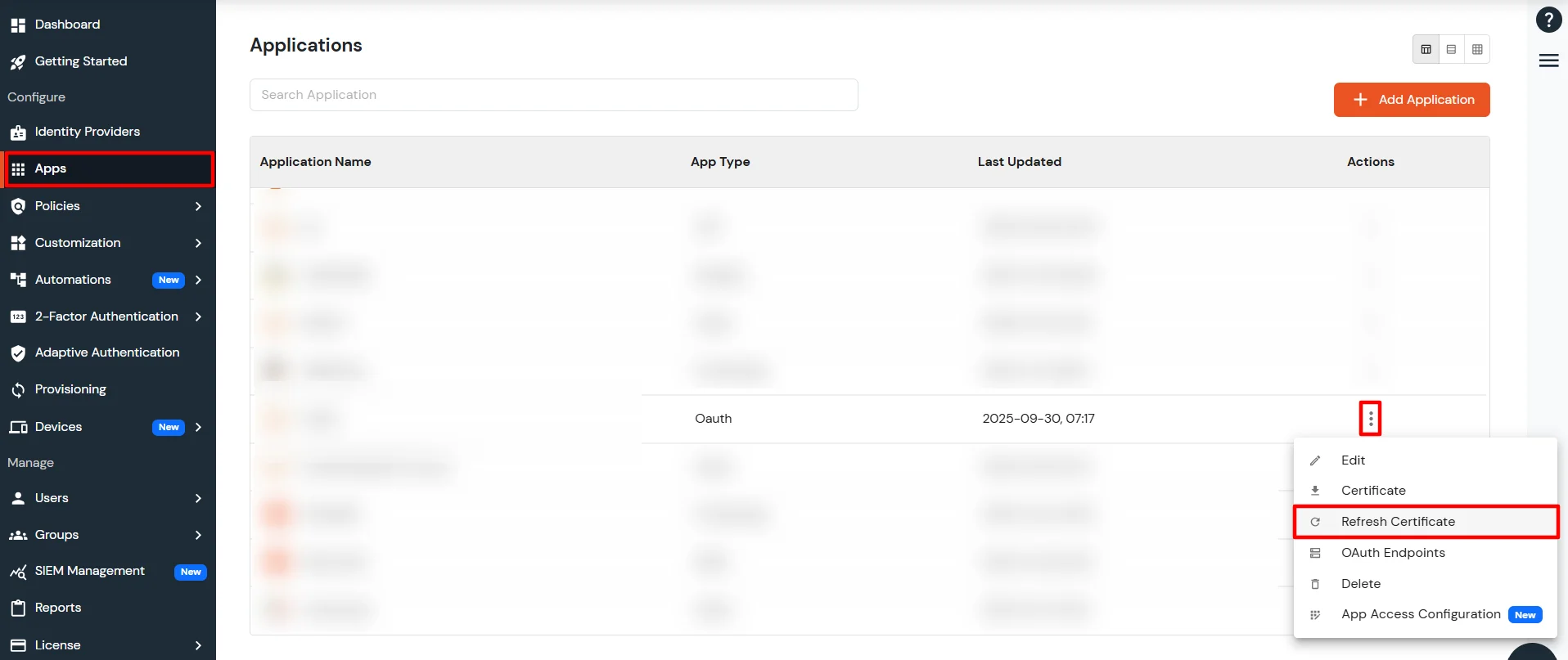
  • Navigate to the Apps section.
  • Locate your OAuth application, click on the Actions menu (three dots), and select Refresh Certificate.
  • Refresh OAuth Certificate

Step 2:

Update the public certificate on your application using one of the following methods:
Option A. Manual Certificate Update

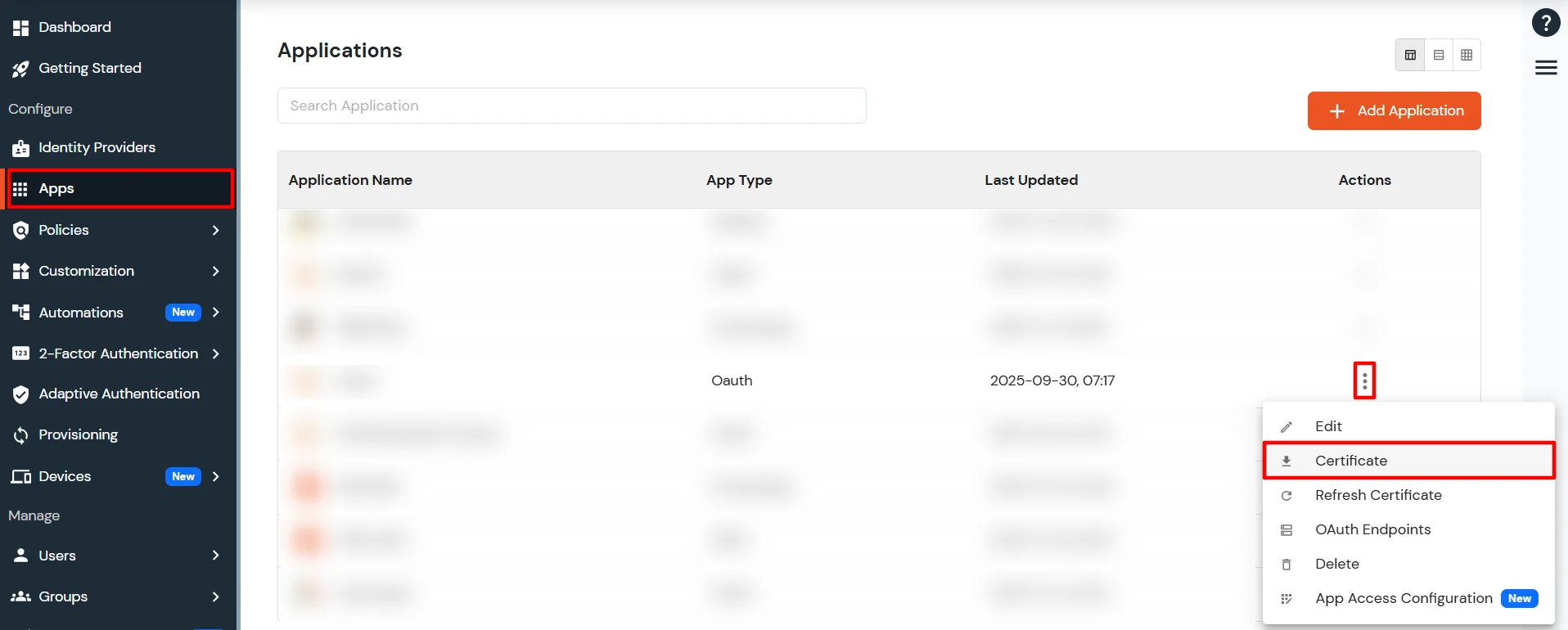
  • Open the Actions menu (three dots) again.
  • Click Download Certificate.
  • Download Certificate

  • Update the downloaded public certificate on your application server.

Option B. Using the JWKS Endpoint

  • If your application retrieves public keys from the public JWKS endpoint, clear the application server's cache.
  • This will force the application to fetch the updated public keys from the JWKS endpoint.

Step 3:

  • Test your application by attempting to log in. If the certificate has been updated correctly, authentication should work without any issues.